
Participant
December 29, 2019
Question

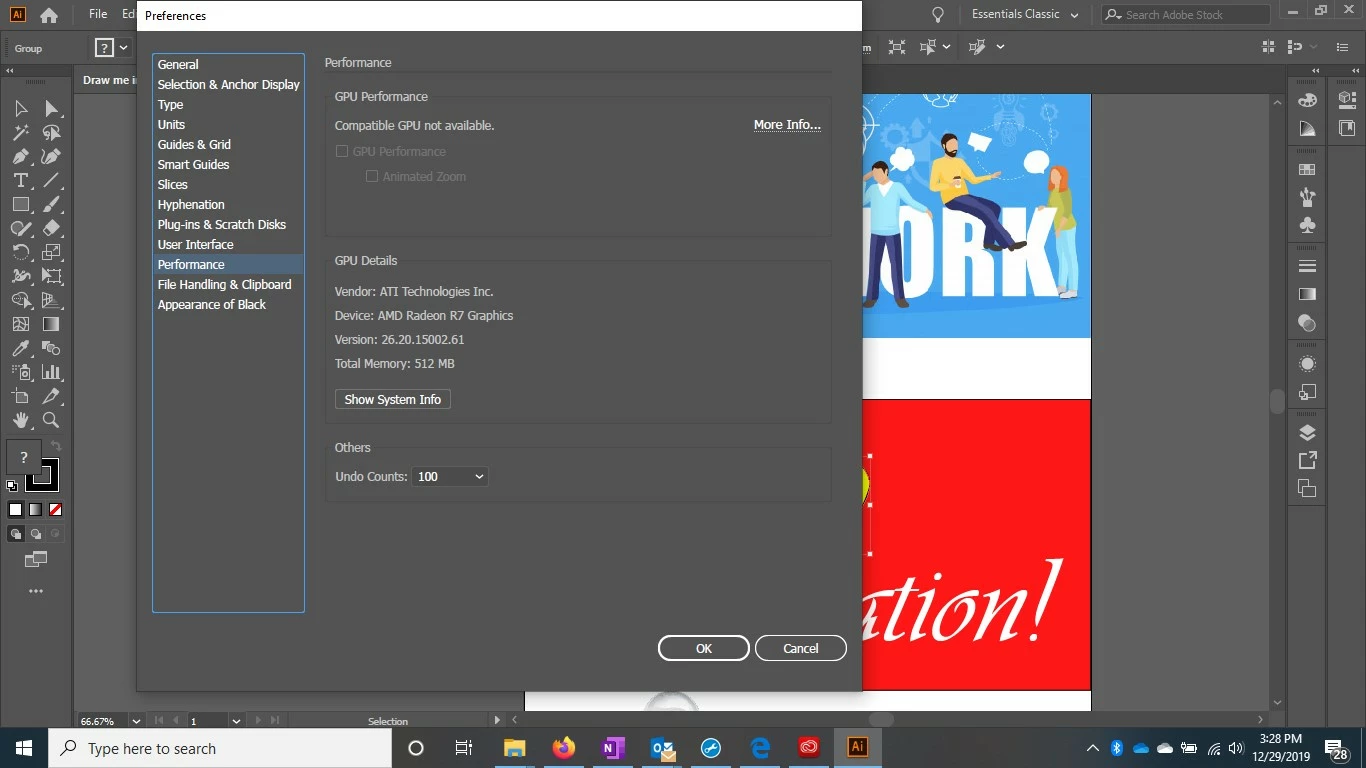
Illustrator does not detect compatible GPU when it should

  • December 29, 2019
  • 2 replies
  • 3661 views

My new Dell laptop has an AMD Radeon R7 GPU.  This should be compatible with Illustrator according to the Adobe website.  Both Windows and Illustrator detect the GPU, I have GPU zoom turned on, and I updated the drivers of the GPU, but Adobe Illustrator still says that I don't have a compatible GPU.  What's going on and how can I get illustrator to use my GPU? 
 

This topic has been closed for replies.

2 replies

Srishti_Bali
Legend
January 4, 2020

Hi there,

Sorry to hear about this. I would like to know if the steps suggested above worked for you, or the issue still persists. If not, would you mind sharing a few more details like:

  • OS and version of Illustrator
  • Is the Graphic card driver upto date?


Kindly update the discussion if you still need assistance with it.

Regards,
Srishti

Participant
May 20, 2021

Buen dia, tengo el mismo problema y realice todo lo que se menciono anteriormente sin embargo el problema perciste .


tengo la ultima version de ilustrator

y AMD Ryzen 7 5700U with Radeon Graphics 

Participant
June 27, 2022

Hola Estefany, lo has podido resolver finalmente?

Jacob Bugge
Community Expert
Community Expert
December 30, 2019

WhitinOhio,


Apart from an inadequate card and lack of driver updating, both ruled out, issues can be caused by lack of proper recognition of the card by the computer which may be the case here and worth investigating, and whatnot (including rifts in the space time, moon, weather, and the fact that Illy sometimes moves in mysterious ways).


Here are a few more pages about GPU troubleshooting:


https://helpx.adobe.com/illustrator/kb/gpu-performance-errors-troubleshooting-workarounds.html
https://helpx.adobe.com/illustrator/kb/illustrator-gpu-performance-driver-update.html