
ximiodevs
Participant
December 14, 2023
Answered

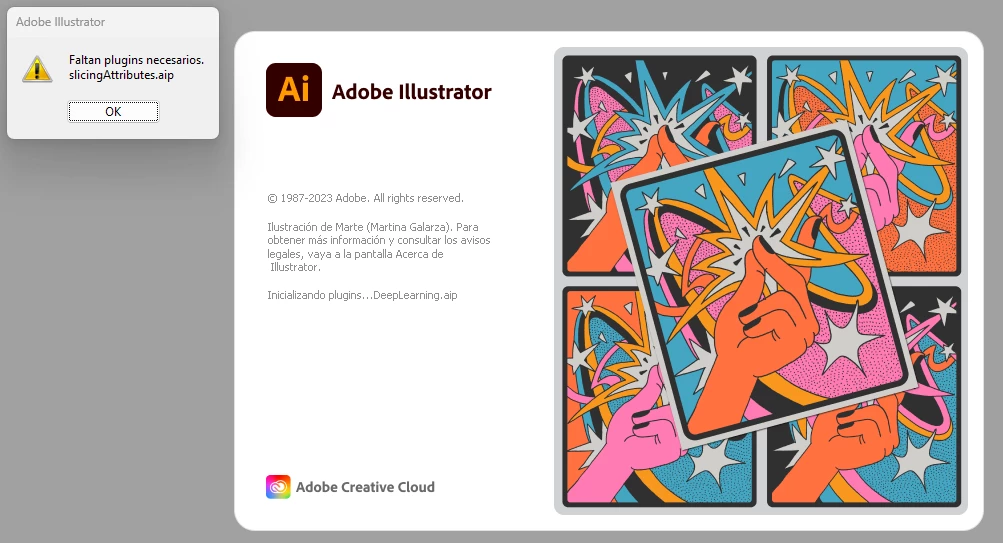
Illustrator does not start and throws an error about missing necessary plugin: slicingAttributes.aip
  • December 14, 2023
  • 3 replies
  • 7109 views

It happens with the latest versions (currently 28.1). After throwing that error, it closes completely. I have tried to go back to previous versions but I get other types of errors.

Correct answer carloss2004545

Hi, just in case you or anyone else is having this issue still:


What i did is go through and repair all of my Microsoft Virtual C++ apps in my installed apps, restarted my PC, and it works now!

3 replies

Participant
October 2, 2024

You can get rid of this problem by updating Microsoft Virtual C++ and installing the latest version. Microsoft Virtual C++ 2015 - 22

ximiodevs
ximiodevsAuthor
Participant
May 6, 2024

I still have this problem. The solution proposed by @Monika Gause did not work. Does anyone have a slightly better solution than that? I don't know how to contact Adobe (who I am paying month by month) to solve the problem. Thank you!

Monika Gause
Community Expert
Community Expert
May 6, 2024

You can contact Adobe at https://helpx.adobe.com/contact.html 

Monika Gause
Community Expert
Community Expert
December 15, 2023

Does your system meet the recommendations?


Maybe you will need to uninstall, run the Cleaner tool and then reinstall: https://helpx.adobe.com/creative-cloud/kb/cc-cleaner-tool-installation-problems.html