Answered
illustrator doesn't show any worked file
Dear all,
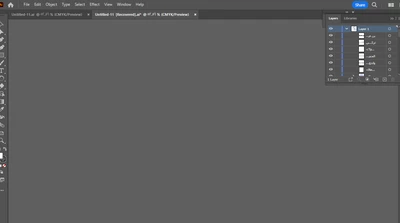
I have been working on the file then I closed it
and return open the same file but the illustrator doesn't show it, to more details kindly find the pic of the issue

Dear all,
I have been working on the file then I closed it
and return open the same file but the illustrator doesn't show it, to more details kindly find the pic of the issue
Besides the tips given, did you try View > Fit All in Window?
Already have an account? Login
Enter your E-mail address. We'll send you an e-mail with instructions to reset your password.
 AdChoices