Participant
January 28, 2020
Question

Illustrator downloading files from OneDrive on Windows 10

  • January 28, 2020
  • 1 reply
  • 2750 views

apparently adobe cc updated this morning.  Now when I do a file save a small window pops up in lower right stating that "illustrator.exe is downloading from onedrive...it names the image file that is only 583k.  It takes about 5 minutes to complete the save processes and illustrator is frozen and not responding during this time.  I can use other programs but not illustrator.  windows 10 Enterprise, 16GB Ram
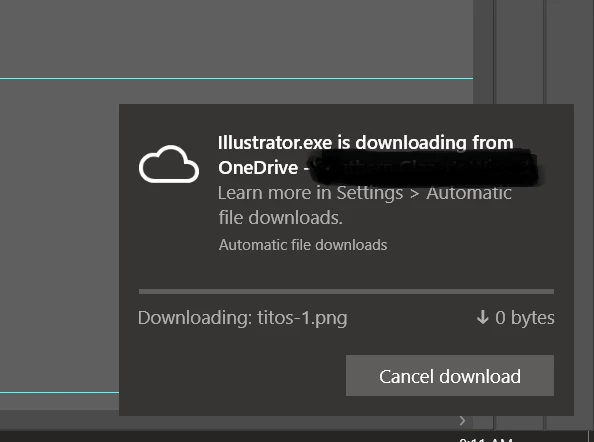


{Renamed by MOD}


This topic has been closed for replies.

1 reply

Ashutosh_Mishra
Inspiring
January 28, 2020

Hi there,


Thanks for reaching out. You are using Onedrive as your cloud storage and it is synchronized to your computer. Whenever you'll open/place or save a file on Illustrator using OneDrive. It'll show you this pop up and due to synchronization in progress, your program will not respond.

If you do not want that, I'd recommend using your local drive. Once your work is done, then you can save your file to the cloud.

You can check Microsoft support article https://support.office.com/en-us/article/sync-files-with-onedrive-in-windows-615391c4-2bd3-4aae-a42a-858262e42a49#bkmk_seemanage for more information.

Hope it helps.


Regards,

Ashutosh