


Illustrator DXF export not including document origin point
I’ve been using Illustrator for a few years now to do all of our instrument design work, then exporting the files to .dxf and bringing them into a couple different CAD/CAM software (first Carbide Create, now Fusion 360). I’m running into a problem that seems to have only started recently, but since I haven’t upgraded Illustrator in quite a while (didn’t really need to), I’m not sure what update the problem first appeared. In the earlier version (27.x, not positive about that), when I bring the .dxf into Fusion, it places the design perfectly on Fusion’s origin point, because I placed that point on the centerline horizontally and vertically in Illustrator. Now, in the current version (30.1), it doesn’t come into Fusion where it’s supposed to anymore. I was going to just re-install the older version, but the Creative Cloud app doesn’t go back that far.
Here’s what it looks like upon importing the .dxf into Fusion now. Note the orange circle is where I placed the origin in Illustrator, and the dashed green box is the size of the Illustrator artboard. The Fusion origin is in the upper left corner.
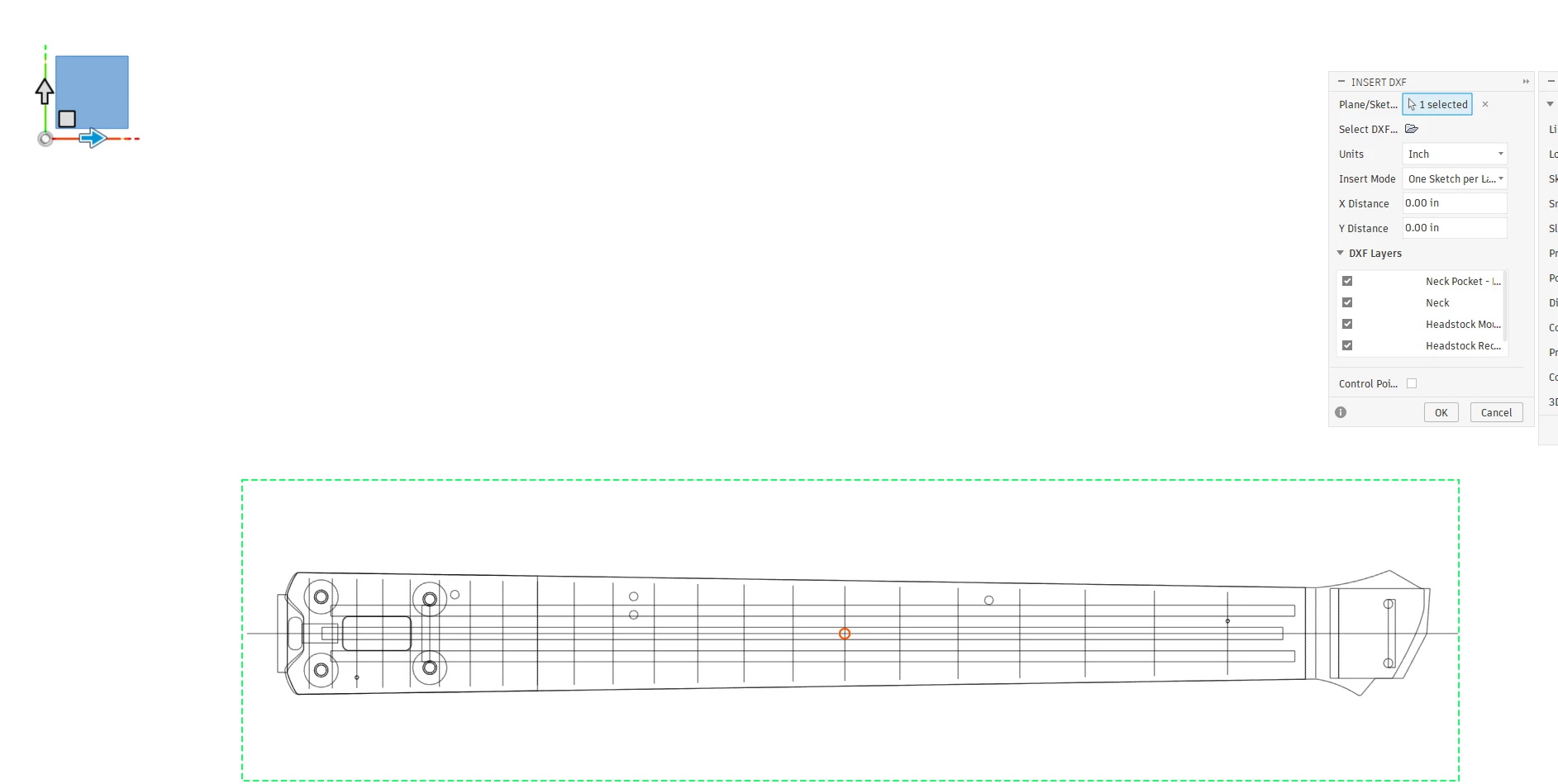
This is kind of a huge problem for me, as before if I had to iterate a design, I could simply re-export to .dxf and when I’d bring it into Fusion it would be perfectly aligned. Now, not so much. Any thoughts on what may have changed, and if not what are the odds of getting this fixed in a patch?
 AdChoices