Participating Frequently
August 16, 2025
Answered

Illustrator Editing CMYK Color Values

  • August 16, 2025
  • 3 replies
  • 301 views

I am creating a document that is going to a printer and they require specific CMYK values for print.  Illustrator continues to edit the CMYK values I input.  I understand that the program is likely adjusting the percentages due to a setting, however, I thought that I had taken the steps to 'lock' my CMYK inputs so Illustrator does not override my CMYK values. Document is set to CMYK, I changed to Color Managment Policies to 'Preserve Numbers (Ignore Linked Profiles) and I have turned ON all Profile Mismatches and Missing Profile settings/warnings.  How can I fix this?  I am obviously missing something. Thank you!  

Correct answer creative explorer

@josila that's awesome you got the first two things, Document set-up is CMYK and Color Managment Policies to 'Preserve Numbers (Ignore Linked Profiles) and I have turned ON all Profile Mismatches and Missing Profile settings/warnings which is a good step, the overall color profile set here can still influence how Illustrator handles color. You can choose a preset like "North America General Purpose 2" which is often a good starting point for CMYK workflows. 

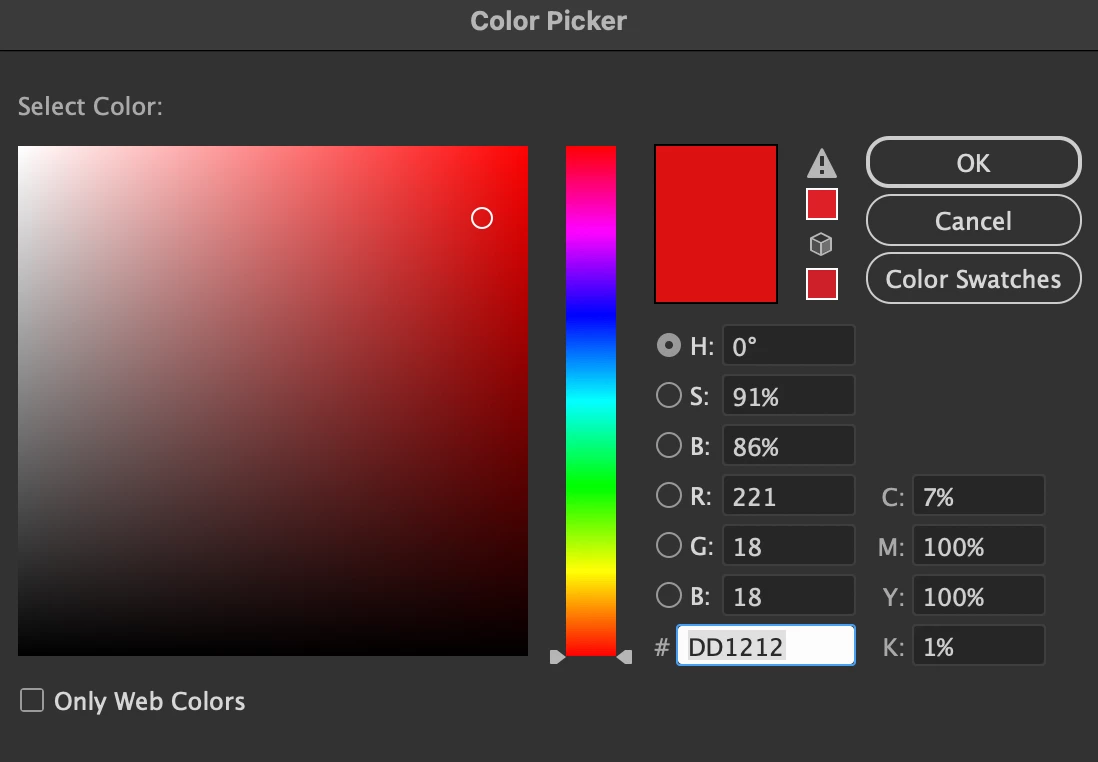
Also, when you are in the Color Picker, after you have typed in your CMYK numbers, do you see a small warning icon (an exlamation mark in a triangle? This icon indicates that the color you have chosen is out of gamut for your current color profile and Illustrator is attempting to correct it. 

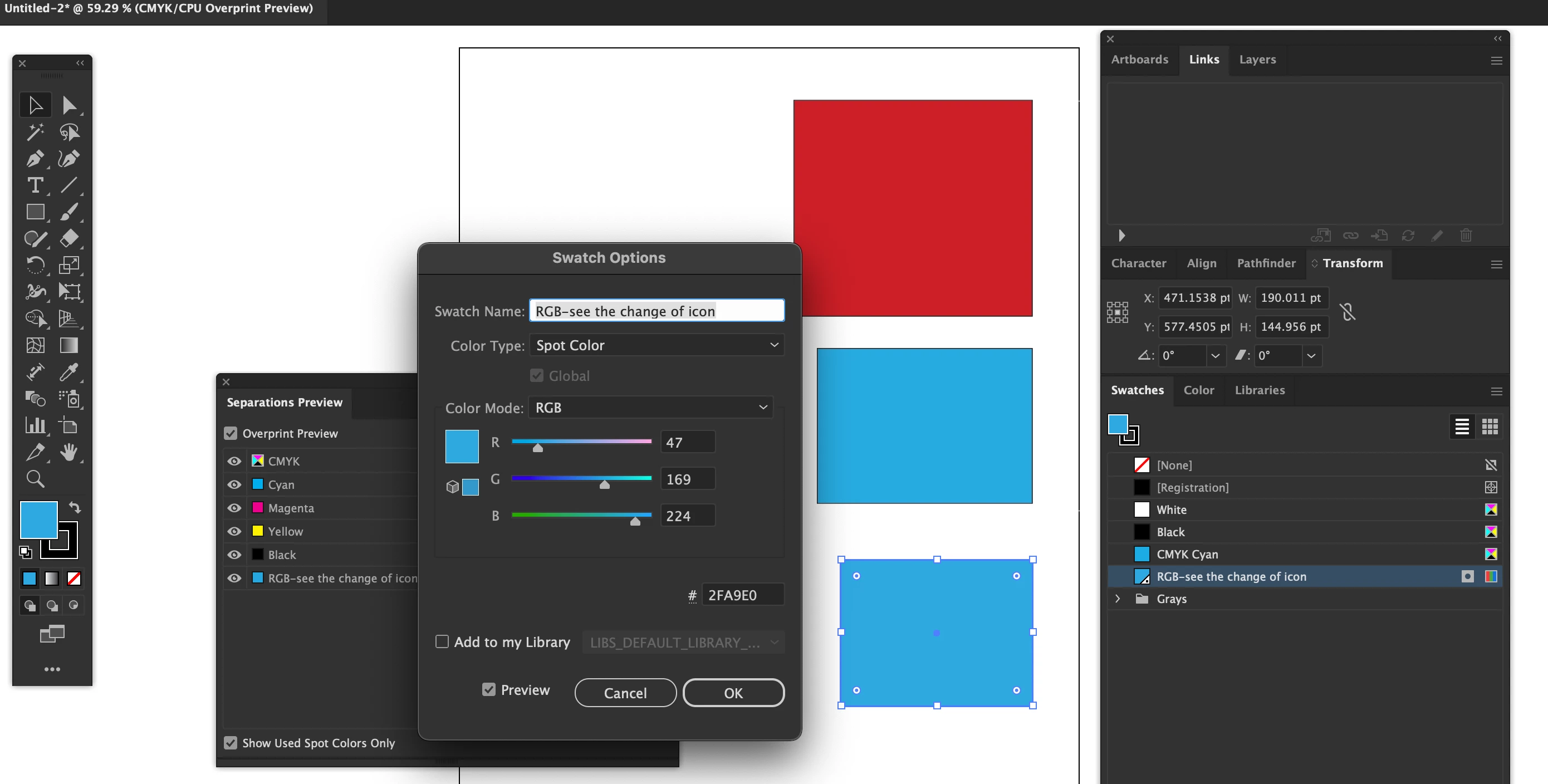
Normally, what I like to do, is go into my 'Swatches' panel, and select the unused color swatches, and remove them all together. Hey, if they're aren't in use, it' safe to delete them. By doing so, you can quickly verify if there are any RGB swatches as well or any that may have a 'Global' swatch on as well.


3 replies

Ton Frederiks
Community Expert
Community Expert
August 16, 2025

If you type hex, RGB or HSB vaules in a CMYK document, Illustrator will convert those to the nearest possible CMYK values for that color. But if Illustrator changes CMYK values you have entered in a CMYK document there is something wrong. Illustrator does not limit your CMYK values in a CMYK document.

creative explorer
Community Expert
creative explorerCommunity ExpertCorrect answer
Community Expert
August 16, 2025

@josila that's awesome you got the first two things, Document set-up is CMYK and Color Managment Policies to 'Preserve Numbers (Ignore Linked Profiles) and I have turned ON all Profile Mismatches and Missing Profile settings/warnings which is a good step, the overall color profile set here can still influence how Illustrator handles color. You can choose a preset like "North America General Purpose 2" which is often a good starting point for CMYK workflows. 

Also, when you are in the Color Picker, after you have typed in your CMYK numbers, do you see a small warning icon (an exlamation mark in a triangle? This icon indicates that the color you have chosen is out of gamut for your current color profile and Illustrator is attempting to correct it. 

Normally, what I like to do, is go into my 'Swatches' panel, and select the unused color swatches, and remove them all together. Hey, if they're aren't in use, it' safe to delete them. By doing so, you can quickly verify if there are any RGB swatches as well or any that may have a 'Global' swatch on as well.


m