
jessicamulder
Participant
March 26, 2018
Answered

Illustrator EPS gets white lines around the vector art when imported into InDesign

  • March 26, 2018
  • 1 reply
  • 1790 views

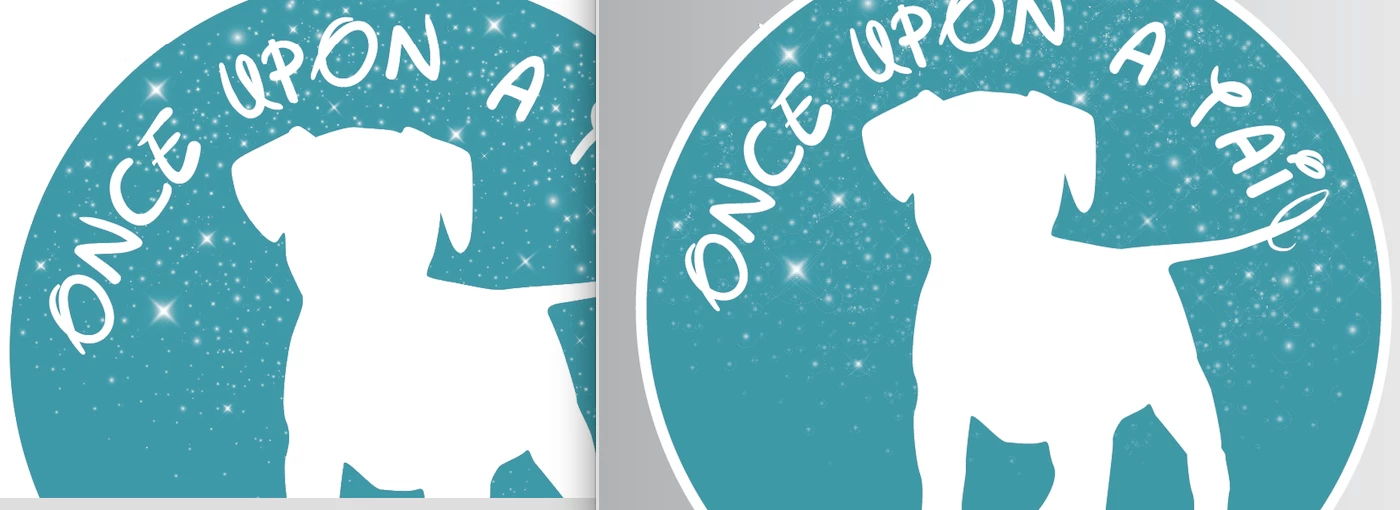
I created a logo in Illustrator and it is fine when in there, and when exported for screens to PNG, but when I import the EPS file into InDesign, I get these white lines all through the artwork. I can't figure out why this is happening or how to get rid of it. Below I've included a screen shot of the artwork. On the left is the Illustrator version (good) and then on the right is how it looks when I put the EPS into InDesign (bad). The lines still show when I export the PDF from InDesign for print. Hopefully you can see it from the screen shot I loaded, it is kind of hard to see in the preview. I'm using CC. Any ideas?
This topic has been closed for replies.
Correct answer Test Screen Name

Don’t use EPS. Use PDF or AI. Don’t flatten transparency.

1 reply

Test Screen NameCorrect answer
Legend
March 26, 2018

Don’t use EPS. Use PDF or AI. Don’t flatten transparency.

Participant
December 3, 2018

I get the same thing and PDFs don't work out either for me. Ever since this last update ESP and AI images don't come in correctly. This should not be happening. It was working fine before the update. If it's not broken DON't fix it!

Adobe needs to address this issue!!!

Monika Gause
Community Expert
Community Expert
December 3, 2018

erdae89861580  schrieb

I get the same thing and PDFs don't work out either for me. Ever since this last update ESP and AI images don't come in correctly. This should not be happening. It was working fine before the update. If it's not broken DON't fix it!

Adobe needs to address this issue!!!

You should ask this in the InDesign forum, resp the InDesign uservoice site.