


Participating Frequently
November 29, 2017
Answered

illustrator equal guides

  • November 29, 2017
  • 4 replies
  • 1424 views

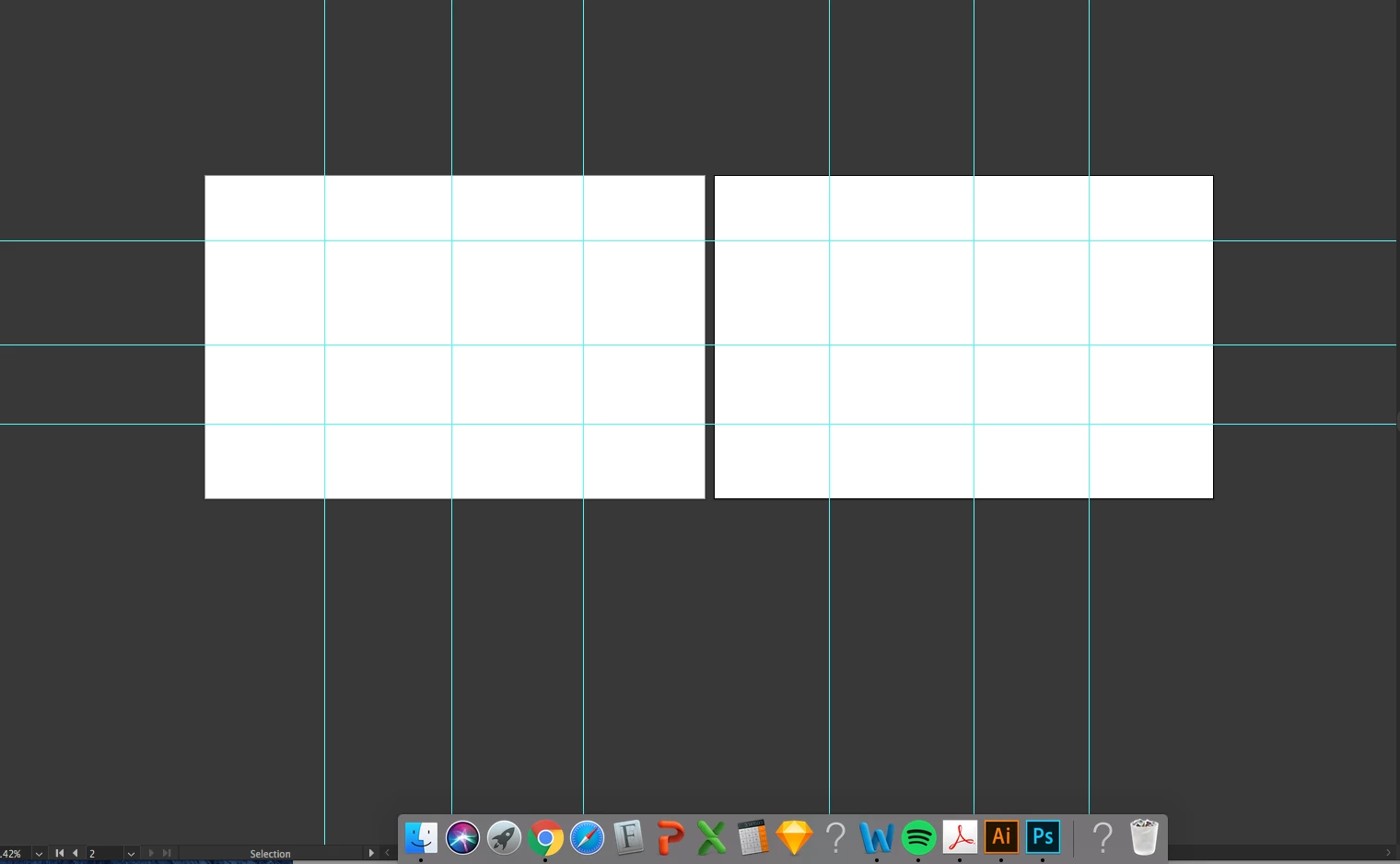
I have 2 art boards each 11x17 as shown below. I need them to be in 16 equal parts like i did in the screenshot. only i need it to be actually equal. im not good with math so if anyone could help me out or tell me where to place each guide on the ruler. thanks.

    This topic has been closed for replies.
    Correct answer Mario Arizmendi

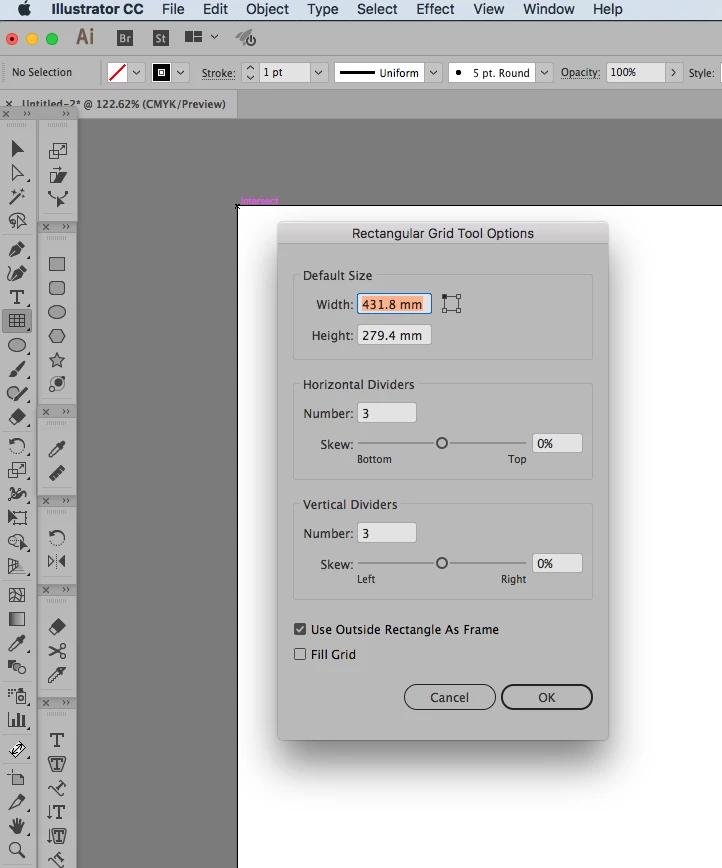
    One way, Just use the rectangular grid tool, then convert to guides, do the same in each artboard

    4 replies

    manal shanableh
    Legend
    November 30, 2017

    Vertical  guide: align it to page

    select the guide, click enter to open move dialog box, write 2.75in in vertical box. horizontal 0, then click copy and ok

    command D

    command D

    will repeat the the copy

    now you'll have the artboard divided into 4 sections.

    tromboniator
    Community Expert
    Community Expert
    November 30, 2017

    From the vertical ruler, drag five guides onto the active artboard.

    Select them all.

    With the Align panel set to Align to Artboards, click on Horizontal Distribute Center.

    Repeat the process using guides dragged from the horizontal ruler, and Vertical Distribute Center

    Lock guides.

    manal shanableh
    Legend
    November 30, 2017

    horizontal guide: align it to page

    select the guide, click enter to open move dialog box, write 4.25 in in horizontal box. then click copy and ok

    command D

    command D

    will repeat the the copy

    now you'll have the artboard divided into 4 sections.

    repeat it for the second artboard

    Mario Arizmendi
    Mario ArizmendiCorrect answer
    Legend
    November 29, 2017

    One way, Just use the rectangular grid tool, then convert to guides, do the same in each artboard