


Illustrator Error 2067 when opening DXF file; how to download v25.0.1 to regain access?
Trying to open a DXF file in Illutrator, which I have been able to do successfully for many years (on a PC with Windows 10, and the DXF file is generated by Lectra Modaris).
But today 4/19/22, after Illustrator auto-updated to v26.2.1, I can no longer open DXF files and recieve the following error message: "The operation cannot complete because of an unknown error. [2067]"
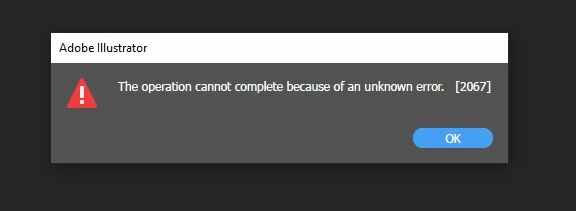
After finding limited information on this error, my understanding is that this is an issue for all new versions of Illustrator, except for v25.0.1.
So I tried to download that version to avoid this issue, however, under the "other versions" section of Creative Cloud Desktop, I am only able to go back to v25.4.1, so v25.0.1 is not an available option for some reason.
I am wondering:
1) Is there a solution to this error 2067?
2) If not, is there any way to access Illustrator v25.0.1? Or is this version no longer supported?
3) Is there another way to open a DXF with illustrator v25.4.1 and above?
I've tried closing all other windows, restarting the computer, updating the computer, and downgrading from v26.2.1 to v25.4.1, but still the same error message appears. Not sure what else to try.
Any advice is welcome, since opening DXF files in Illustrator is essentail to my workflow.
 AdChoices