
ondr0013
Participating Frequently
June 7, 2017
Question

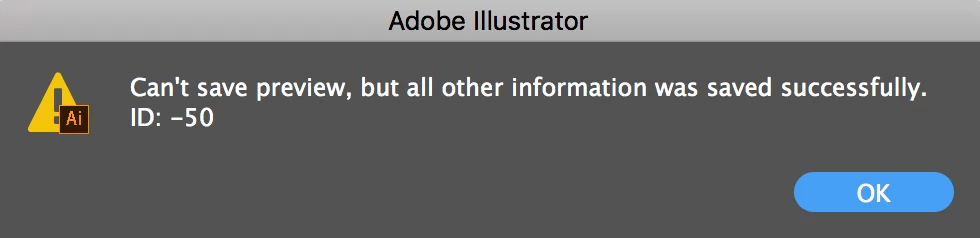
Illustrator Error ID: -50 "Can't save preview, but all other information was saved successfully."
  • June 7, 2017
  • 8 replies
  • 17316 views

I am saving it to my work's network when I receive the error. I do not receive this error when saving to the network in After Effects or Premiere. It saves without error when saving locally (desktop). It should be noted that the save actually works, but I'm growing tired of seeing this error every time .

Thanks for any help you can provide,

James

This topic has been closed for replies.

8 replies

Participant
April 8, 2022

I am getting this same error. It started when I was accessing older files on my external hard drive & now it's doing it whenever I try to save a new file too. 

BurttiF
Participant
January 19, 2018

Same error here, but only with Google File Stream.

Participant
April 16, 2019

Got the same error, saving files in last month or two is just annoying.

Background: only happens when saving files in Google File Stream, no error when saving on desktop

Illustrator CC (19.2.0)

System: macOS Mojave 10.14

MacBook Pro (Retina, 13-inch, Early 2015)

2,7 GHz Intel Core i5

16 GB RAM

Monika Gause
Community Expert
Community Expert
April 16, 2019

  schrieb

Got the same error, saving files in last month or two is just annoying.

Background: only happens when saving files in Google File Stream, no error when saving on desktop

Illustrator CC (19.2.0)

System: macOS Mojave 10.14

MacBook Pro (Retina, 13-inch, Early 2015)

2,7 GHz Intel Core i5

16 GB RAM

There are issues with saving files to networks and synchronized folders in Illustrator.

In order to get this to the developers, you need to post it over there: http://illustrator.uservoice.com

jamiec2
Participant
December 17, 2017

Same here - Google File Stream triggers the error.

Ryukyu
Participant
October 27, 2017

I am now getting this error after having upgraded to Illustrator CC version 22.0.0. Never got this prior to this release.

Participant
November 3, 2017

I am also having this issue as of version 22.0.1, never happened before. Running on Mac OSX El Capitan

josephp2618680
Participating Frequently
June 28, 2017

It seems to occur with files that were created in the pre-update version of Illustrator.  Are you guys experiencing the same thing?

Kristin McMahan
Participant
June 28, 2017

For me, it happens with all files I'm saving. I even created a file today and getting the error whenever I save or save as .ai

Kristin McMahan
Participant
June 28, 2017

I'm having the same issue too. I even tried uninstalling and deleted my preferences, then reinstalled. It's incredibly annoying and I hope this resolves soon.

josephp2618680
Participating Frequently
June 26, 2017

We have the same issue since this updating to the current version of Illustrator.

Inspiring
June 7, 2017

Are there any image files involved?

ondr0013
ondr0013Author
Participating Frequently
June 7, 2017

There are many layers, some of which were copied from other .svg images and pasted in.

Inspiring
June 7, 2017

How is your scratch disk ( preferences )?

Sent from my iPhone