annar20786945
Participant
August 13, 2019
Question

Illustrator File Issue?

  • August 13, 2019
  • 5 replies
  • 288 views

Hello

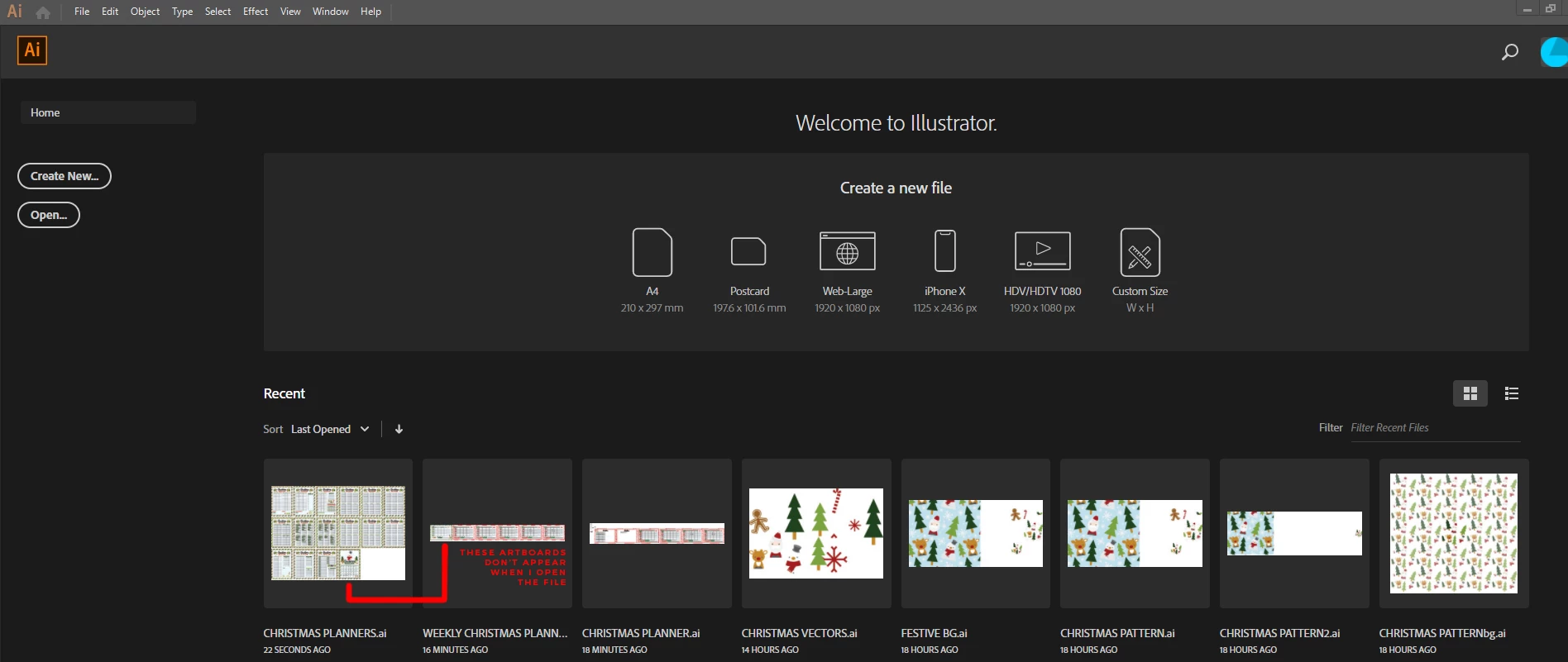
I have no idea what has happened to my illustrator file, I saved up and shut my laptop down last night and have come back to it to find the last 2 artboards I finished, in two separate saves completely gone?

At first, I thought I must have forgotten to save which I NEVER do but then I noticed you can still see the work I did last night on the file preview but when I open it, it's gone

Any ideas? I really really don't want to re-do it all!
    This topic has been closed for replies.

    5 replies

    Mike_Gondek10189183
    Community Expert
    Community Expert
    August 13, 2019

    Dont worry the file should  turn up if you search your drive for the name of the file. While recent filers works 99% of the time, do not rely on that to manage your file. You may have just worked on so many files it got pushed away. You can increase from 20 default ot 30 if you need.

    Or a technical issue like encountering a file with an illegal character in the name like slash or color corrupted your recent recent files.

    You also may have crashed instead of quit, and Illustrator could not write to the file locations to the prefs files form RAM.

    Monika Gause
    Community Expert
    Community Expert
    August 13, 2019

    When you open the Illustrator file in Acrobat - is everything there?

    Kenneth Kawamoto
    Community Expert
    Community Expert
    August 13, 2019

    Are they listed in the Artboards panel?

    meganchi
    Legend
    August 13, 2019

    Have you tried searching for the file name on your computer to see if it saved in a different file directory?

    italosan
    Community Expert
    Community Expert
    August 13, 2019

    Hi, where have your files been saved?

    annar20786945
    Participant
    August 13, 2019

    Just on my desktop?