


Participant
May 3, 2025
Question

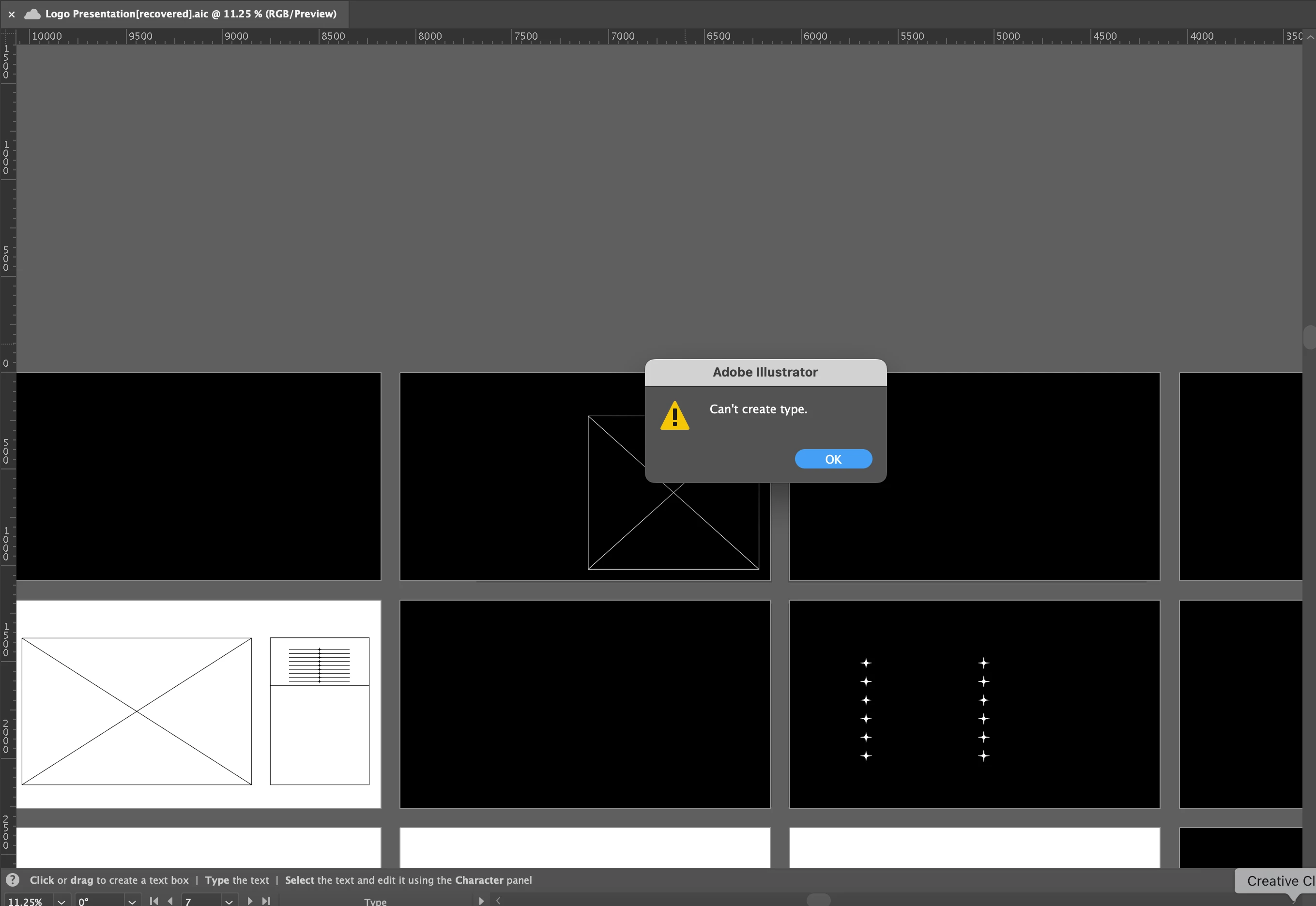
Illustrator file opens as recovered and has deleted all text and can't create type

  • May 3, 2025
  • 3 replies
  • 375 views

I worked on this presentation in Illustrator, and I was saving periodically (the file is saved on the cloud, not on the desktop). Today, I finished a few pages, saved the file, and went to get lunch. No crash, no nothing. After I returned, I opened the file, and all the text was gone. The shapes I have created are there, but all the text is gone. It is not hidden in another layer, I worked on one layer only. When I closed the file, it showed up as a recovered file. When I tried to use the type tool, it came up with a notification that says " Can't create type". Tried uninstalling and installing, but did not work. Tried going to Creative Cloud online and opening the document there, but it opened the same file again. All other files seem to be ok, just this one.
3 replies

Participant
September 29, 2025

Did anybody ever find a solution for this? The same thing just happened to me. 


juliathulins
Participant
June 18, 2025

Any updates on a solution? The exact same thing happened to me and now I canmnot edit the document at all. I can see in the miniature image of the document all of the content but when opening, all the text is gone. It doesn't even open the correct file but just a recovered one. 

Anubhav M
Community Manager
Community Manager
June 18, 2025

Hello @juliathulins,

Would you mind providing some details about the circumstances under which these files were saved or edited, and the location of the files where they were stored? For example, were there any unexpected Illustrator crashes, sudden app closures, system shutdowns, or power cuts during the editing process?


Also, kindly share a link to a sample file after uploading to Dropbox/Google Drive/etc, so we can check it on our end. Although we cannot guarantee a successful recovery, we will try our best to do so.

Looking forward to hearing from you.

Anubhav

Abhishek Rao
Community Manager
Community Manager
May 12, 2025

Hi @Vesela5C84,


Thanks for sharing the details and the screenshot. Could you please provide your Illustrator version and macOS details?

Since this issue appears to be isolated to this specific file, it’s likely caused by a corrupted font or a disruption in font integrity due to cloud sync. Reinstalling Illustrator won’t reset font caches or fix file-level corruption.

For additional troubleshooting, you can follow the steps in this article:
Troubleshoot fonts in Illustrator & InDesign.

Additionally, please try the following:

1. Open Font Book on your Mac and validate all fonts. Restart your system and Illustrator afterward.

2. Move the .aic file to your desktop and open it from there.

3. Ensure all your fonts are synced in the Creative Cloud Desktop app.

If the issue persists, could you share the file with us so we can test it on our end? 


Looking forward to your update!

Abhishek