Participant
June 9, 2023
Answered

Illustrator folder icon problem

  • June 9, 2023
  • 1 reply
  • 4107 views

I don't know how to describe. I've been trying to reinstall it, but it doesn't work.


Correct answer Anubhav M

Hello Anubhav,


Sorry, this way does not solve my problem.


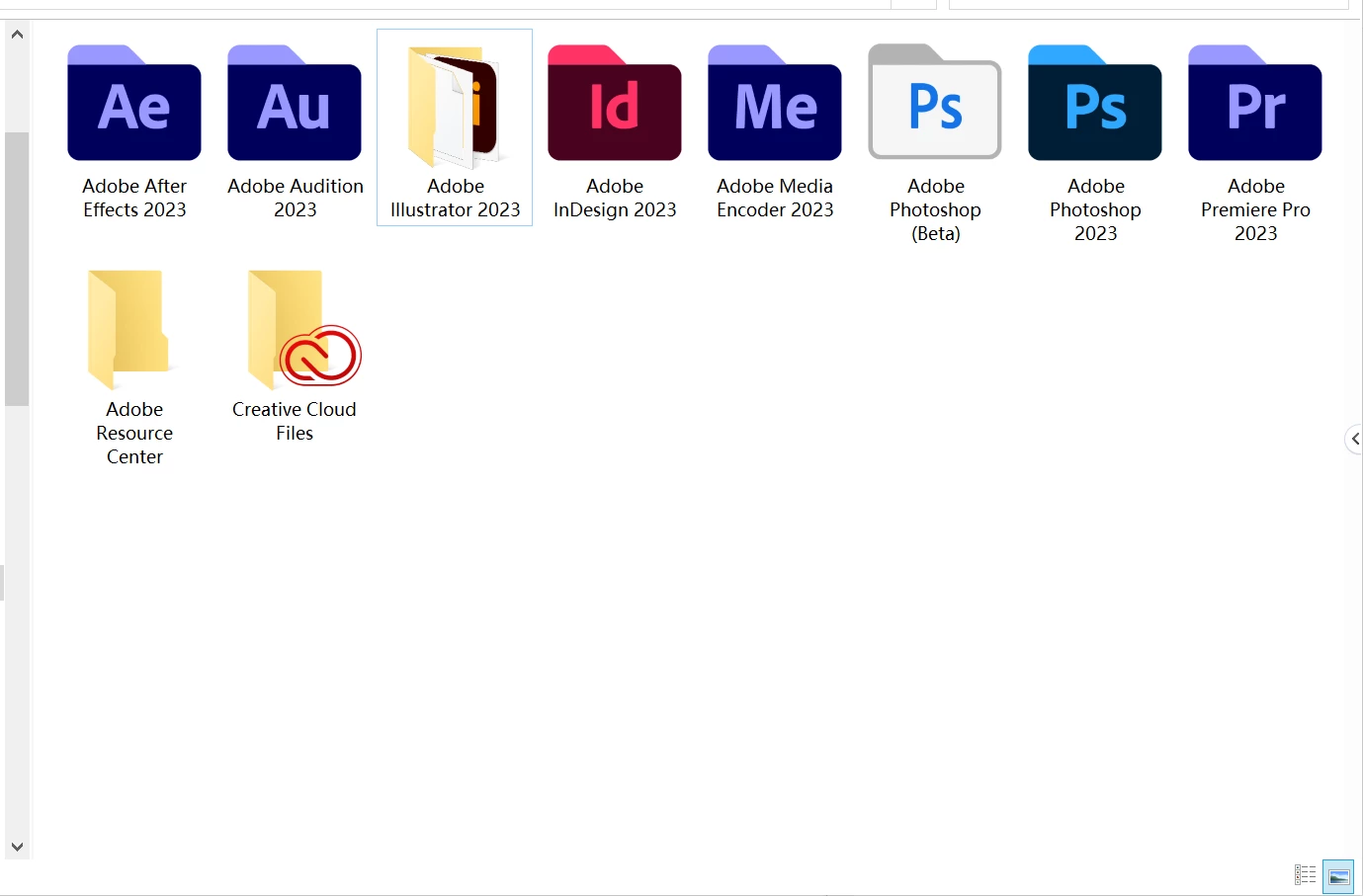
I think the icon of the folder is missing. As you can see, the other folders show the right icon. Is it possible to locate the ".ico" file. Just like AfterEffect and other folders in "C:\Program Files\Common Files\Adobe\Keyfiles". But I didn't find the icon of Illustrator.


Thanks,

Tung


Hello @T30405164kun2,


Sorry to hear that the steps provided did not help. There is a way to override folder icons in Windows. Kindly follow the steps outlined below and share your observations:


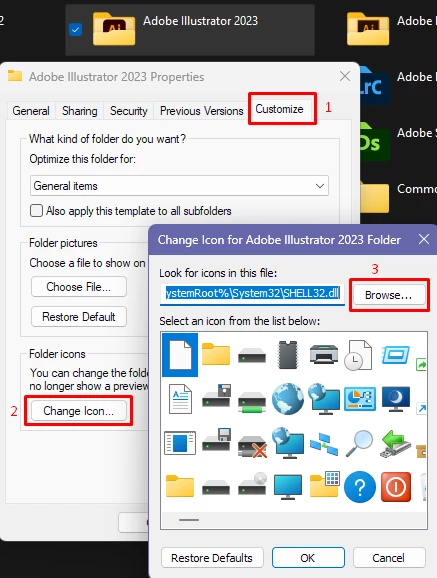
  1. Right-click the folder icon for Adobe Illustrator 2023, choose the tab for Customize, and then click on the button for Change Icon, followed by the Browse button on the change icon window.

  2.  Navigate to the following location and select the Illustrator.exe file:
    C:\Program Files\Adobe\Adobe Illustrator 2023\Support Files\Contents\Windows

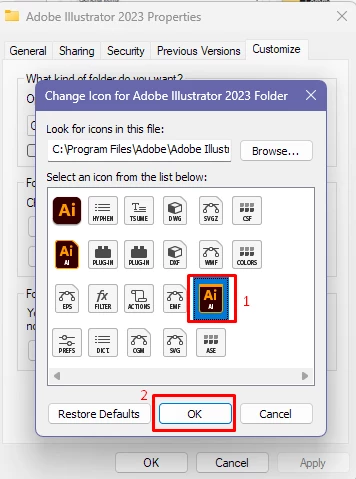
  3.  Choose the Illustrator icon you would like to use for the folder and click OK on the Change Icon window, followed by OK on the Adobe Illustrator 2023 Properties window. 
     

Looking forward to hearing from you.


Thanks,

Anubhav


Note: Marking correct for visibility.

1 reply

Anubhav M
Community Manager
Community Manager
June 9, 2023

Hello @T30405164kun2,


We understand that encountering technical issues can be frustrating. I am assuming you're using a Windows computer. If yes, kindly try clearing the Windows Thumbnail Cache (https://www.makeuseof.com/windows-11-clear-thumbnail-cache/) and rebuilding the Icon Cache (https://www.makeuseof.com/windows-rebuild-icon-cache/) and then restarting your computer to check if it helps.


Looking forward to hearing from you.


Thanks,

Anubhav 

Participant
June 10, 2023

Hi Anubhav,


I‘ve tried the method you provided, but it still didn‘t work. Is there another way to solve this problem?


Thank you

Anubhav M
Community Manager
Community Manager
June 12, 2023

Hello @T30405164kun2,


Sorry to hear that the suggestions provided did not help. Would you mind trying to run Illustrator under a different administrator account (Windows) and checking if it helps?


Looking forward to hearing from you.


Thanks,

Anubhav