

Question
Illustrator font size decreases my decimals
I'm on a MacBook Pro, illustrator 2023 currently.
Like you guys know, the shortcut for increasing or decreasing the font size is Shift+Cmd+, or .
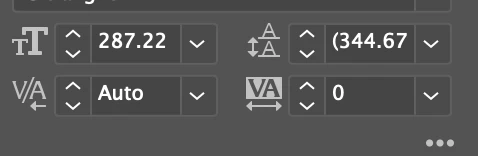
At some point, it started to decrease or increase by decimals (like 287.22 --> 287.12).
How do you change it so that it changes by 287-> 288 (like actual numbers?)
Was struggling with this for a while and wanted to ask the community for help. Thanks!
 AdChoices