
Inspiring
December 19, 2021
Question

Illustrator for iPad, Appearance Parameters Revert

  • December 19, 2021
  • 2 replies
  • 895 views

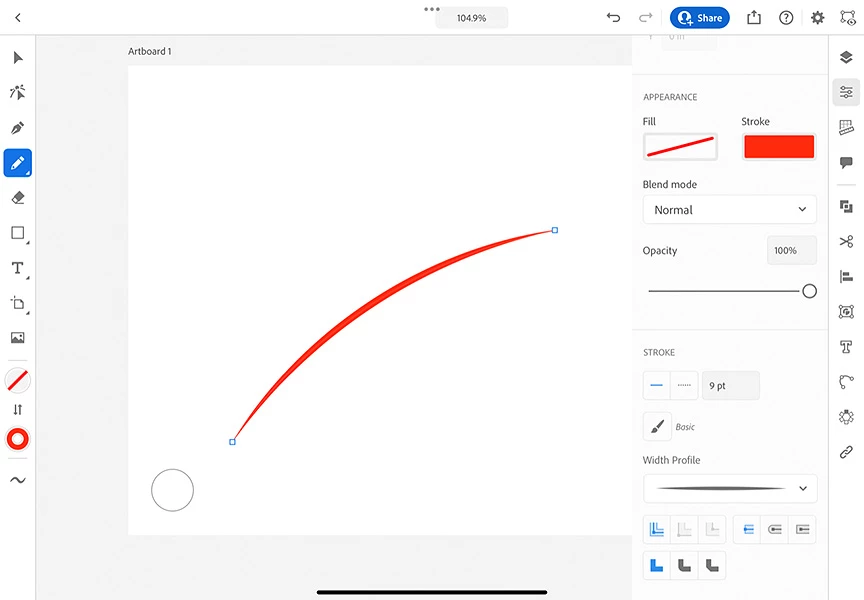
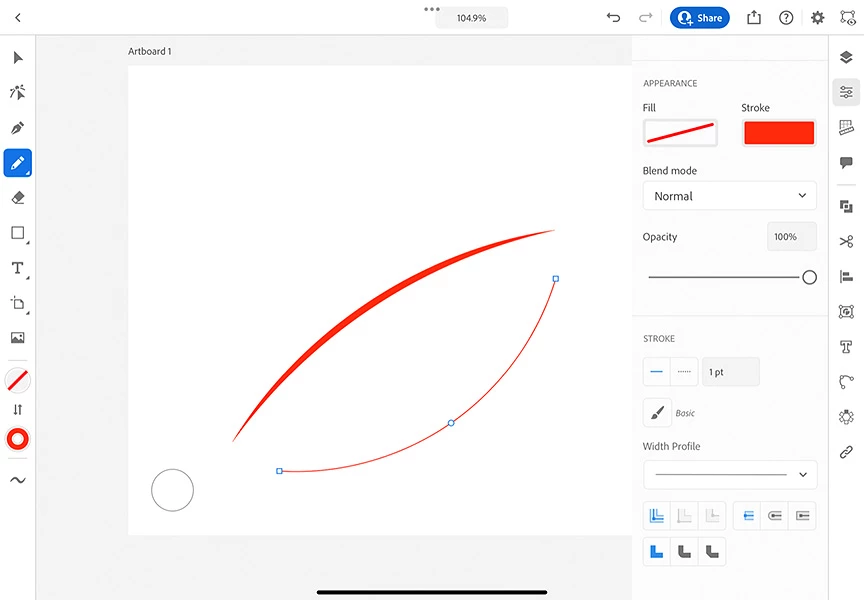
In Illustrator for iPad, I would like to create a series of paths with the Pencil Tool like the one shown in the first image, that is, with a specific stroke width and width profile that I have set in the Appearance Panel.  But when I go to draw a second path, I find all the parameters have been reset to the defaults.  This results in the lower path shown in the second image.


I’m very familiar with Illustrator for Desktop, where once the appearance parameters are set, they are maintained until they are modified.


Today I’m looking for clues how the appearance parameters can be maintained in In Illustrator for iPad for multiple paths.
This topic has been closed for replies.

2 replies

MinusMelanin
Known Participant
March 25, 2024

Is there a solution for this yet? It's happening to me too. I make new settings but when I go to draw, the stroke goes back to default. 

Skierx333Author
Inspiring
March 25, 2024

Apparently not.  A quick test on my iPad this afternoon (25 March 2024, 21 months from my original post) revealed the situation is unchanged, that is, the Pencil Tool parameters reset themselves after the first stroke.  I suspect users have found workarounds, such as drawing all strokes at the 1 point basic line, then selecting them all and changing them as desired.

MinusMelanin
Known Participant
March 26, 2024

Thanks @Skierx333 , glad it's not just me, but sad it's not fixed after all this time. I just bought a new apple pencil to use with my iPad and it's very disappointing and frustrating! I'd like to see my work as I'm creating it. 

Monika Gause
Community Expert
Community Expert
December 19, 2021
Skierx333Author
Inspiring
December 20, 2021

This is inconceivable to me.  We are allowed to set “sticky” appearance parameters on the Paint Brush tool but not the Pencil Tool?  The Pen Tool seems to act like the Pencil Tool, that is, unworkable.


The link you’ve given for a feature improvement doesn’t seem to address the very basic problem I’m experiencing.  I’ll try to figure out another way of asking for a fix.  Thanks for your time!

Participating Frequently
July 18, 2023

The link is exactly your issue, it would be good (and correct) if Illustrator ipad had the same/consistent 'maintaining of settings' (ie next stroke/shape appearance is the same as the previous stroke/shape appearance) as the desktop version as it is a joke to have to customise each stroke.....I'd imagine a simple preference would fix it.