

Illustrator Grouping Sublayers In Different Order
So sorry if this has been asked before. I just spent a good amount of time on Google and can't find anything close to what I'm looking for. I work in a department of many other seasoned Illustrator users, and no one knows why this happens.
I have a file with many layers, but one layer in particular is the one giving me a problem. I only have this layer turned on for a more clear example of what's happening, but I'm trying to group ALL layers to copy/paste into another document for proofing purposes.
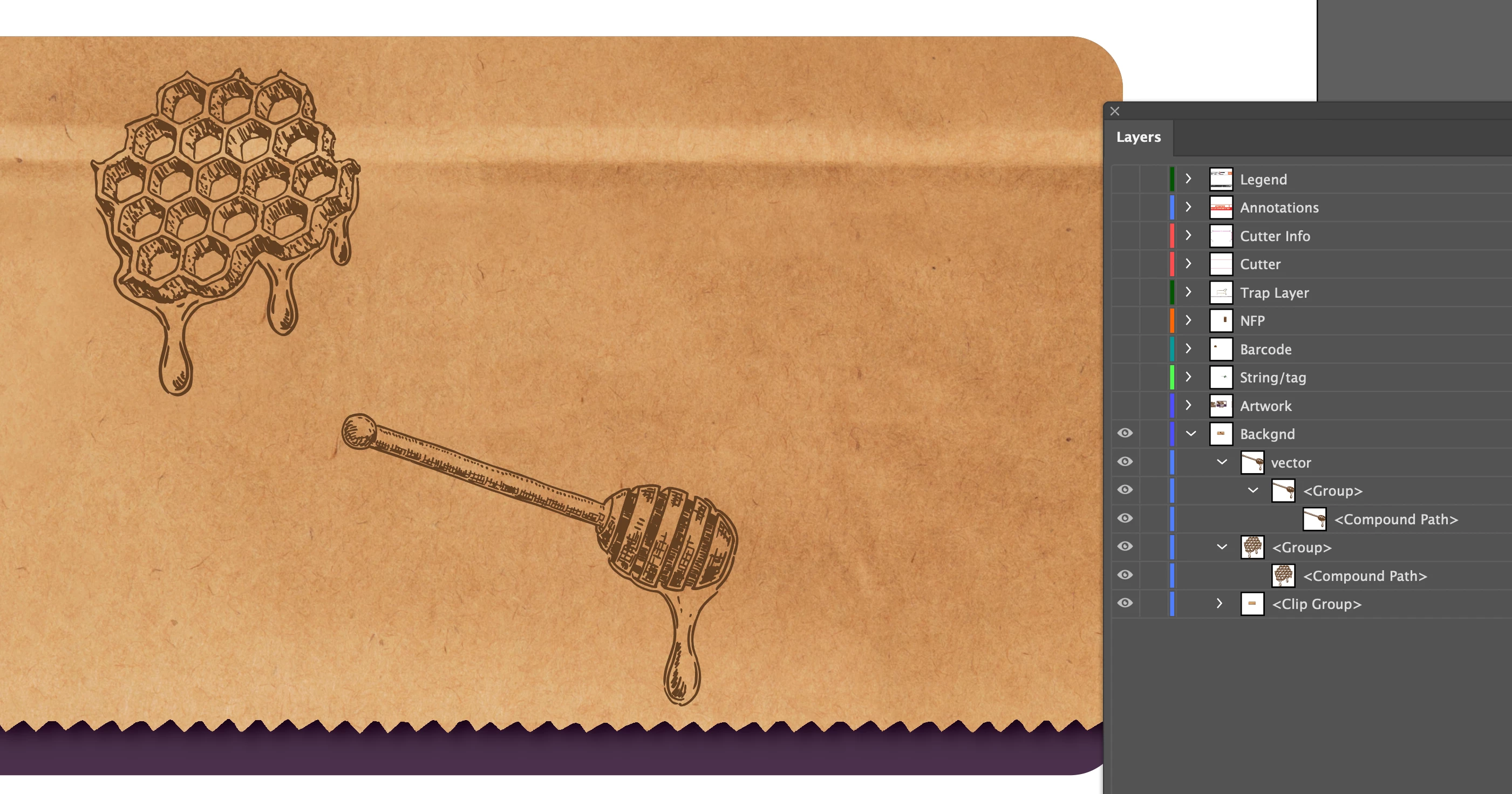
When I select all and group, the honey drip stick image gets re-sorted to the back the Clip Group sublayer causing it to "disappear".
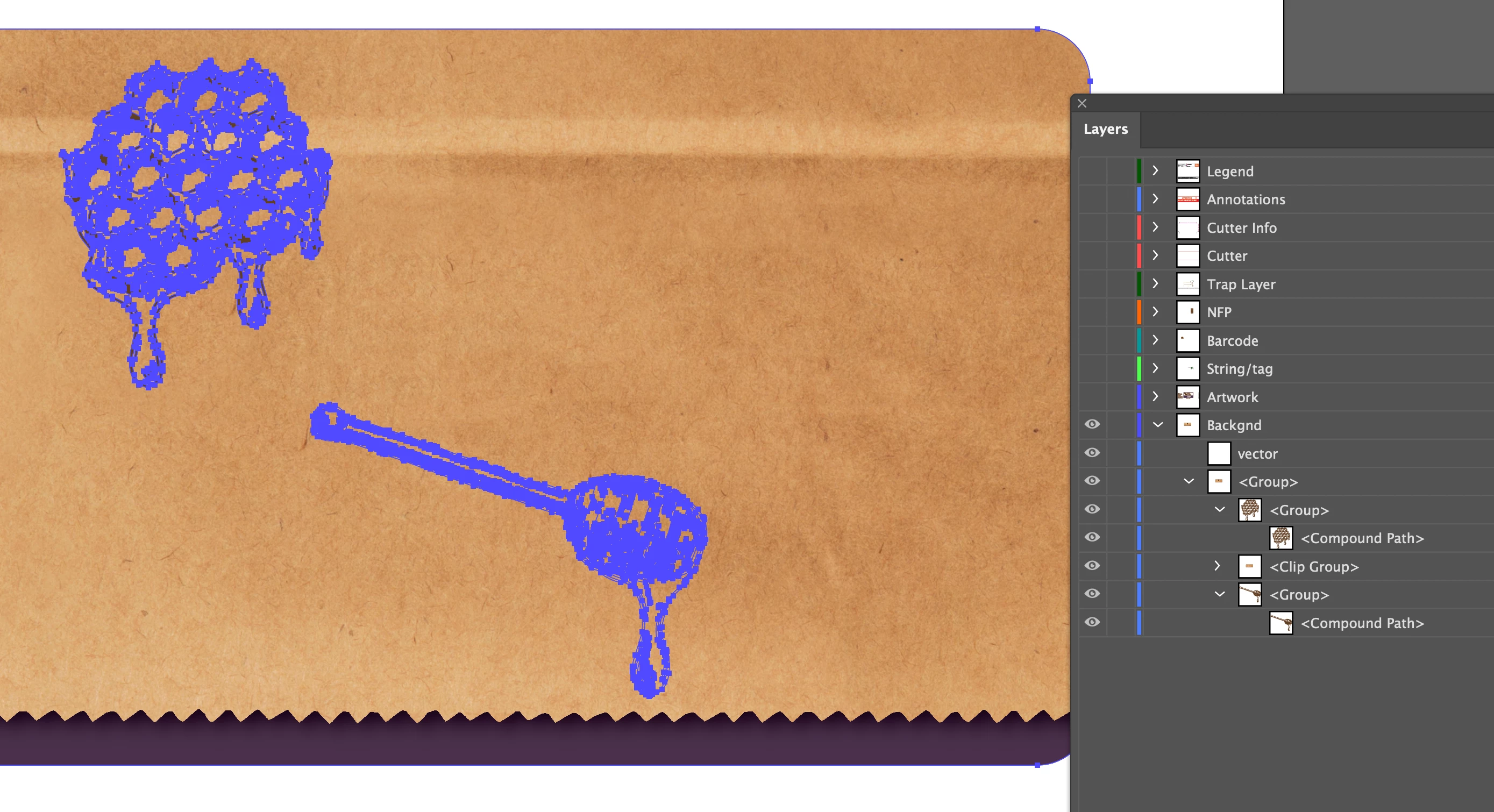
I'm aware that moving the sub-sublayer of this image (marked "<Group>") outside of the "vector" sublayer fixes the problem. My issue is that I work in prepress and between my coworkers and myself, we process HUNDREDS of orders a day. So were definitely not going to check all of the sublayers in all of the files. And this happens so infreqeuently, it doesn't even warrant comparing to the supplied PDF for every single item we receive. But it does become an issue of time vs. productivity, not to mention the embarrasment of hearing from the client that we didn't set their proof up correctly.
So, why does Illustrator do this? That layer is clearly in front of all the other sublayers; why would it put it behind everything? Is there a way to prevent this from happening that doesn't require time consuming, manual manipulation? Can Adobe fix this issue? It doesn't make logical sense, and I can't see any application where it would be useful for a visible image to disappear behind everything else in the artwork.
Thanks in advance!
If needed, this is happening on Illustrator 26.3 (not sure what my coworkers are on, but I think it varies from CC 2020-2022)
 AdChoices