Answered
Illustrator How to make a grid with a metal symbol?
Hello everyone,
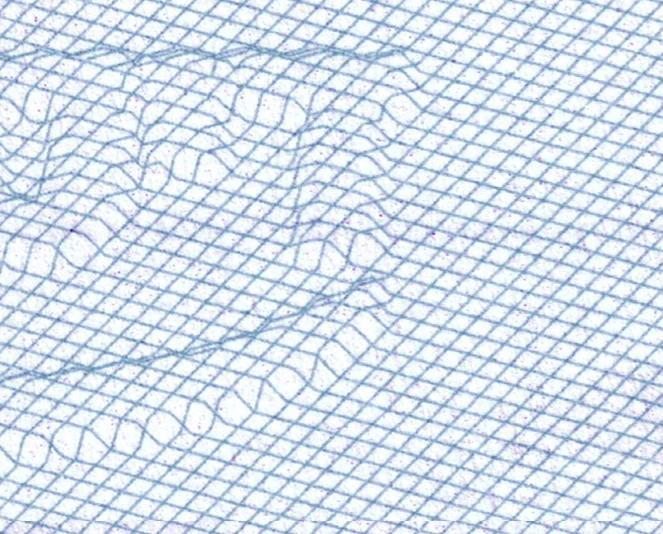
I want to make a network illustrator and it seems there is something underneath the network, and the network exceeds it
like in the picture:
Sorry for my bad English =]
Hello everyone,
I want to make a network illustrator and it seems there is something underneath the network, and the network exceeds it
like in the picture:
Sorry for my bad English =]
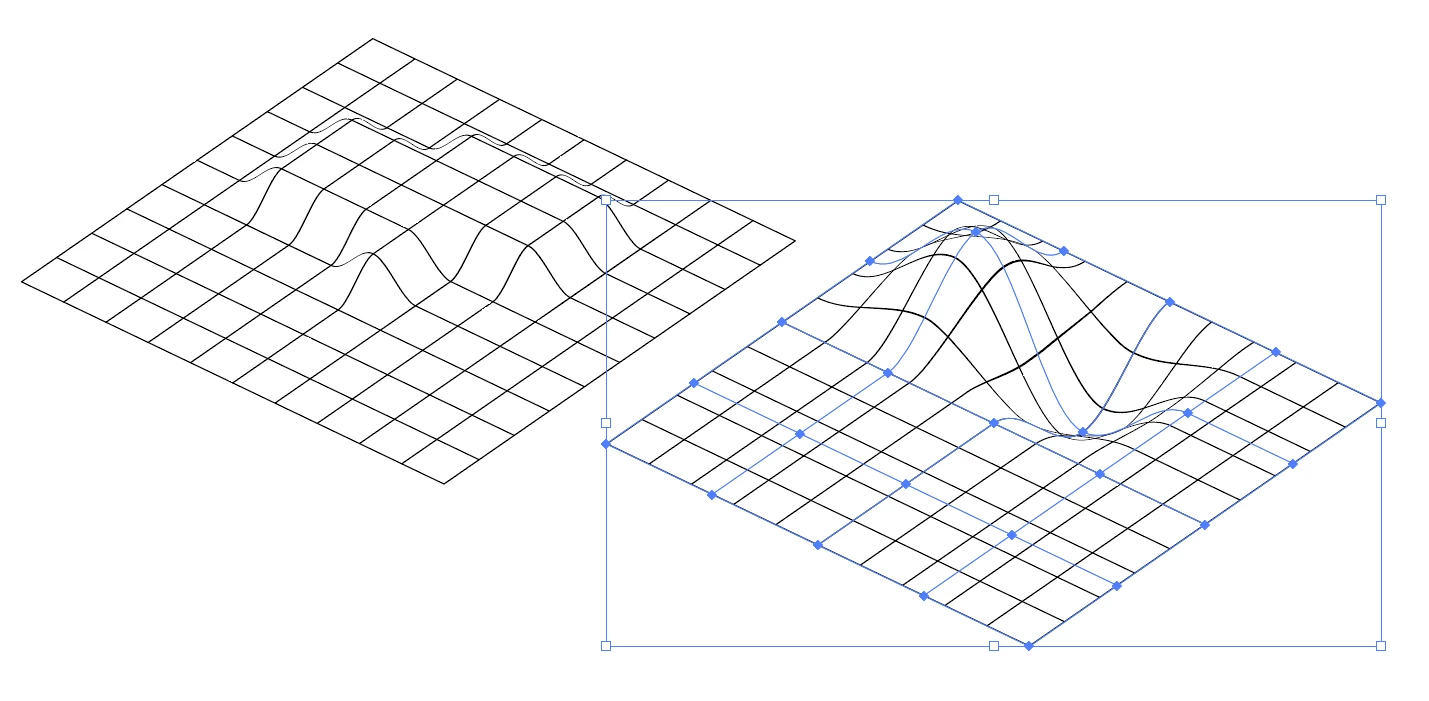
Create a grid with the Rectangular grid tool.
Select it and go to Object > Envelope Distort > Make with mesh, and use a mesh with the same rows/columns as your grid.
Rotate your grid to a desired angle. Go to Object > Transform > Reset bounding box. Reduce the grid's size vertically to give the illusion of depth.
Use the lasso tool or direct-select points on the mesh, and drag them up/down to create the shapes impressing on the grid.
Use less rows and columns in your mesh distort to create more organic-looking shapes:
Already have an account? Login
Enter your E-mail address. We'll send you an e-mail with instructions to reset your password.
 AdChoices