
Participant
October 26, 2022
Answered

Illustrator Intertwine - Intertwined objects become rasterized when exported as PDF

  • October 26, 2022
  • 2 replies
  • 940 views

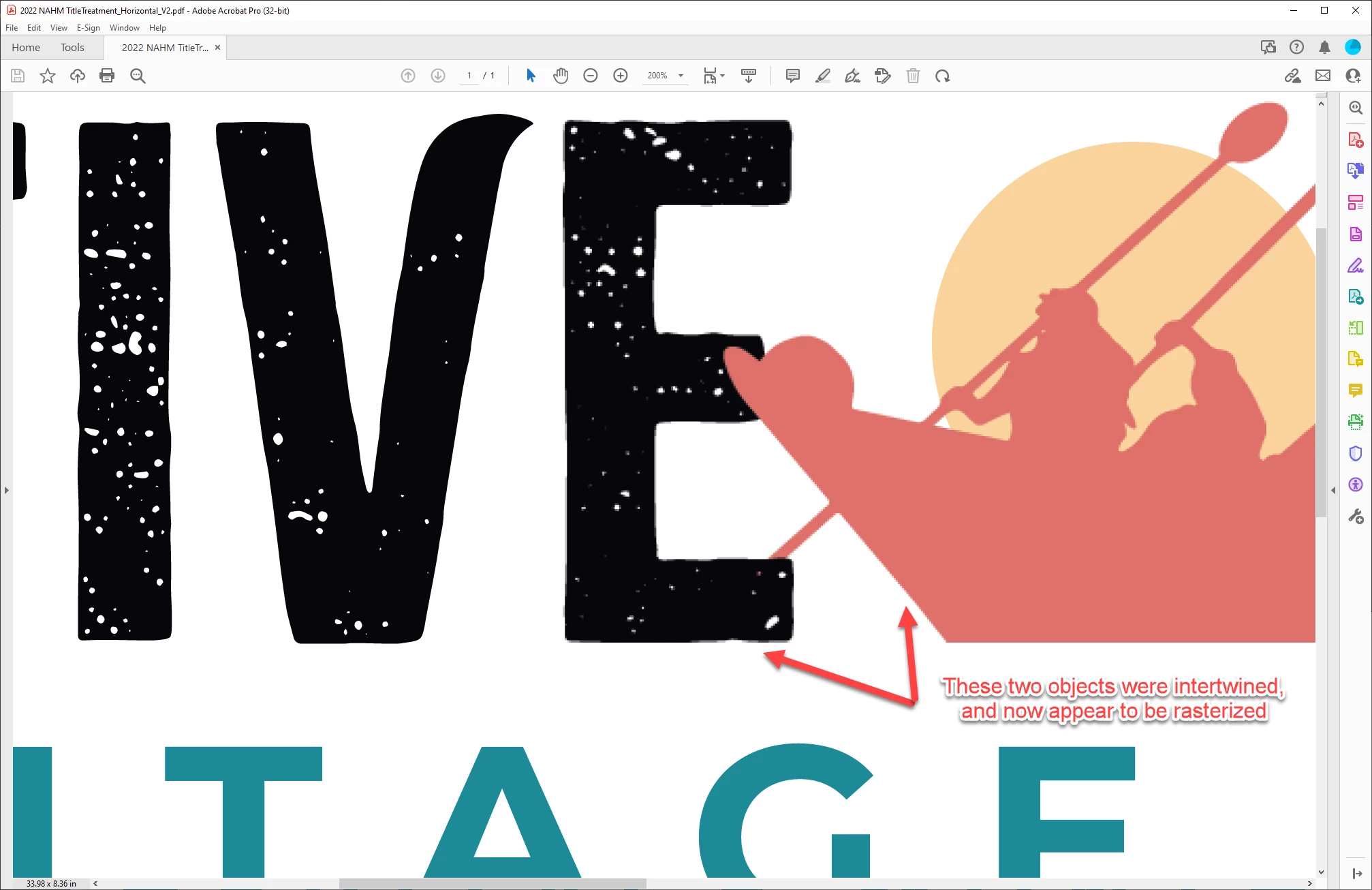
I created a simple title treatment with the intertwine tool and when exporting to pdf, the two objects that were "intertwined" appear to be rasterized, while all other objects retained their vecotr format.

Anyone else have this issue?

Is there a fix? 

(see example below)
 

This topic has been closed for replies.
Correct answer Anshul_Saini

Hi @Drew26450490ukyh,


I am glad to inform you that this has been addressed with the Ai v27.1.1 released recently. Please update the app and let us know how it goes.


Thanks,

Anshul Saini

2 replies

Anshul_Saini
Community Manager
Anshul_SainiCommunity ManagerCorrect answer
Community Manager
December 16, 2022

Hi @Drew26450490ukyh,


I am glad to inform you that this has been addressed with the Ai v27.1.1 released recently. Please update the app and let us know how it goes.


Thanks,

Anshul Saini

Ton Frederiks
Community Expert
Community Expert
October 26, 2022

It is a known problem that happens with saving as PDF.

Flattening or Expanding the Intertwine object keeps it vector.

You may want to vote here:

https://illustrator.uservoice.com/forums/601447-illustrator-desktop-bugs/suggestions/45826375-intertwine-bug-when-export-as-pdf-x4