
Illustrator is littering server with tmp files
Illustator 2020 is not removing tmp files from server after saving file. it doesn't remove them after closing file either. folders are getting littered with tmp files.
worse, if i try to delete them, sometimes finder will crash and won't relaunch again and i'll have to restart - this might be a server issue but it wasn't an issue before 2019 and 2020. it would happen once in a while in 2019 but now it happens every time on 2020. with 2019, i used to see one tmp file for the time a file remained opened, with 2020 i'm seeing multiple tmp files for the same opened file throughout the day.
i tried disabling save in backgound as that had it's own drawbacks, like i would try and save again while it wasn't done saving the previous time.
why are these tmp files even being saved on the server? why don't they go in the /private/tmp folder instead? wouldn't it be faster to save the tmp file to the local scratch disk and then move it to the server once, instead of writing to the server twice?
anyway. this is becoming a real problem.
all these tmp files are from the same ai file and all created yesterday as i worked on the same file. this is really bad imo
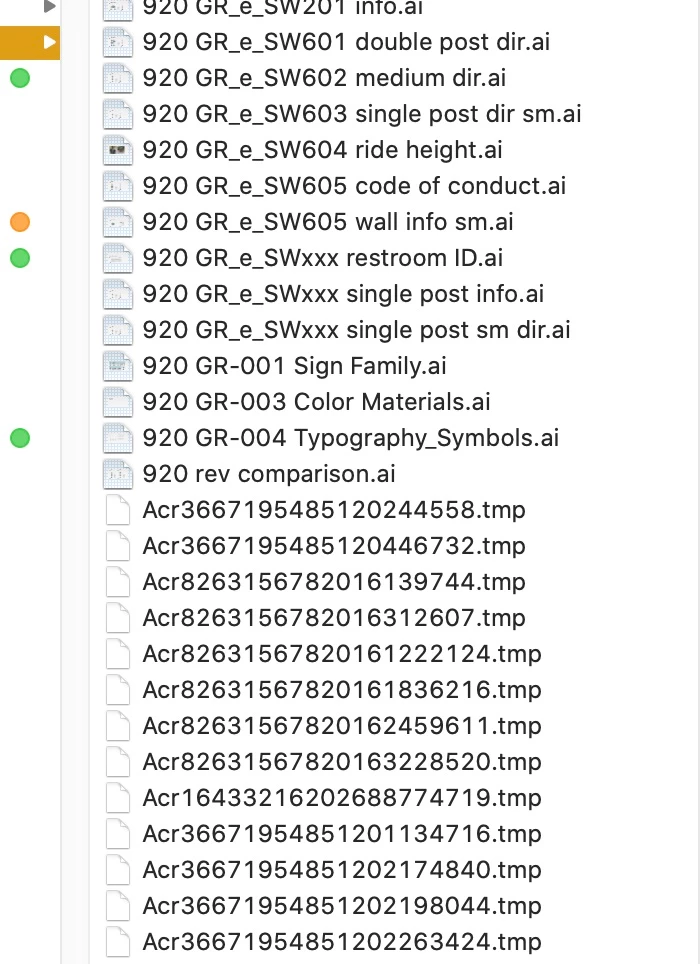
edit: just now i tried to delete just one of those file and finder froze. i had to restart my computer navigated to the folder and tried deleting again and again finder is frozen and i have to restart yet again. am i just supposed to live with this files forever? there is something really wrong with the way those files are being saved. why are they even visible?


 AdChoices