Participant
Jul 3, 2013 11:32 PM UTC
Answered

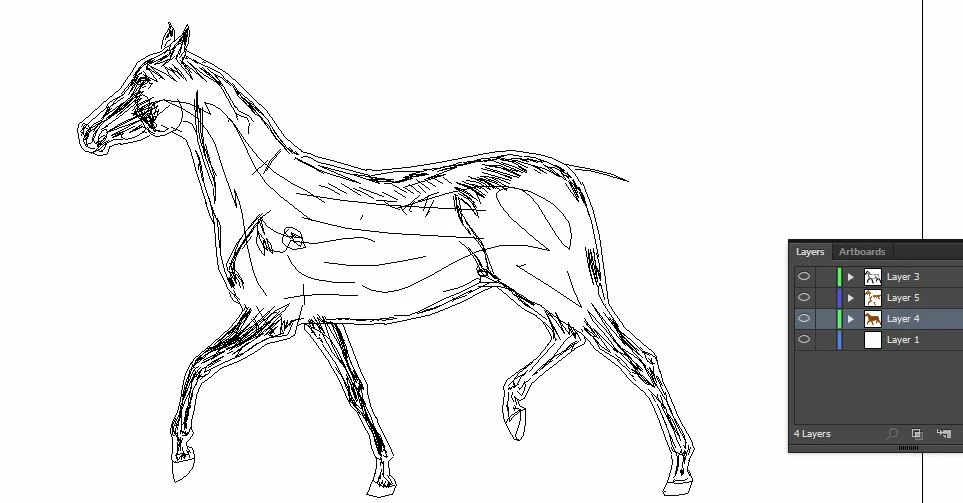
Illustrator is only showing paths? How do I revert back to colors/lines I've drawn??

Only showing black/white paths, not the lines and coloring I've done---how do I revert back???

This topic is closed to new replies. Start a new post to keep the conversation going.
Steve Fairbairn
Steve FairbairnCorrect answer
Inspiring
Jul 4, 2013 9:13 AM UTC

Exactly. That’s what Cmd/Ctrl+Y does.

9 replies

rebeccas34209764
Participant
Feb 24, 2016 4:56 PM UTC

it is only Cmd+y now!

Translate
Larry G. Schneider
Community Expert
Community Expert
Feb 24, 2016 8:50 PM UTC

On a Windows machine it is Ctrl-Y.

Translate
Jul 3, 2013 11:53 PM UTC

It seems you are viewing your artwork in "Outline" mode.

Choose View > Preview to see all fill colours again.

Translate
Steve Fairbairn
Steve FairbairnCorrect answer
Inspiring
Jul 4, 2013 9:13 AM UTC

Exactly. That’s what Cmd/Ctrl+Y does.

Translate
Participant
Dec 20, 2021 2:08 AM UTC

Does and UNdoes...   🙂

Press it again - and the lines will regain their color!

Translate
Steve Fairbairn
Inspiring
Jul 3, 2013 11:51 PM UTC

Cmd/Ctrl+Y

Translate