

Question
Illustrator Javascript - Render Swatch Legend - LAB Colour Values Incorrect
Hi All!
So, a question regarding the failry well known fab Script written by John Wundes:
I need to create a chart that specifies just the LAB values underneith the swatches that the script creates, but curiously, the LAB values that the script produces are always wrong - they're always out by a digit and I don't know why.
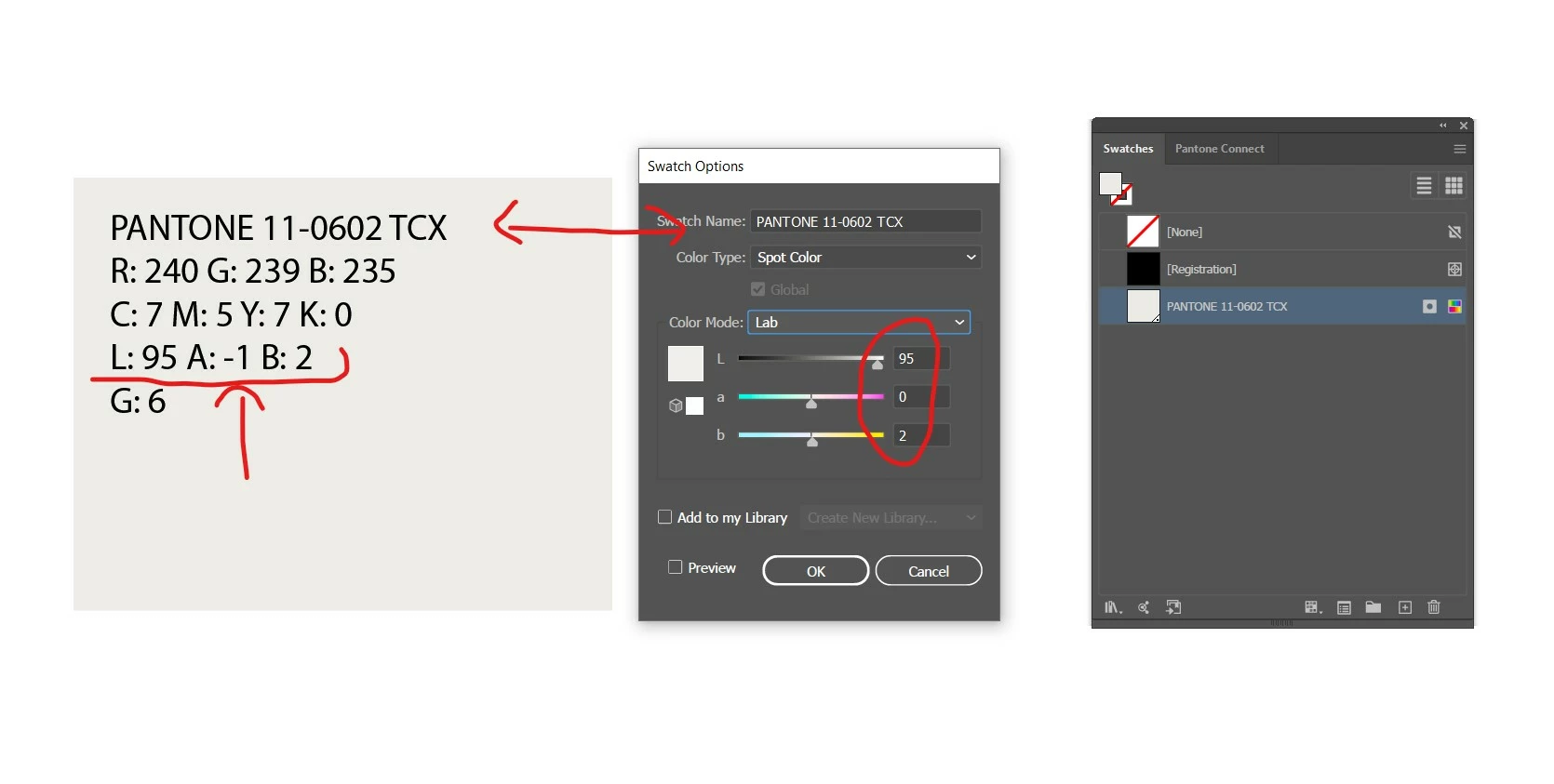
If I double click the swatch in the swatch palette, the LAB value is correct/as it should be, it is just the text that the script produces and lays onto the artboard that is incorrect. Please see following image. Any ideas why this glitch is happening?
This glitch happens consistently on every single import - the lab value that the script generates onto the artboard is never the correct value. Help!


 AdChoices