
Illustrator JS document.saveAs function opens Save As dialog in macOS 10.14
Problem Description:
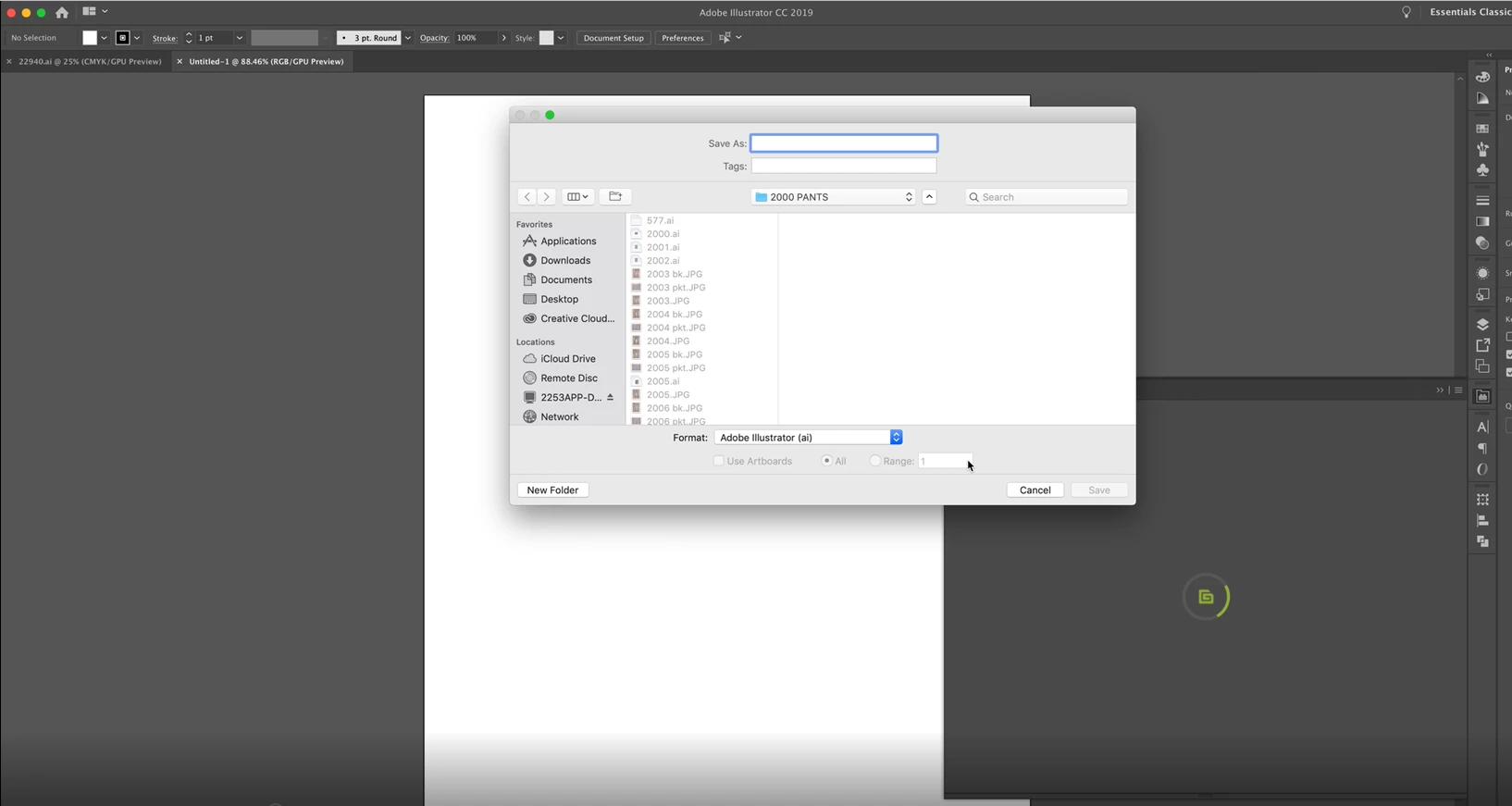
Illustrator JS document.saveAs function opens Save As dialog in macOS 10.14 and AI 23.0.
Steps to Reproduce:
1. Install latest macOS 10.14;
2. Install Adobe Illustrator 23.0;
Our code for saving the file at the path:
createDocument : function(path) {
var doc = null;
try {
doc = app.documents.add(DocumentColorSpace.RGB);
var saveOptions = new IllustratorSaveOptions();
saveOptions.compatibility = Compatibility.ILLUSTRATOR15;
saveOptions.flattenOutput = OutputFlattening.PRESERVEAPPEARANCE;
doc.saveAs(new File(path), saveOptions);
doc.saved = true;
} catch (error) {
if (doc != null) {
try {
doc.close();
} catch (error) {}
}
return "";
}
return path;
}
The path parameter can be something like: "/Users/macuser/Library/Application Support/Extension/temp/images/42fd858e-8b10-4296-a282-9a4fb0991e0f.ai".
Actual Result:
The Save As dialog window appears.
Screenshot
Expected Result:
File saves with name and in directory that we specified without opening any dialog windows (that's how it used to work earlier).
Maybe you could know, what can lead to this exception, so I could debug and find issue in my code.
 AdChoices