sabawarnali
Known Participant
October 17, 2021
Answered

illustrator keeps changing colors of document

  • October 17, 2021
  • 4 replies
  • 2783 views

i have been facing this issue since a week, every time I open a file in ai I noticed that the colors are slightly changed, when I compare the numbers of HEX I found it different, for example 
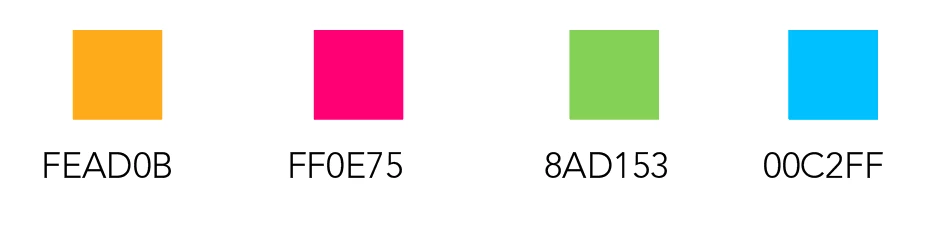
 

the hex codes for the logo. 


when I take the same hex digits to apply it on anything, the color is fine but when I save the file and close it and reopen it again I find this
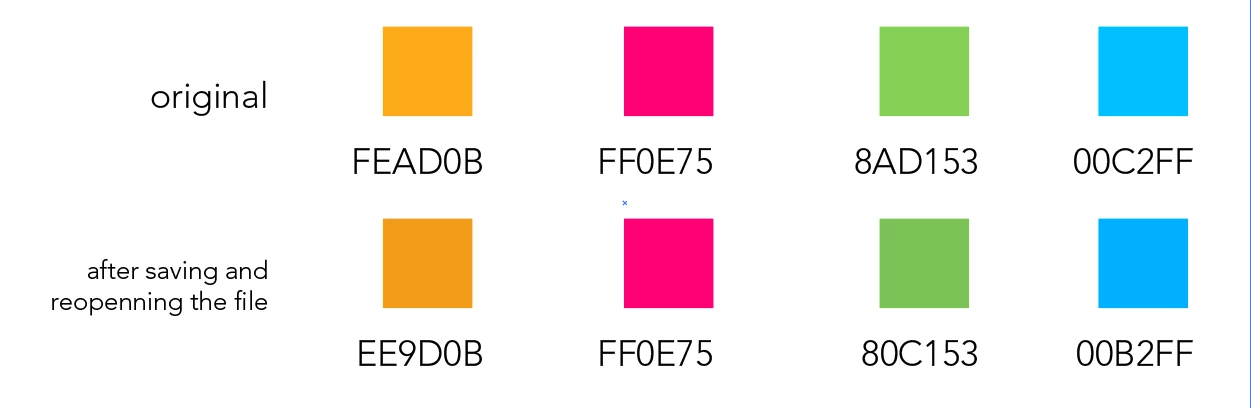
 

here's also a screenshot from my color management settings 
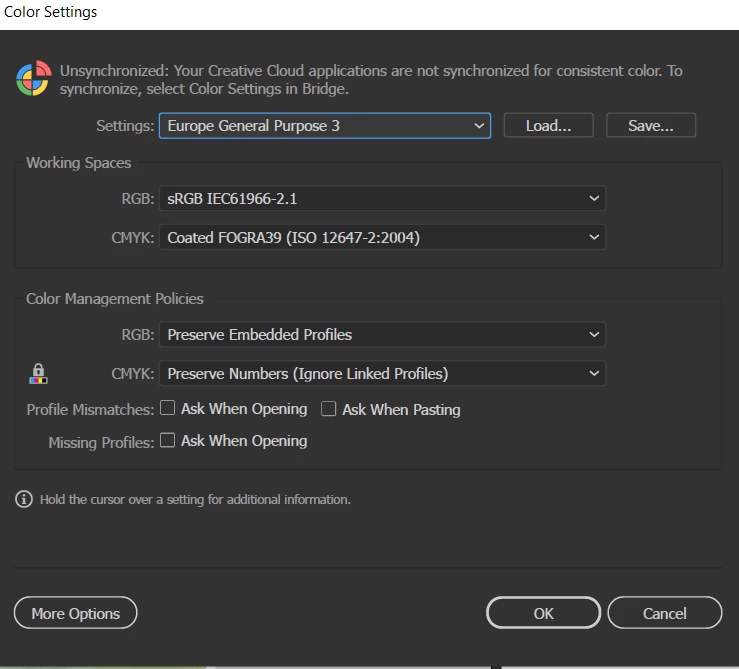
 

i have reset the references like 3 times and the problem didn't solve 

This topic has been closed for replies.
Correct answer Ton Frederiks

here's the file to check 


https://assets.adobe.com/id/urn:aaid:sc:US:754a5077-6f43-4d51-a204-2824c29646bc?view=difile


Hi Saba, I see that the colors changed but I cannot reproduce that on my machine.

I saw that you had already reset your preferences. If you used the shortcut or the button in the Preferences to reset them you may also try to reset them manually as is described here:

https://helpx.adobe.com/illustrator/using/setting-preferences.html

But maybe it is better to contact Adobe support on monday:

https://helpx.adobe.com/contact.html?rghtup=autoOpen

4 replies

Participant
December 15, 2021

I had the same problem. (Windows 11, Adobe Illustrator 26.0.1 (64 bit), document set as CMYK)
I had two very close cyan colors (HEX #1A9DD9 and #009FE3). #1A9DD9 was wrong so I did set it to #009FE3, which was correct. Everytime I doubleched it again, it was back on the old and wrong value of #009FE3. 
Finally I looked up the CMYK-percentages (#1A9DD9 = C:75% / M:22% / Y:0% / K:0% and #009FE = C:100% / M:0% / Y:0% / K:0%) and instead of typing the HEX-Value, I typed in the CMYK-percentages and then it stayed on the correct and wanted color. 

Doug A Roberts
Community Expert
Community Expert
December 15, 2021

That's because hex values are RGB colours. You can't use them to reliably define CMYK.

Ton Frederiks
Community Expert
Community Expert
October 17, 2021

If you look at your Document Color Profile (you can find it at the bottom of your window) is that the same as sRGB?

sabawarnali
Known Participant
October 18, 2021

this what i have 😕😕

Ton Frederiks
Community Expert
Community Expert
October 18, 2021

It may be useful to assign an RGB profile to the document:

Edit > Assign Profile > sRGB IEC61966-2.1

Ton Frederiks
Community Expert
Community Expert
October 17, 2021

Do you have multiple monitors?

sabawarnali
Known Participant
October 17, 2021

no only one 

Doug A Roberts
Community Expert
Community Expert
October 17, 2021

What is the colour mode of your document?

sabawarnali
Known Participant
October 17, 2021

RGB