
Illustrator Knockout Stroke on Live Type
Is there a way to achieve transparent space between a fill layer and a stroke layer with LIVE TYPE using the Appearance menu?
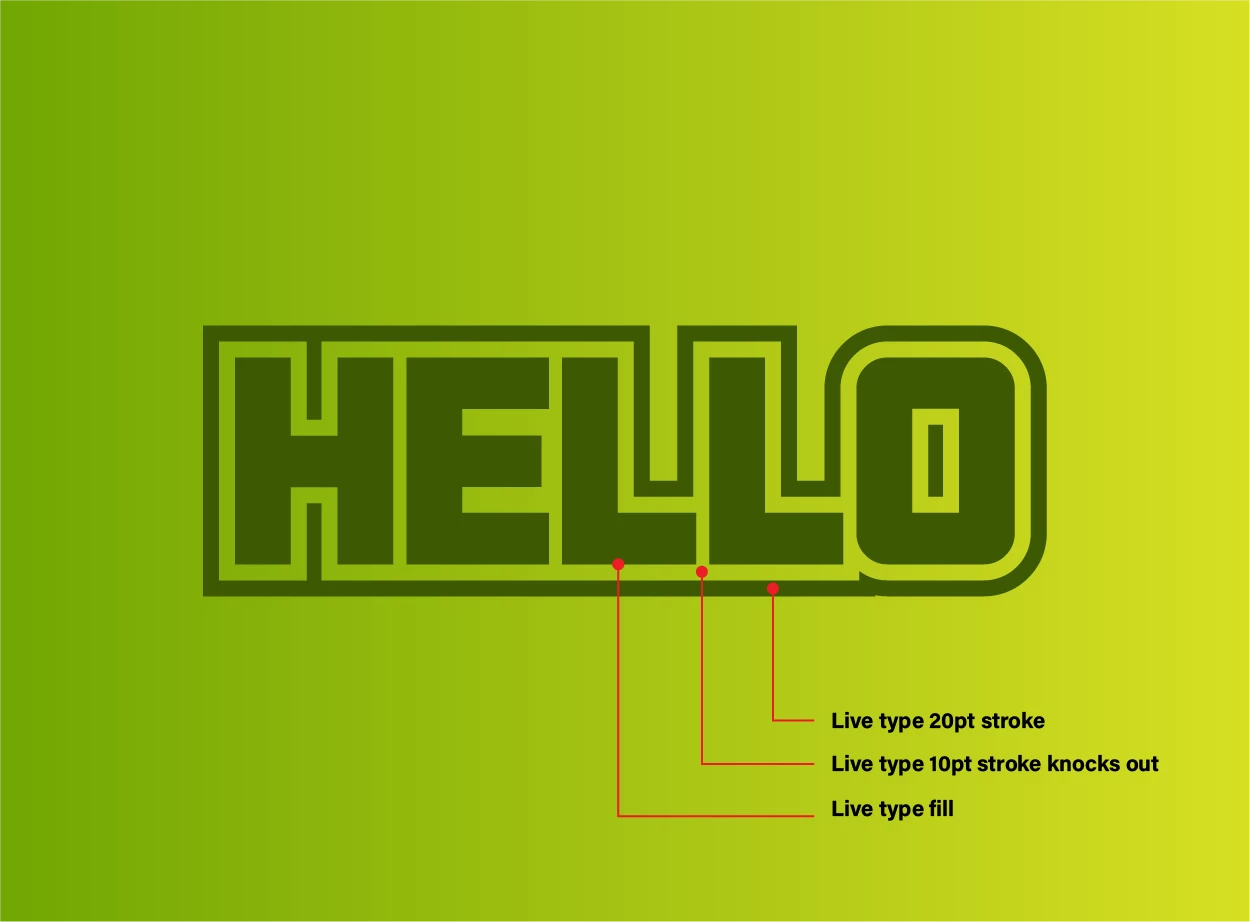
This is a mockup of what I am trying to achieve where there is a stroke offset from a live text layer with transparency between the fill and the stroke. There are many workarounds, but I would like to be able to create and save this type of effect as a graphic style that is editable and not dependent on a specific background object.
The idea here is to create transparent space between the fill layer and the stroke layer. I thought that setting the outer stroke as the bottom layer, and the middle (transparent) stroke as the knockout stroke, that would do the trick. But nothing seems to work. The gradient here is for reference.
The Stacking order top to bottom is
1: Fill
2: Transparency Stroke
3: Offset Stroke
I have tried selecting the transparency stroke and several combinations of knock-out group or masking techniques inside the opacity panel, but nothing seems to be working.


 AdChoices