
Participant
January 29, 2024
Question

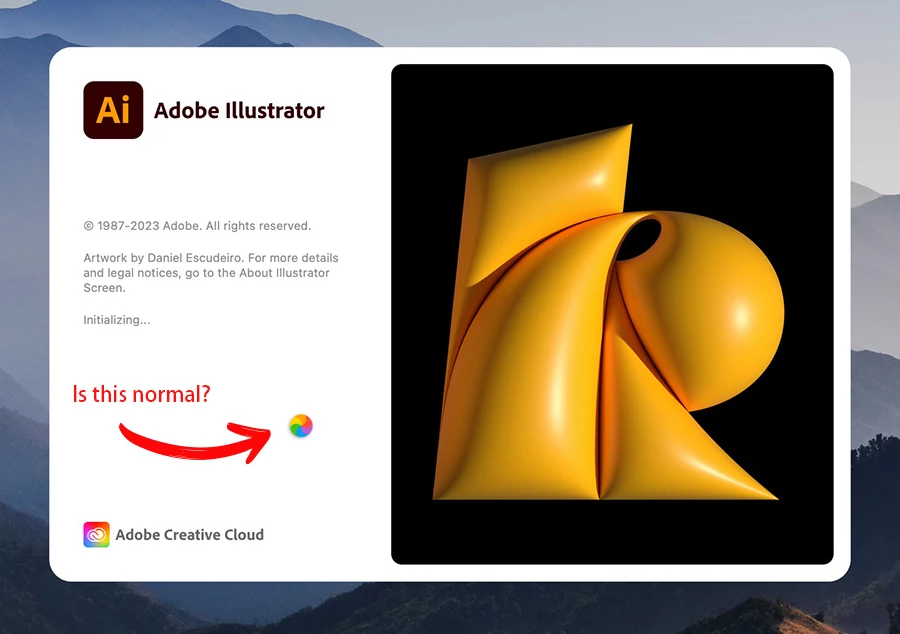
Illustrator launch Issue with Spinning Wheel in macOS

  • January 29, 2024
  • 1 reply
  • 359 views

Hi,

On my M2 Max MacBook, when I launch Illustrator, the splash screen consistently shows a spinning wheel until the launch process completes. Is this normal?

In my past experience with MacBooks, seeing a spinning wheel usually indicates something isn't right. Should I be concerned about it?

The M2 Max MacBook is supposed to be a good device, but it still shows the spinning wheel. Is it an issue with Adobe Illustrator or is the M2 Max still not good enough?


Thank You.
This topic has been closed for replies.

1 reply

Monika Gause
Community Expert
Community Expert
January 29, 2024

On an M1 Macbook Illustrator usually launches that fast that you do not have time to take a screenshot.


How much RAM is installed?

That is not the most current version of Illustrator. Did you try the current version?

Participant
January 29, 2024

Since screenshots cannot capture the spinning wheel, this image is merely illustrative.

My MacBook has 64GB of RAM, and the actual version of Illustrator is 28.1.

Monika Gause
Community Expert
Community Expert
January 29, 2024

The amount of RAM should be absolutely sufficient.

I suppose that you already reset the preferences (which will erase your settings)?

There are no third party plaugins?

Fonts are all OK?


You could contact Customer Care and have them take a look into it: https://helpx.adobe.com/contact.html