Participant
December 19, 2019
Question

Illustrator - Layering a shape over text and changing text color accordingly

  • December 19, 2019
  • 2 replies
  • 6273 views

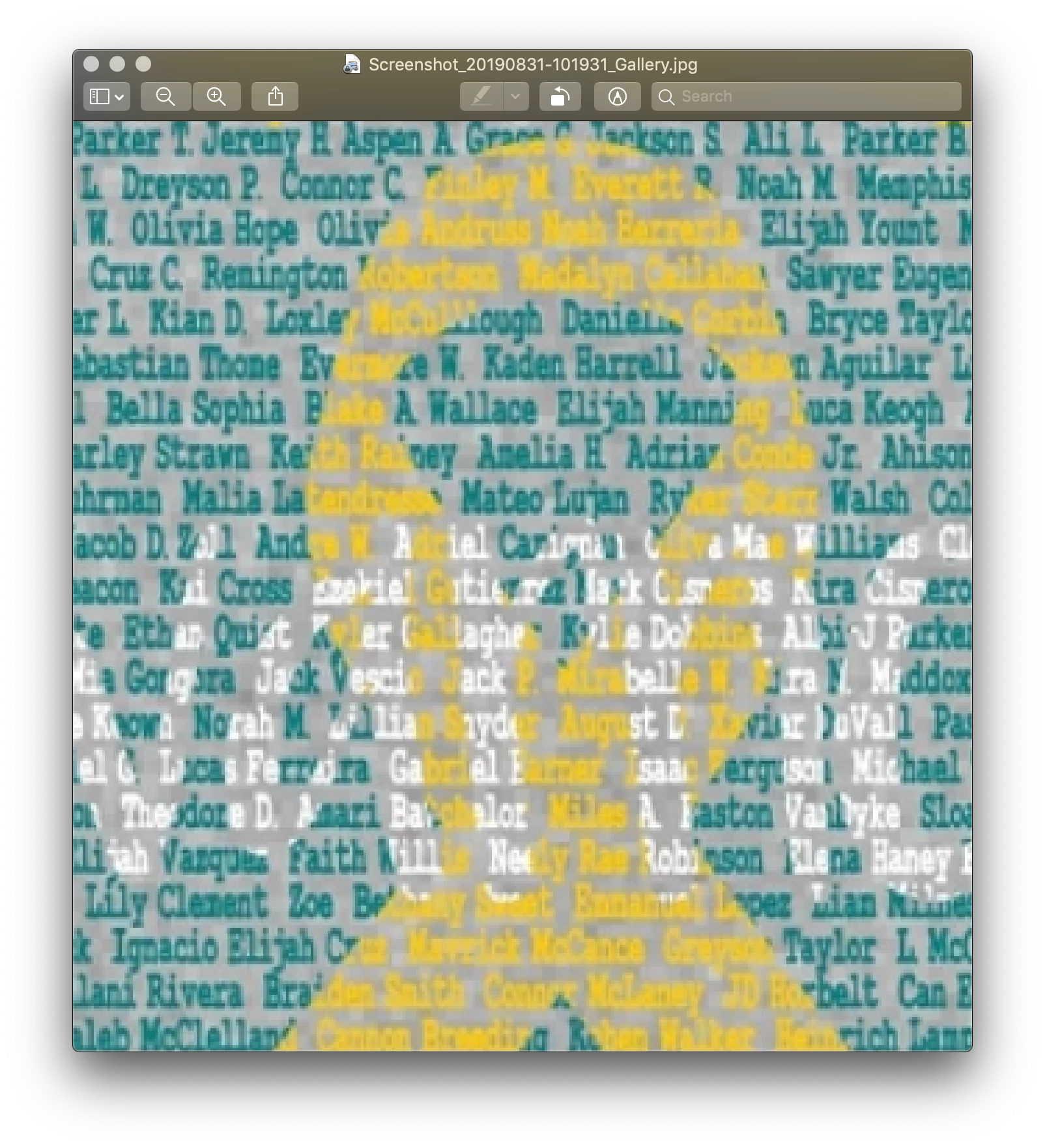
I have not worked in Photoshop or Illustrator in a while and one of my friends has asked me to create a shirt design for her with a similar concept as the attached image.  It's not this same design, but it's the closest we could find to what she wanats.  I have done this in the past and I just can't remember how I did it.  Basically, I have a block of text she wants me to use for the background and she wants a shape laid over it and all the text within that shape to change colors to form the shape.  Can Illustrator do this?  Or would this be a Photoshop project?  What is the easiest way to accomplish this?  Thanks!
This topic has been closed for replies.

2 replies

Jacob Bugge
Community Expert
Community Expert
December 19, 2019

badhabitz,


Another way is to:


1) Create the shapes in the desired text colours, just just on top of one another so you get the desired appearance (white on top of yellow on top of (bluish) green),

2) Create the live Type (editable text), or as outlines, either will work,

3) Select everything execpt the background colour and in the Transparency palette (flyout) tick Make (Opacity) Mask with both Clip and Invert Mask ticked (in the main Transparency palette).


Ton Frederiks
Community Expert
Community Expert
December 19, 2019

I thought of this way a while ago, maybe this helps: