Participant
February 23, 2020
Answered

Illustrator loads new project with two artboards instead of one

  • February 23, 2020
  • 2 replies
  • 884 views

I have just downloaded Illustrator 24.0.2 and I'm running into an issue where two artboards load up whenever I start a new project. Not only does it load a different artboard alongside the artboard I actually want, but they both default to show up as hidden when the new project opens up.

I figured out how to reveal the artboards, but are these preferences that can be changed for future projects? Its not too big of a deal, but it gets kind of annoying after working on many designs at a time.
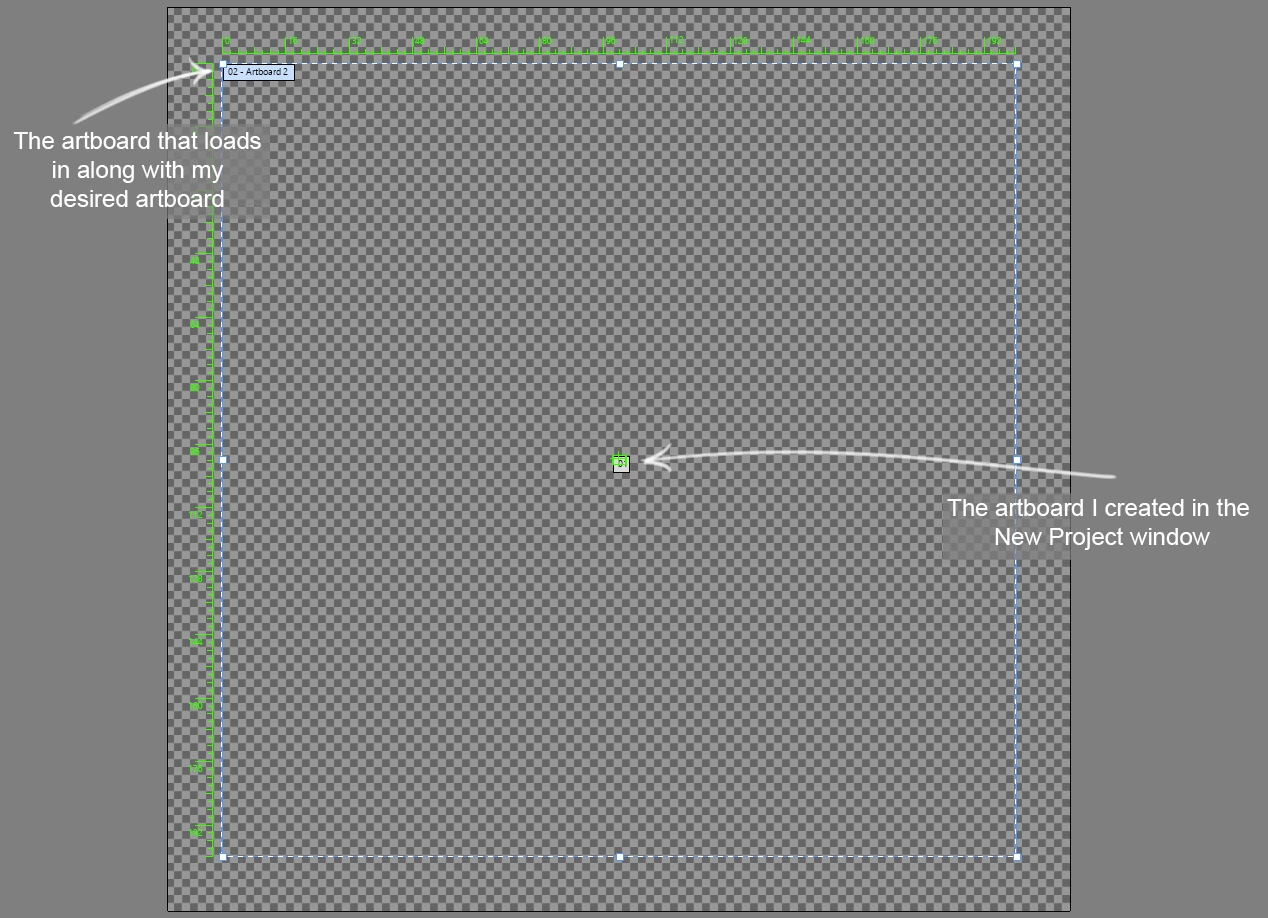
 

^ This is what I see whenever I create a new project.

This topic has been closed for replies.
Correct answer Larry G. Schneider

Do you always work on video projects? If not, try one of the other New Document File formats.

2 replies

Inspiring
March 3, 2022

The 2nd artboard is on there by default for the Film&Video presents, to assist with import into AE. It's so that everything inside that Artboard 2 frame gets imported all at once, without cutting off anything that might be hanging outside the bounds of the smaller individual artboards you build. Like, so that you can scale and animate the elements when you bring them into AE without having a gigantic AE file.

Larry G. Schneider
Community Expert
Larry G. SchneiderCommunity ExpertCorrect answer
Community Expert
February 23, 2020

Do you always work on video projects? If not, try one of the other New Document File formats.

Participant
February 23, 2020

I've never actually worked on/from any video projects so I'm not exactly sure how that would've occured, but creating a new project from a different print document preset seemed to do the trick. Thank you!

Inventsable
Legend
February 23, 2020

Happened to me too, had to Reset Preferences completely then reconfigure my settings back to what I had for actions and workspaces. No idea why this happened