
Illustrator macbook changes colours of A.I file created on illustrator ipad
I'm having a problem with exporting A.I files from Illustrator iPad into Illustrator desktop and InDesign. All applications are in CMYK, however when I try to open an A.I file in the desktop version of Illustrator as well as InDesign (exported from the iPad version of Illustrator) the colours come out considerably duller. I've checked the CMYK sliders and they seem to have been changed from what they were on the iPad version. I've also tried manually changing the CMYK sliders to match the ones on my iPad. The colours change but still don't match the original colours on the iPad version.
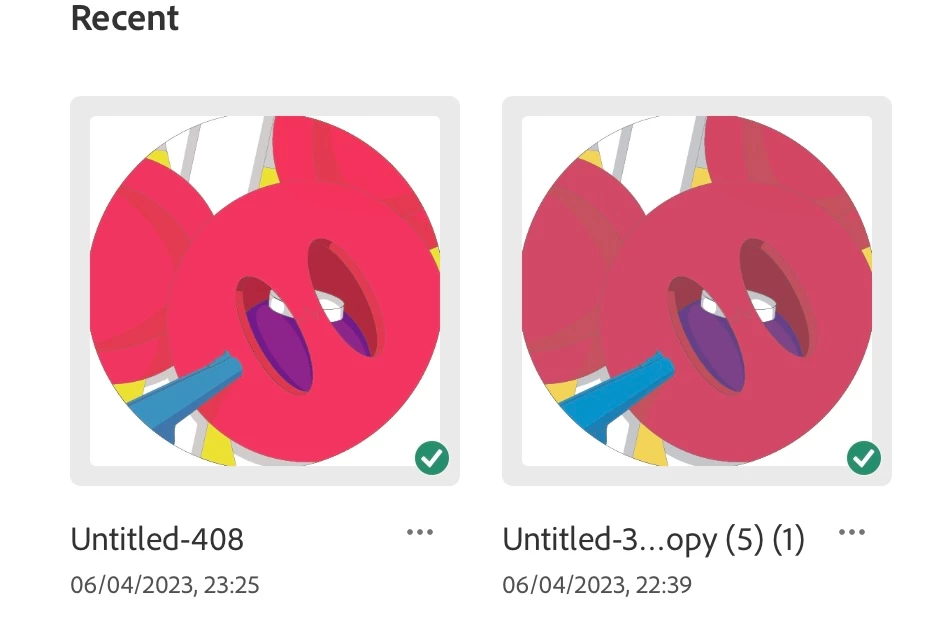
The image on the left is what it is suppose to look like and what it looks like in Illustrator on the iPad, the image on the right is what happens when I open it in the desktop version of Illustrator and InDesign.
.
 AdChoices