


Participant
May 28, 2025
Answered

illustrator manual warp

  • May 28, 2025
  • 2 replies
  • 364 views

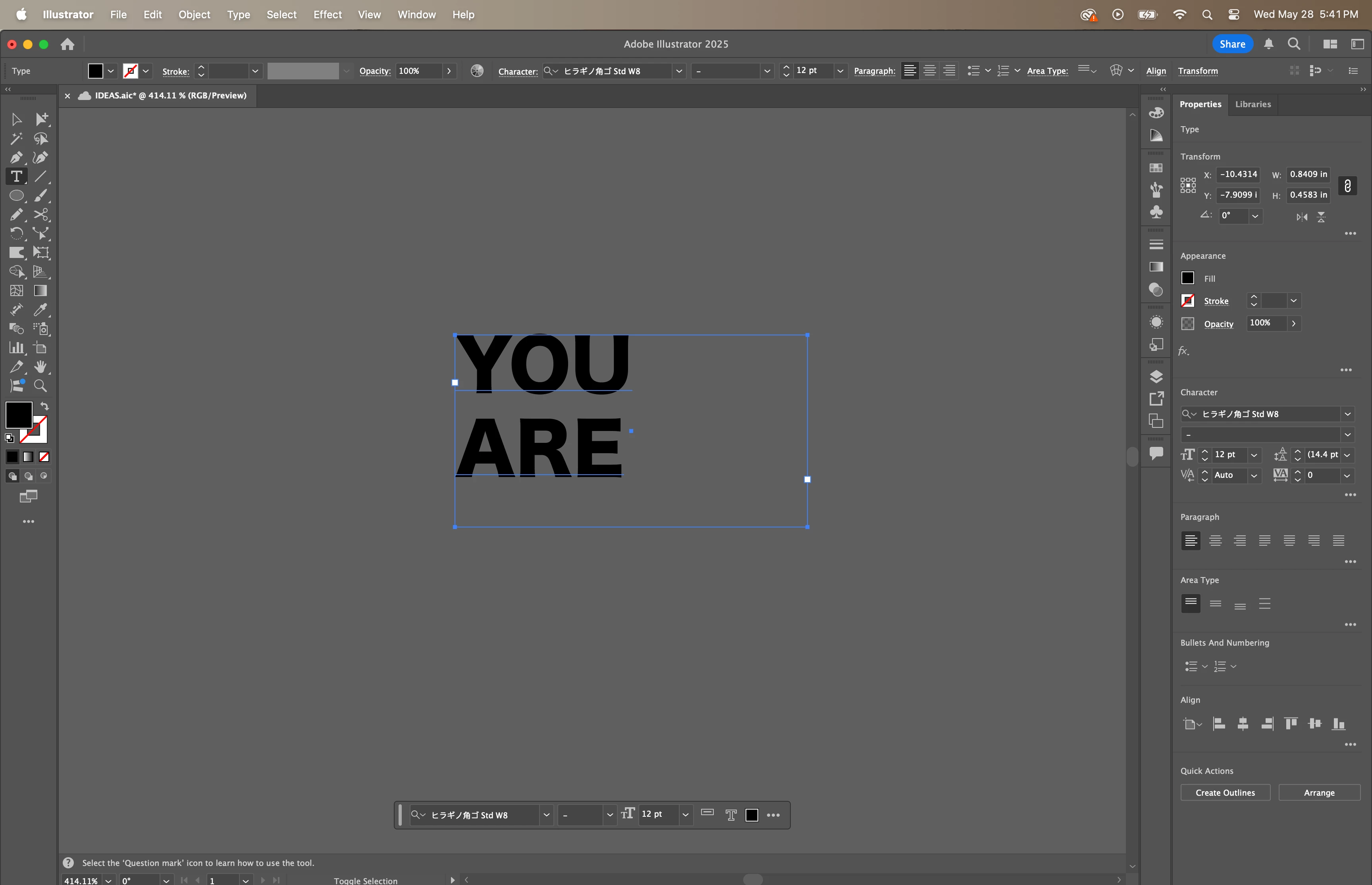
Hi, I want to manually warp text (such as stretching, etc.) in Illustrator. It used to let me do it the normal way, but now I can only do it by typing in the numbers for sizing. Does anyone have an idea why or how I can fix this?
Correct answer Monika Gause

You have an area text there. Convert that to a point text. eg.g. by double clicking that point to the right.

2 replies

Ton Frederiks
Community Expert
Community Expert
May 28, 2025

Maybe try Type  > Convert to Point Type and View > Show Bounding Box?

Participant
May 30, 2025

It worked thank you 


Monika Gause
Community Expert
Monika GauseCommunity ExpertCorrect answer
Community Expert
May 28, 2025

You have an area text there. Convert that to a point text. eg.g. by double clicking that point to the right.

Participant
May 30, 2025

Thank you!!
