
Participant
February 8, 2017
Answered

Illustrator missing font and program freezes

  • February 8, 2017
  • 2 replies
  • 8944 views

The past couple of days I have been having issues with Adobe Illustrator. I open a document I built in Illustrator and get this message. I will click to sync fonts and after several minutes it will tell me that it can't be synced. I have uninstalled the program and reinstalled it. I have even go to typekit and tried to sync the font from there. I can't run the program without this font for some reason. I will hit close and the whole program freezes, I have to open my task manager just to shut it down.
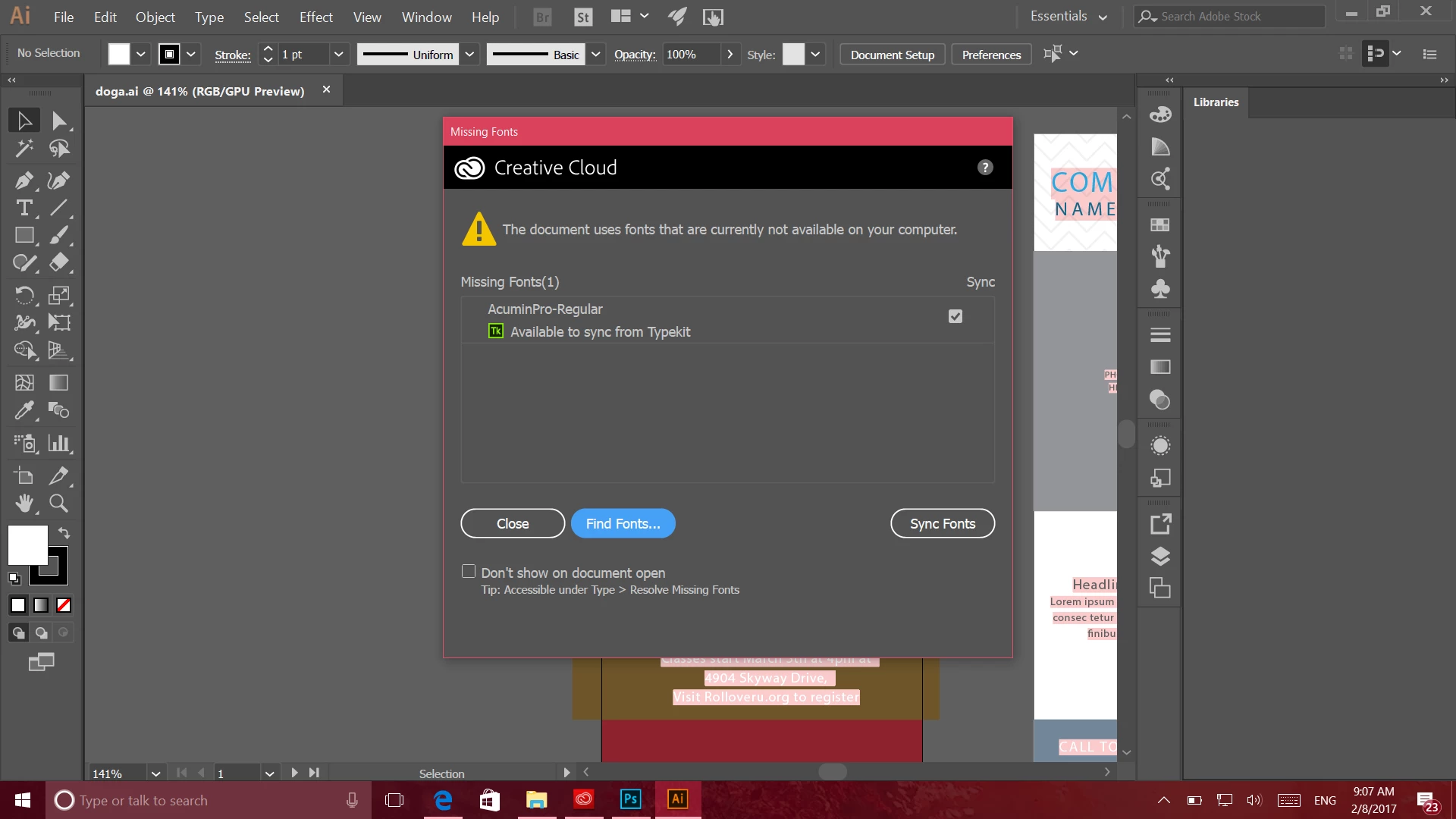
Any suggestions would be awesome!

Thanks,

Nicole

This topic has been closed for replies.
Correct answer Mike_Gondek10189183

So, I ended up uninstalling every adobe program I had including creative cloud. Re installed it and that seems to have fixed the issue. Thank you so much for your help it was super helpful!


For my part you are welcome.

Can you please choose one of the posts as the answer that best helped you. this turns the post green and others will not have to read through this long thread to find out you do not need more assistance.

2 replies

francoisd80435544
Participant
February 23, 2018

Here is my fresh experience on it with illustrator CC 2018 on Windows 10 :

When I open a PDF, a white popup is showing with title "missing font", and nothing on content, and the all windows is freezing, I can't do nothing else to close the app by windows application manager.

So, like it is said above, I uninstall all my adobe apps and the creative cloud too. Not easy too uninstall the creative cloud. Need to download an .exe (AdobeCreativeCloudCleanerTool.exe) to do it.

I re-install all the 2018 apps. And the problem is still here on illustrator CC 2018 (damn !!!) Still freezing on the PDF opening with missing font blank popup.

I decided to install the 2017 Illustrator version. And....  It works. The PDF is opened and the missing font popup is full and the app is running.

Just few minutes after I opened Illustrator 2018 ... and it works now !!!! No more freezing and the missing font popup is working too..

So now I cross my finger to keep using illustrator CC 2018

Mike_Gondek10189183
Community Expert
Community Expert
February 8, 2017

Do you have typekit on in your creative cloud?

Are you able to manually open Acumin in tyekit?

https://typekit.com/fonts/acumin

Participant
February 8, 2017

It's grayed out on mine, I couldn't deselect it if I wanted to, but it says it's on. I have also gone to that link and hit sync from there and it didn't really do anything.

Mike_Gondek10189183
Community Expert
Community Expert
February 8, 2017

If greyed out that might mean you are not logged into cloud. Try manage account

When you clicked sync your button should have changed to unsync. You should then be able to go onto synced fonts and see the list of fonts you are synced to use.