Participant
May 5, 2022
Question

Illustrator not opening AI file for being in an "unknown format"

  • May 5, 2022
  • 3 replies
  • 179 views

**this file is an AI worksheet downloaded from Canvas for my design class and it is working for other classmates, so I don't believe the file is corrupt**


I have been trying to upload and work on this file for hours and I have been troubleshooting everything I can think of. What am I missing?
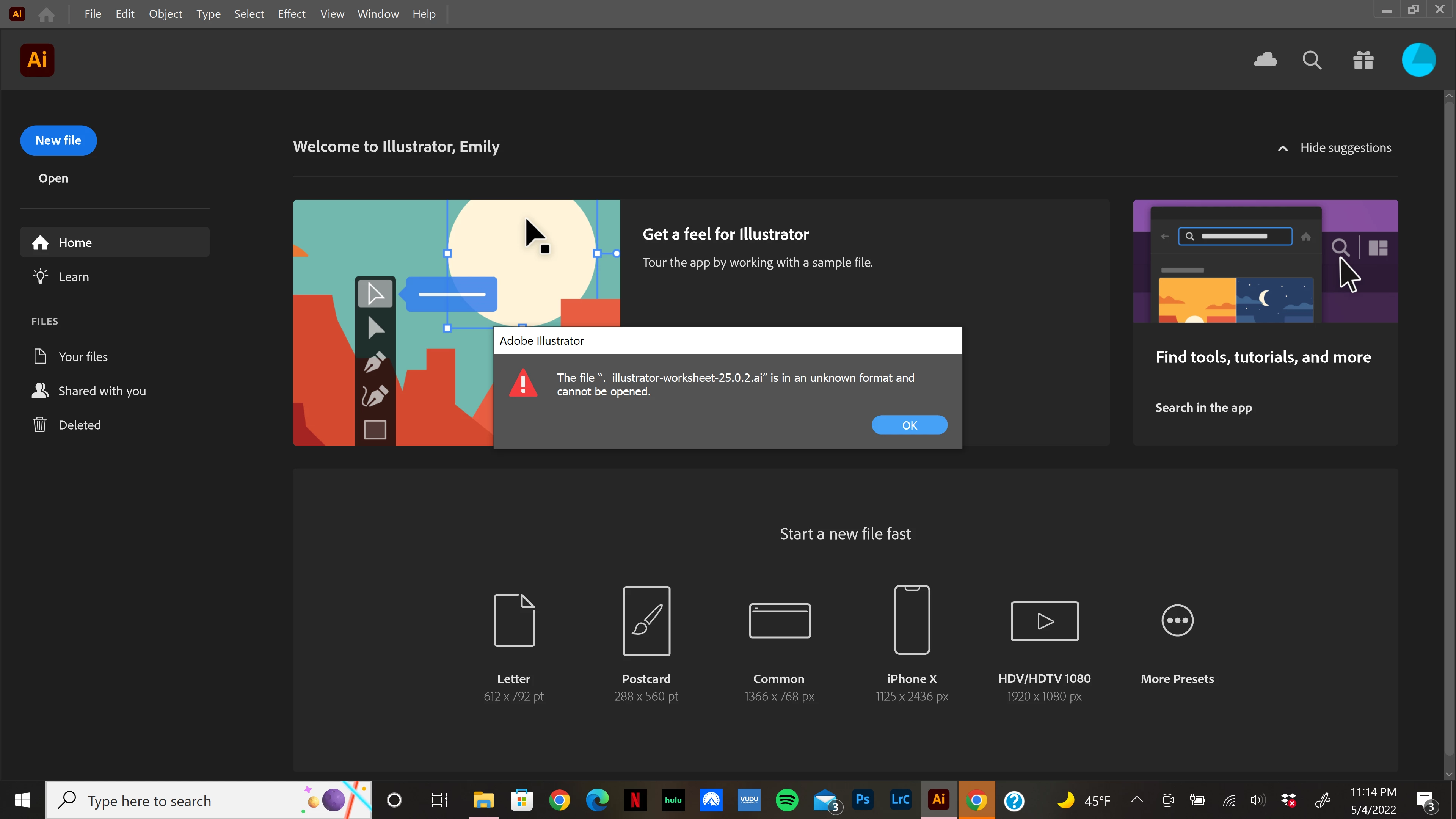


Things I've tried:

- restarting and updating my laptop

- closing all open apps and tabs

- deleting and redownloading the file

- making a copy of the file and trying to upload that instead

- uninstalling Illustrator and removing the preferences, then installing again

This topic has been closed for replies.

3 replies

Anubhav M
Community Manager
Community Manager
May 5, 2022

Hello @Emily243241173mgr,


Sorry to hear about this experience. I would request you to share a few more details like:

  • Exact version of the OS and Illustrator
  • Where is this file saved (Internal/External/Network drive) or in a Synced folder (Google Drive/OneDrive/Dropbox etc.)?
  • Can you kindly try copying the file to a different location, such as the desktop, and opening it from there?
  • Would it be possible for you to share the download link to the file in which you are facing this issue here or via DM?
    To send a DM, click on my profile picture and then click on the "Send a Message" button to send the DM.


Also, you may try opening this file in Acrobat and share your observations with us.


Looking forward to your response.


Thanks,

Anubhav

Monika Gause
Community Expert
Community Expert
May 5, 2022

"downloaded from Canvas" - so it's a Canvas file?


Participant
May 5, 2022

I will also add that this file was previously in a ZIP file. Does that affect it at all?