aloc23912622
Participating Frequently
July 23, 2018
Answered

Illustrator not working, cant edit files

  • July 23, 2018
  • 2 replies
  • 1464 views

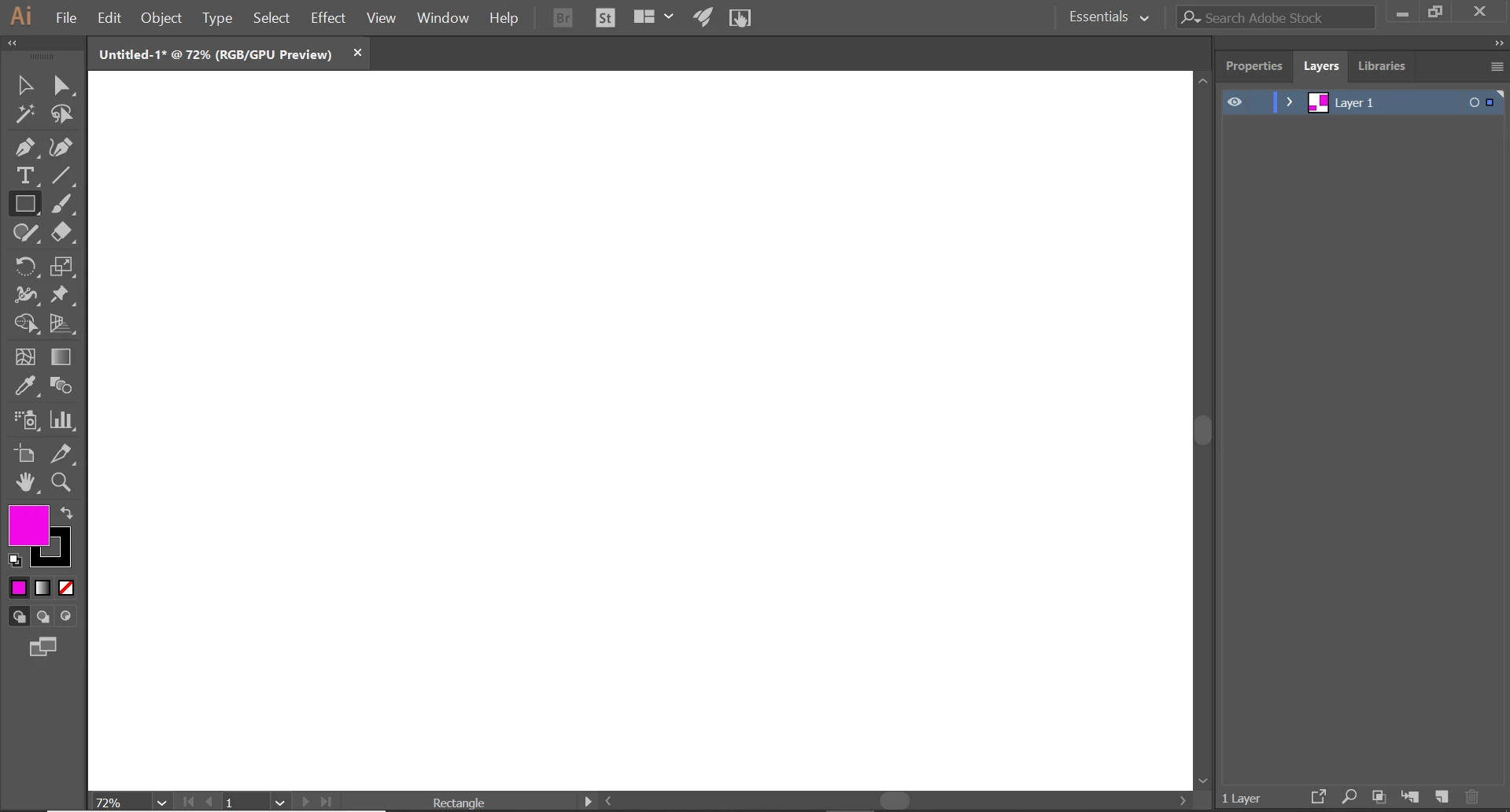
I recently installed photoshop and illustrator. i have photoshop working without a hitch, but illustrator isnt working properly. i can start new files or open old ones and it will take me to a space to edit them but the art board shows up blank, only white. if i tab and back it it changes to gray. when i try to edit the space it doesnt show edits such as creating a rectange with the tool. It will show on the tab that the file has been edited but not saved (the * nexted to the title of the file). i dont know what is causing the problem. heres a picture of the problem Imgur: The magic of the Internet
This topic has been closed for replies.
Correct answer shimbu

ohh sorry about that.


It's here:

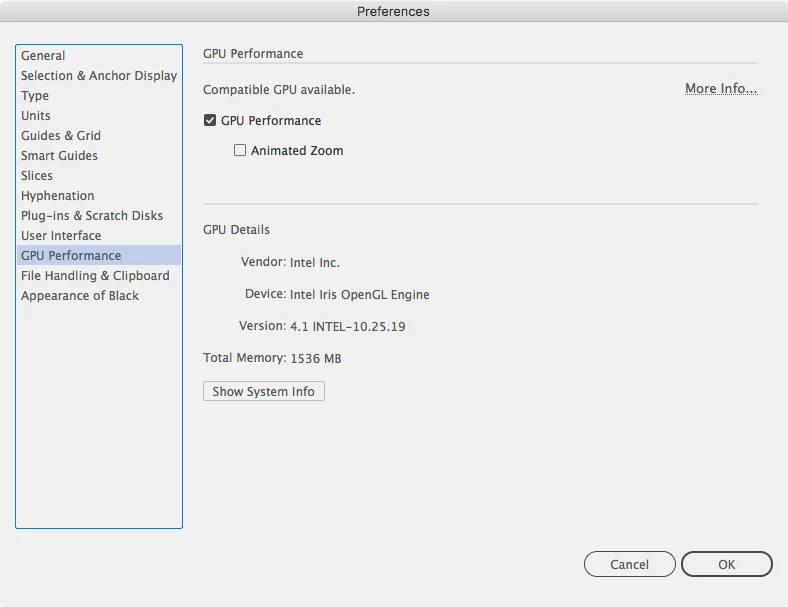
try to turn it off. I wonder if it will make any difference.

2 replies

Inspiring
July 24, 2018

Have You tried turning off GPU Performance option?

aloc23912622
Participating Frequently
July 24, 2018

how would i do this? in illustrator?

Larry G. Schneider
Community Expert
Community Expert
July 23, 2018

Some more info will be required, please. What OS and version are you running? What version of AI are you trying to install?

aloc23912622
Participating Frequently
July 24, 2018

i am installing the latest version i believe, from creative cloud. i am on a windows 10

aloc23912622
Participating Frequently
July 24, 2018

i also noticed that when i do interact with the space, the changes show up in the layer preview but still not on the art board. Imgur: The magic of the Internet