Participant
August 1, 2023
Question

Illustrator - objects can be clicked on but colour/stroke etc won't appear

  • August 1, 2023
  • 3 replies
  • 436 views

Hello!


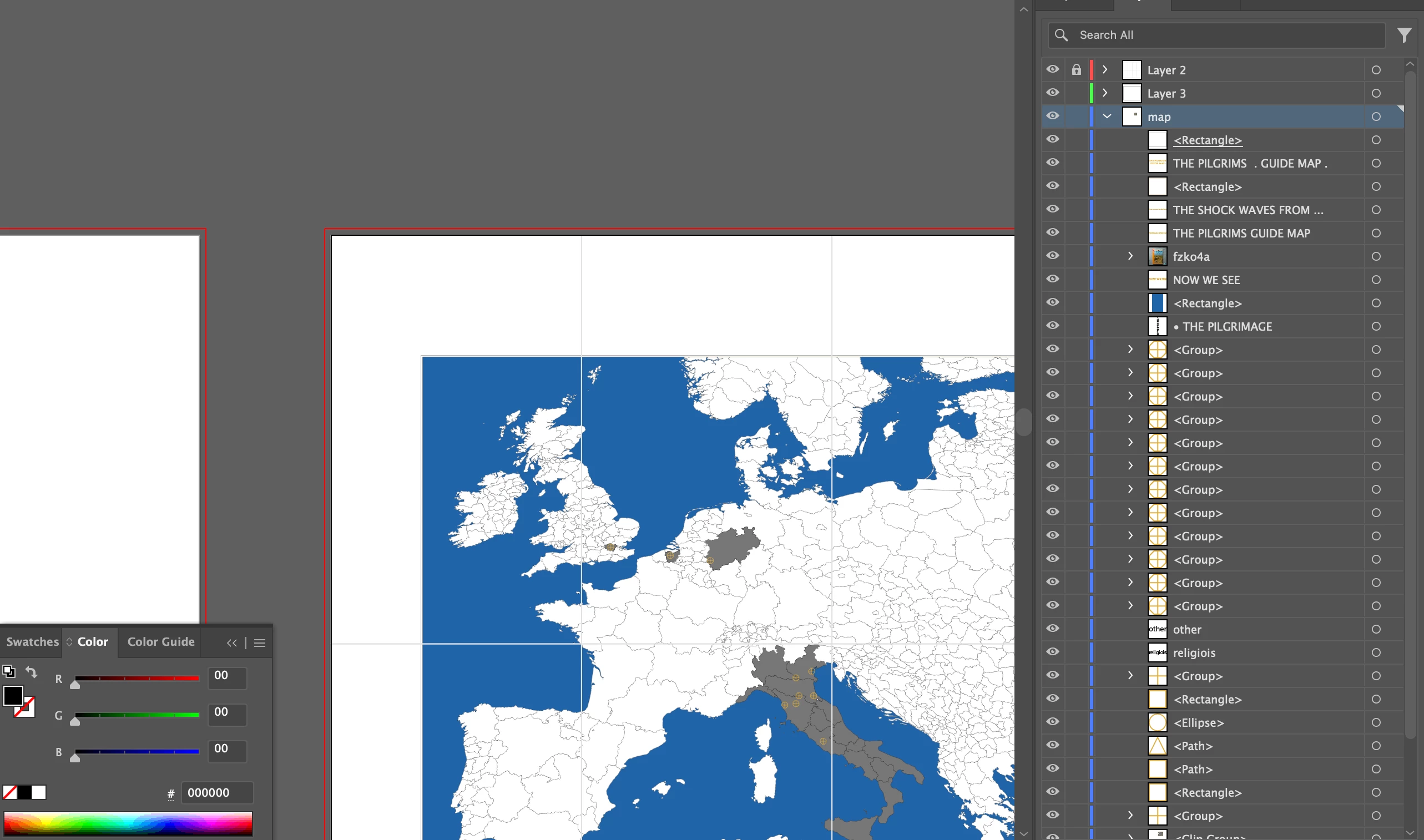
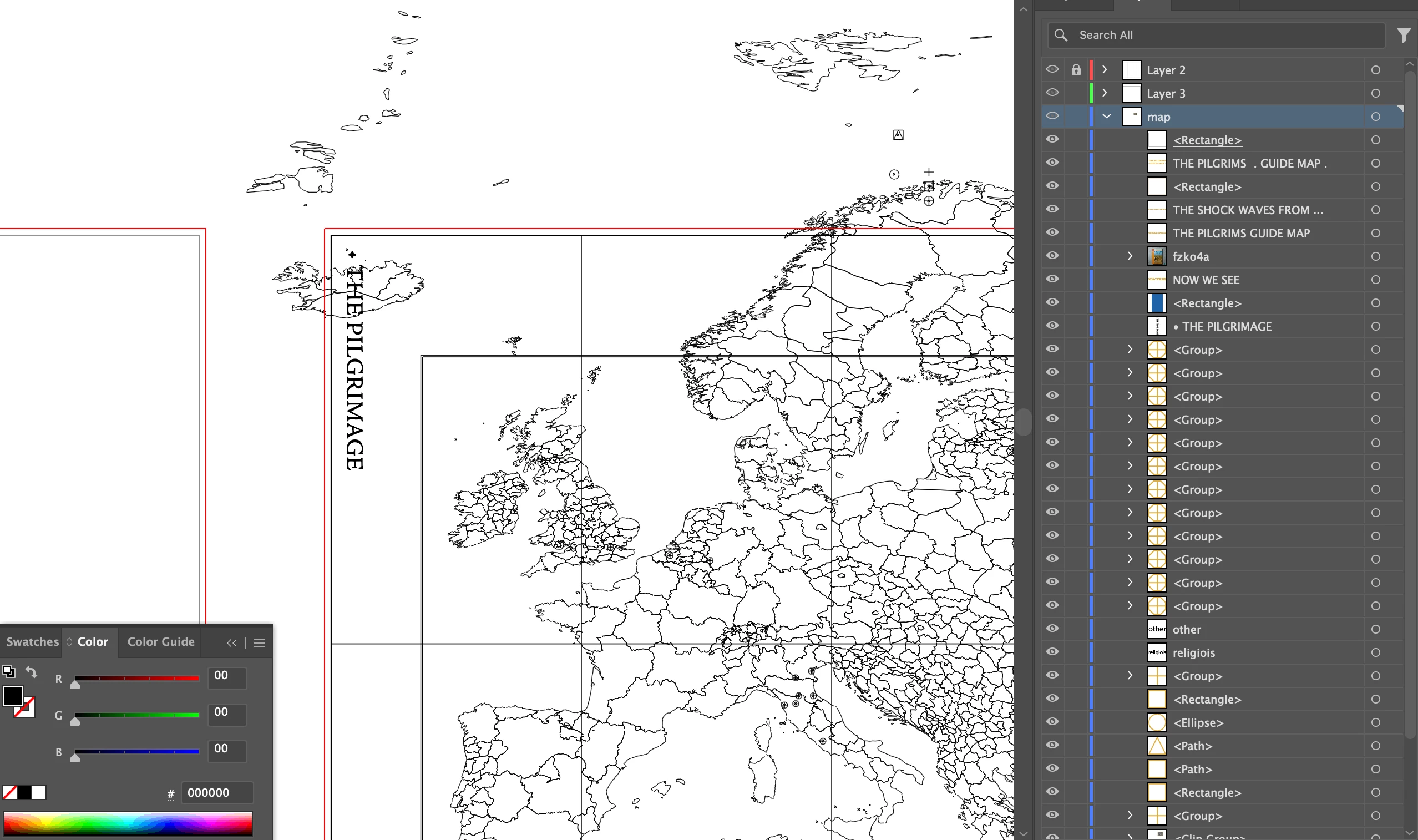
So I'm working on a file in illustrator and for some reason some of the objects have randomly decided to not appear. I can click on them, and can see them on outline view, but not in pixel view. They appeared before, but now when i make new objects they don't appear either.


I've fully updated illustrator, so not sure if it's a problem with the new update?


Have attached a couple of pics if that makes more sense.


Thank you!

This topic has been closed for replies.

3 replies

Doug A Roberts
Community Expert
Community Expert
August 2, 2023

The <Rectangle> object at the top of the 'map' layer is a layer clipping mask.

Ton Frederiks
Community Expert
Community Expert
August 2, 2023

A clipping mask can hide objects.

If you select all, can you check Object > Clipping Mask > Release?

Kurt Gold
Community Expert
Community Expert
August 1, 2023

Those objects are located on layers that are set to Outline mode (indicated in the Layers palette by the eye icons without pupils). You can Command-click on the eyes to enter Preview mode.


Participant
August 2, 2023

Hey! it looks like they aren't- I set it to outline on purpose to show that the objects are there, but on pixel mode they aren't visible. Tried command-clicking and they're still not showing properly. 

Kurt Gold
Community Expert
Community Expert
August 2, 2023

Obviously, I misunderstood your question. Sorry.


I guess Ton and Doug are right about the clipping mask.