hilmibozkurt
Participant
January 30, 2019
Question

Illustrator paragraph problem
  • January 30, 2019
  • 2 replies
  • 321 views

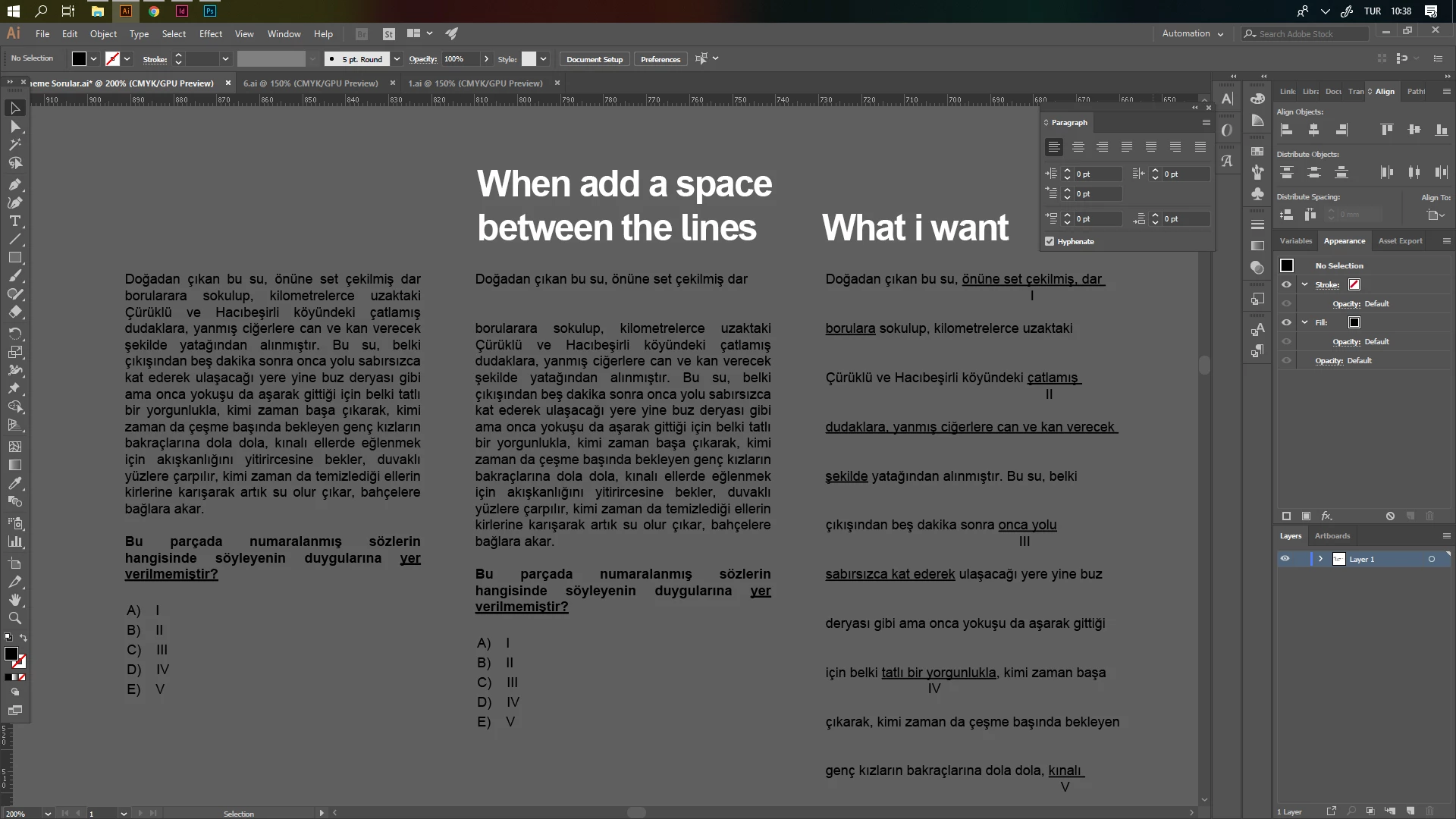
In Illustrator I need to leave spaces between the lines and add numbers to that space. But when i add space, the text change as in the second paragraph. I need 3. paragraph with first layout. Please help me

This topic has been closed for replies.

2 replies

ceyhun_akgun
Legend
January 31, 2019

Eğitim, test kitapları hazırladım. Bunları InDesign programında rahatlıkla yönetebilirsin. Çünkü paragraf, yazı, numaralandırma sistemleri style ve diğer araçlarla rahatlıkla yönetilebilir.

Shift+Return: Satır sonu sonlandırma. Yazı satırını alt satıra atar ama paragraf niteliği kazandırmaz. paragraf arası boşluklar bu durumda devreye girmez.

Yapmak istediğin format için Illustrator yanlış bir tercih. Çok fazla zaman harcamana neden olur. Sonradan yapılacak revizyonlar, değişiklikler karşısında çok daha fazla uğraşırsın.

Graphic Designer Educator / PrePress Consultant
Srishti Bali
Community Manager
Community Manager
January 31, 2019

Hi Hilmi,

If you are adding space between lines by pressing Enter/Return, it will definitely divide the text in the second paragraph. Try using Leading to increase the space between the lines.

For more details please check out this help article: Line and character spacing in Illustrator.

Regards,

Srishti
