
Participant
April 20, 2017
Answered

Illustrator Perspective Tool

  • April 20, 2017
  • 2 replies
  • 3835 views

Hello. I am trying to learn the perspective tool and I understand the basics.

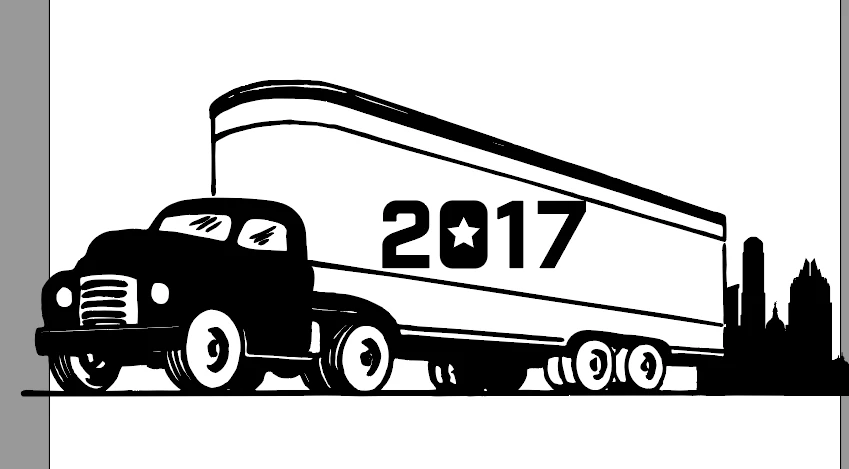
I have an existing stock illustration that is in perspective and would like to place text on this art in this same perspective. I am having difficulty adjusting the perspective grid to the existing art (as shown below—would like the 2017 to align with the truck's trailer).
Any help or suggestions?

Thank you!

    This topic has been closed for replies.
    Correct answer Monika Gause

    You need to assign it to the right panel. Just take the perspective selection tool and move it a little and while the mouse is still down, press 3 on the keyboard. This will bring it to the right perspective pane.

    2 replies

    Ton Frederiks
    Community Expert
    Community Expert
    April 20, 2017

    Or use the Free Transform tool (E) to Free Distort the outlined text.

    Monika Gause
    Community Expert
    Community Expert
    April 20, 2017

    Drag a couple of lines like this

    Note: the left side is pretty much a guess as there are not enough straight lines

    Use them to set up your perspective grid

    marytxtaAuthor
    Participant
    April 20, 2017

    Hi Monika. This is helpful.

    So, I'm doing something incorrectly—when I use the tool to map the text to the grid, it's mapping perspective in the wrong direction.

    Here's my latest screen shot.

    Thanks for the help!

    Mary

    Monika Gause
    Community Expert
    Monika GauseCommunity ExpertCorrect answer
    Community Expert
    April 20, 2017

    You need to assign it to the right panel. Just take the perspective selection tool and move it a little and while the mouse is still down, press 3 on the keyboard. This will bring it to the right perspective pane.