


Participant
March 6, 2025
Question

Illustrator plugin panels not showing up

  • March 6, 2025
  • 1 reply
  • 683 views

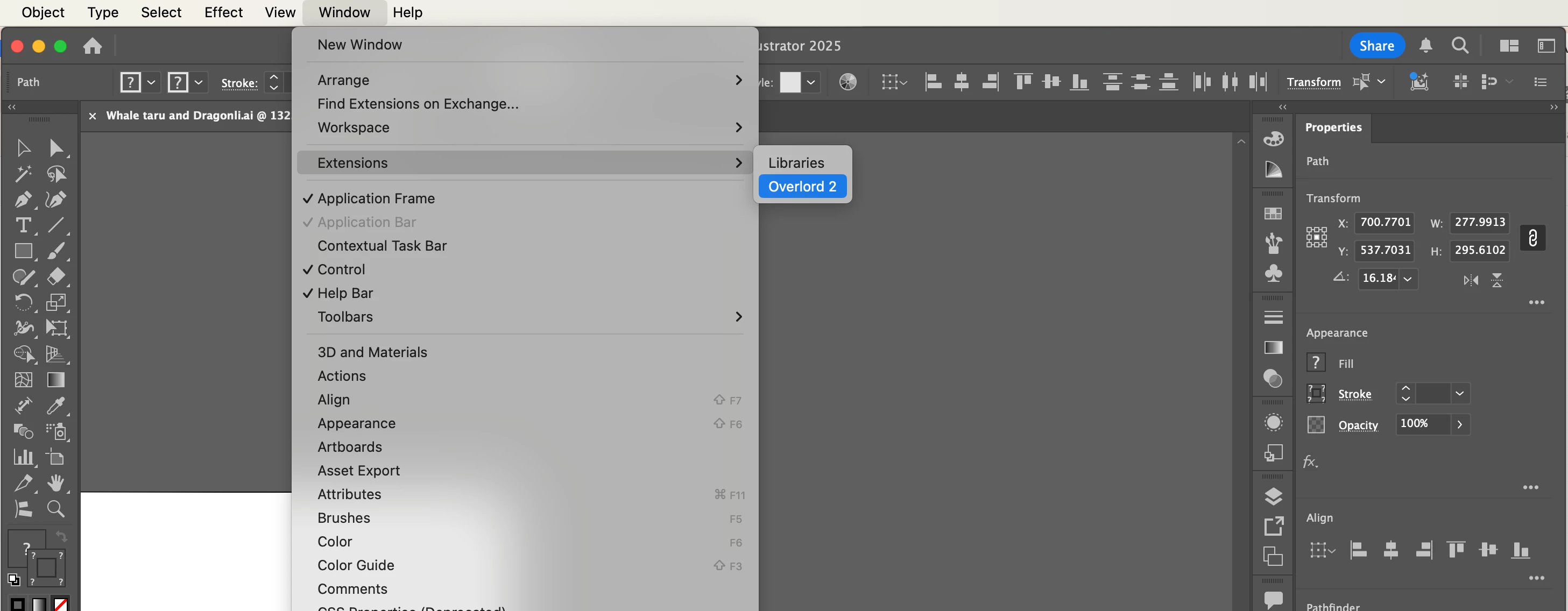
When I click on my Overlord plugin, the panel does not show up. Neither does the Libraries panel. Sometimes it shows the checkmark after I click it, sometimes it doesn't. But either way, no panel appears. I've tried restarting my computer and relaunching Illustrator and I've heard this is a common bug. Has anyone figured out how to fix it?
1 reply

Community Manager
March 6, 2025

Hello @jasonmoon,

Would you mind trying the following steps to reinstall Illustrator and checking if it helps:


If the problem persists, kindly confirm the exact version of the OS/Illustrator installed and share a small screen recording of the problem, so I can check it with the team.

Looking forward to hearing from you.


Anubhav

jasonmoonAuthor
Participant
March 7, 2025

Hello Anubhav,


I followed all your steps to remove and relaunch Illustrator, and the problem still appeared to persist until I randomly dragged a corner and got it to work. I am running MacOS Sonoma Version 14.6 with Illustrator 2025 (29.3.1).  As shown in the screen recording, I had to click and drag the random upper left corner to get the Overlord panel to appear, which is strange and seems like a glitch. The panel should clearly appear upon clicking. Also, nothing happens when I click the "Libraries" extension, even when I try clicking and dragging the upper left corner again.


Thank you

Community Manager
March 11, 2025

Hello @jasonmoon,

Would you mind trying the following steps and checking if they help:


- Close all Adobe applications.

- Rename the UXP folder to UXP.old from the following location:

(macOS) Navigate to Macintosh HD/Library/Application Support/Adobe/UXP


- Relaunch Illustrator


Also, check if there are any updates available for your plugin and install them to see if it helps.

Looking forward to hearing from you.


Anubhav