Participant
April 27, 2020
Question

Illustrator plugins causing forced safe mode

  • April 27, 2020
  • 2 replies
  • 259 views

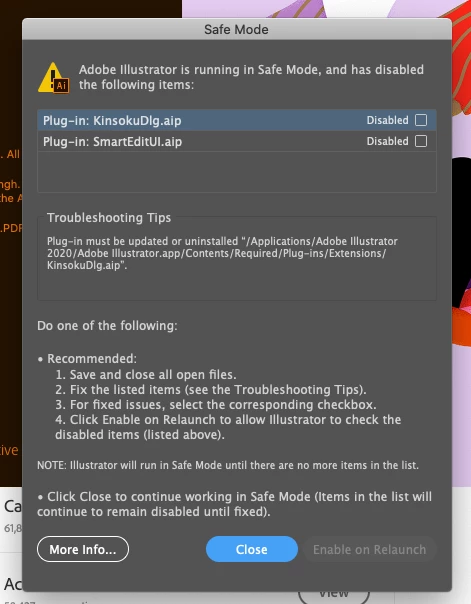
I just updated Illustrator 2020 and keep getting this screen, I tried to 'fix' the plugins but the paths that are shown do not lead anywhere in my files. "adobe illustrator.app" is not an option. Any tips on how to fix this? I want to get back to work out of safe mode. 
This topic has been closed for replies.

2 replies

Srishti_Bali
Legend
September 7, 2020

Hi there,


Sorry about this trouble. I am hopeful that the issue was fixed. If not, we have recently released an update for Illustrator 2020 (v 24.3) which contains some stability fixes. If you are not already on v24.3, then we recommend you to update to latest version.


If that doesn't help, try steps shared in this help article and share your observations with us.


Regards,

Srishti

Community Expert
April 28, 2020

What do you mean by "paths that are shown do not lead anywhere in my files". Are you able to locate the path till adobe illustrator.app? If yes then the the path after this can be accessed by right clicking on adobe illustrator.app file and choosing "Show Package Content" then you can browse to the rest of the path.


-Manan

-Manan