Participant
August 3, 2023
Answered

Illustrator problem: UKCO - unknown error

  • August 3, 2023
  • 21 replies
  • 5260 views

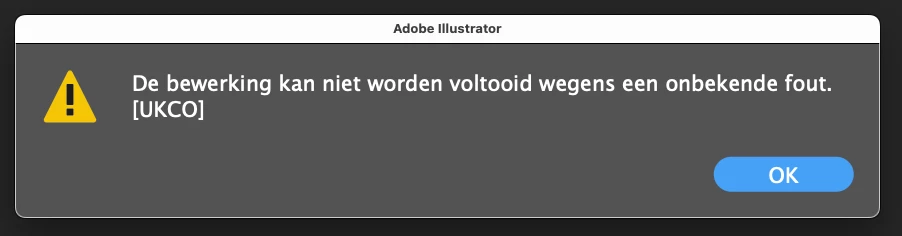
Today Illustrator gives many errors: UKCO unknown. It happens with each step which I take. Newest version Mac, 27.8  So I cannot proceed. I saw in earlier posts (february) that this happened as well. Any solutions? Translation: the operation could not be completed due to an unknown error
This topic has been closed for replies.
Correct answer Anubhav M

Hello everyone,


Thanks for your patience. Our team has made some improvements in the latest version of Illustrator v27.8.1, which should help alleviate the trouble you're having with Illustrator. Would you mind trying to update to the latest Illustrator version and sharing your observations?


Looking forward to hearing from you.


Thanks,

Anubhav

21 replies

MaartenBAuthor
Participant
August 22, 2023

Everything works fine again, with the update v27.8.1

Anubhav M
Community Manager
Anubhav MCommunity ManagerCorrect answer
Community Manager
August 9, 2023

Hello everyone,


Thanks for your patience. Our team has made some improvements in the latest version of Illustrator v27.8.1, which should help alleviate the trouble you're having with Illustrator. Would you mind trying to update to the latest Illustrator version and sharing your observations?


Looking forward to hearing from you.


Thanks,

Anubhav

Participant
August 10, 2023

Great, thanks Anubhav, will do.

Participant
August 9, 2023

Same here... Installed the previous version from the creative cloud app and now it's working fine.

Anshul_Saini
Community Manager
Community Manager
August 8, 2023

Hi Everyone,


We understand the frustration you're facing with the "UKCO" error in Illustrator 27.8. The product team is aware of this issue and has already worked on a fix. You can expect the resolution in the next release. To stay updated and receive the fix, I recommend upvoting this UserVoice (https://illustrator.uservoice.com/forums/601447-illustrator-desktop-bugs/suggestions/47043832-illust...)

In the meantime, you can try a workaround by removing the "Vectorizing Presets" from the preferences folder. Please note that any custom presets created in the previous releases for image trace might not appear after deleting this file.

Preferences folder location:

Windows - " %AppData%\Adobe\Adobe Illustrator 27 Settings "

Copy & paste this location into the My PC address bar.

Mac - " ~/Library/Preferences/Adobe Illustrator 27 Settings "


Note: Location starting with this "~" sign indicates the User Library, which is hidden. So, you need to copy & paste the exact path in spotlight search or from Finder Menu > Go > Go to Folder > Paste the location in the dialog box like this:


If you have any other questions or need further assistance, feel free to ask. We appreciate your patience!


Best regards,
Anshul Saini

Alhadis
Participating Frequently
August 8, 2023

It's also possible to toggle the visibility of hidden files and folders by pressing Cmd+Shift+. when focussed on a Finder window (or in an "Open File/Save As..." dialogue).

Monika Gause
Community Expert
Community Expert
August 8, 2023
Participant
August 8, 2023

OMG thanks Monika, can't believe that worked! Life saver.

Creative Overlord
Known Participant
August 7, 2023

Same here, I can't even open Illustrator since the v 27.8 update (in Australia) - I'm on a Mac Studio, latest OS, and I get the 

"The operation cannot complete because of an unknown error [UKCO]" message on trying to open it, even when opening from the creative cloud "Updated recently" screen. 

Participant
August 8, 2023

Hi from Aus too, just got back in from lunch and it's gone bung on me same error. I think it's because I restarted earlier today morning, bc things were going strange across InDesign too. Bit annoying isn't it.

rogerinlondon
Inspiring
August 7, 2023

Tried to downgrade and I seem to have lost my customised workspaces.....

FranWillett
Participating Frequently
August 7, 2023

This happened to me too! So frustrating having to re-set everything. 

rogerinlondon
Inspiring
August 7, 2023

In particular since I have Astute Graphics installed as well!

jeremyn98819152
Participant
August 7, 2023

yep - reverting back to the previous version does fix this. Just worked for me. But really not great Adobe!

Matthew A
Inspiring
August 7, 2023

Agreed, I have this issue too, terrible update from Adobe, they have bricked the entire package!

Participant
August 7, 2023

I am having the same issue - it's VERY frustrating!  Adobe - are you fixing this?

Participant
August 7, 2023

I had the same problem yesterday. I installed the previous version and than updated it. Seem to work, at least for me 🙂

Participant
August 6, 2023

Opened illustrator for the first time in a week and instantly got the error message Error: the operation cannot complete because of an unknown error. (UKCO). I clicked ok and it continiued to load then the message popped up again. I haven't tried to do anything in illustrator yet but it keeps popping up. I've run a virus scan and restarted the laptop but no different. Does anyone know how I fix it? 


Thank you


Sam