dbourbonnais
Participant
August 27, 2018
Question

Illustrator quit unexpectedly - EXC_BAD_ACCESS (SIGSEGV)

  • August 27, 2018
  • 1 reply
  • 3658 views

Hi,

I've been having this issue for the last week and I can't seem to figure out how to make Illustrator work again. Every time I try to open an existing file or create a new one, Illustrator crashes and gives me this error:
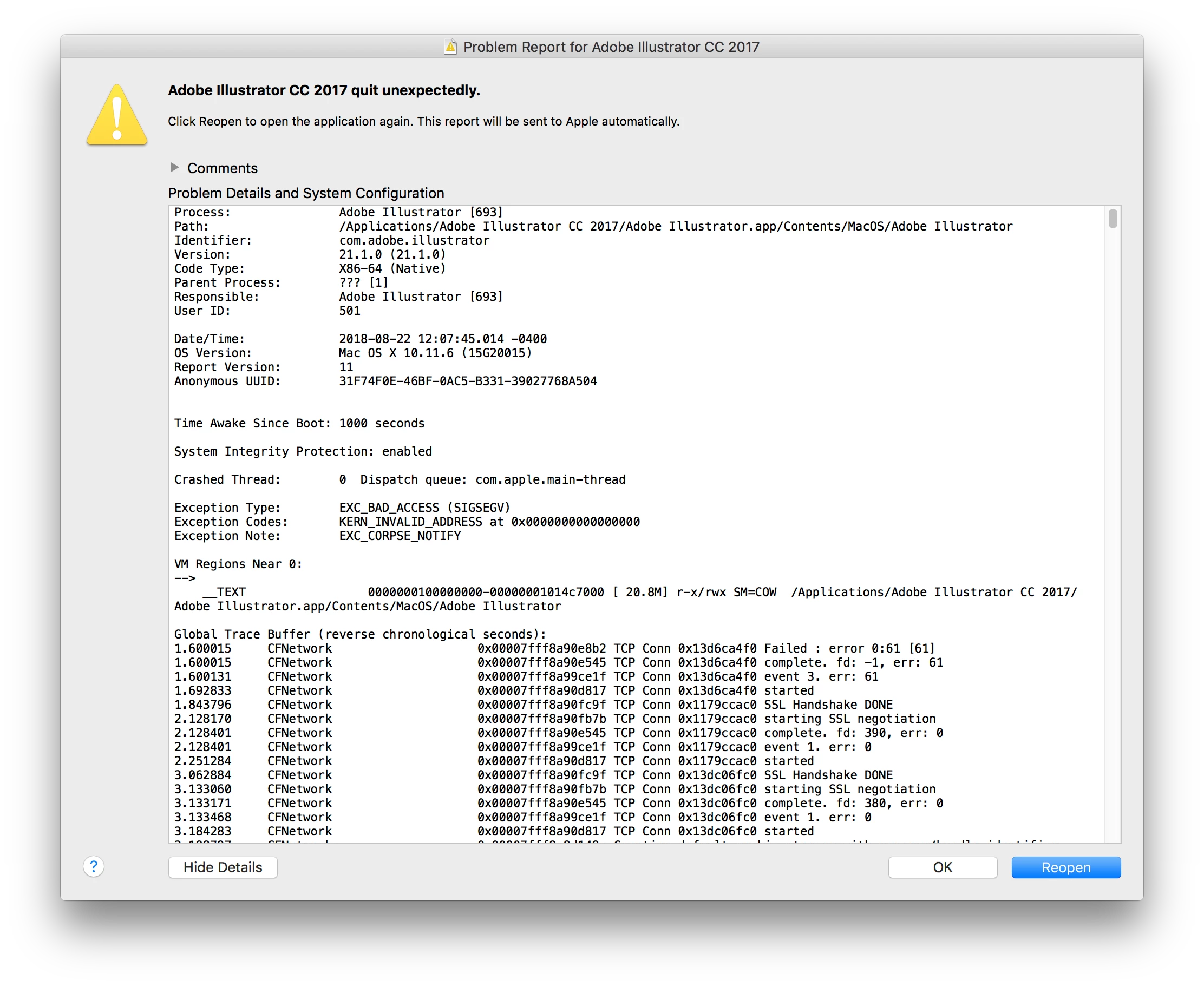
I've tried the following:

  • Uninstall and reinstall Illustrator 2017
  • Uninstall and install Illustrator 2018
  • Delete my preference files

But nothing seems to be working. Does anyone have any idea how to make Illustrator work again?

Thanks in advance for your help,

    This topic has been closed for replies.

    1 reply

    Mike_Gondek10189183
    Community Expert
    Community Expert
    August 27, 2018

    Did you?

    Use the Creative Cloud Cleaner Tool to solve installation problems

    Not using that will leave prefs that are corrupt in your app or adobe cloud on computer, that will be causing this. There si more than one prefs file and an OOBE. The cleaner will take care of these, btu thsi gives you an idea of the location

    More thorough Reset your preferences.

    Temporarily Rename This Folder (incase one of your other preferences is corrupted)

    HD\Users\(user name)\Library\Preferences\Adobe Illustrator CSX Settings

    /Users//Library/Preferences/Adobe Illustrator XX Settings/en_US*/Adobe Illustrator Prefs

    Reset your other preferences  CC
Finder (Hold down Option) >> Choose Library >> got to this folder

    Library/Application Support/Adobe/Adobe Illustrator XX/

    rename Adobe Illustrator XX to Adobe Illustrator XX old

    If that don't work, restart you mac in recovery mode and test your ram.

    Do you have bad RAM? How to find it and how to fix it | Macworld