
Illustrator Randomly Changing Colours + Swatch Values
I've encounted a stange issue in illustrator.
I'm working in a file and the colours are randonly shifting. Not just visually on the monitor. But the colour values within the swatches too. Illustrator 27.9, windows.
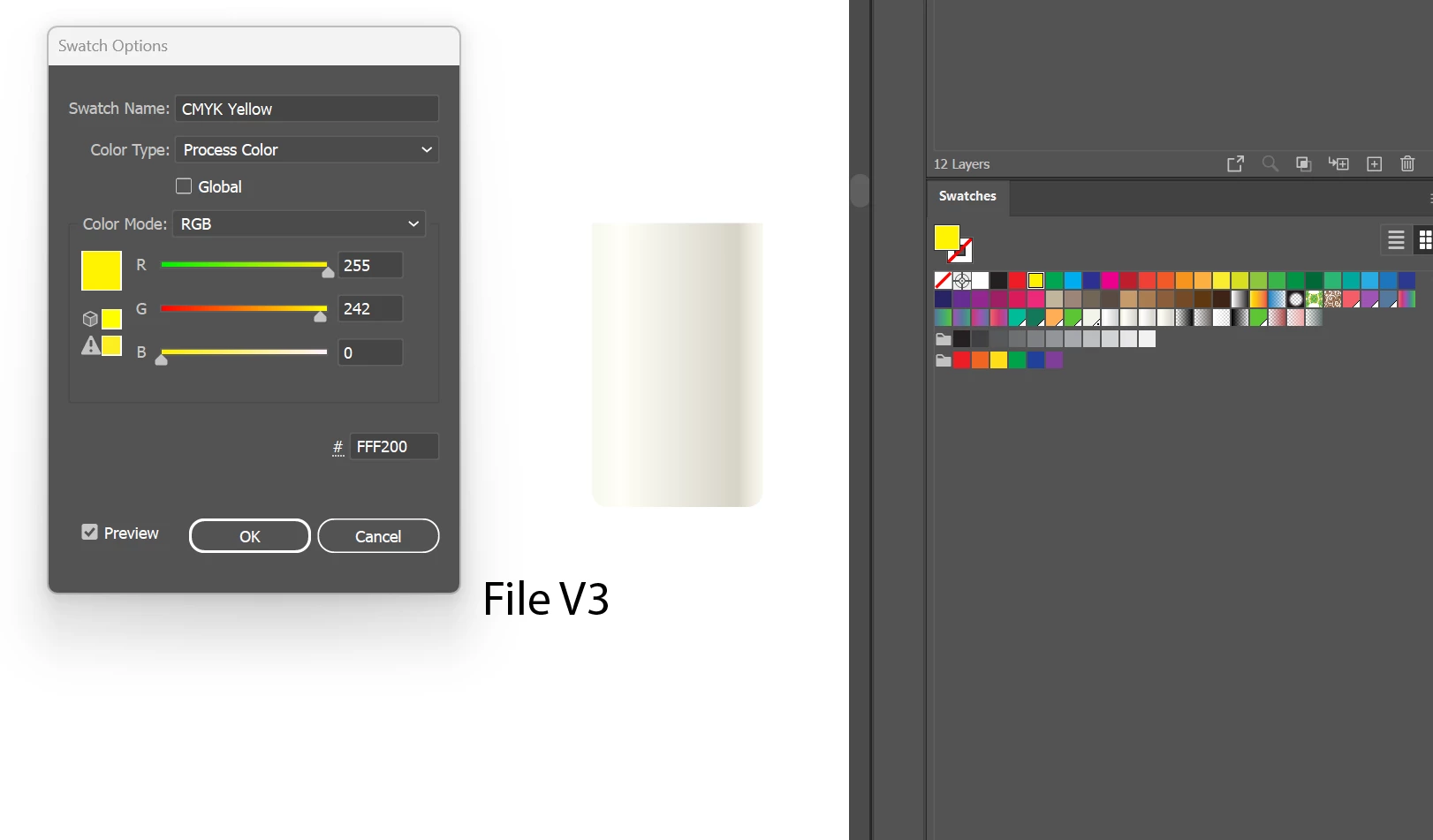
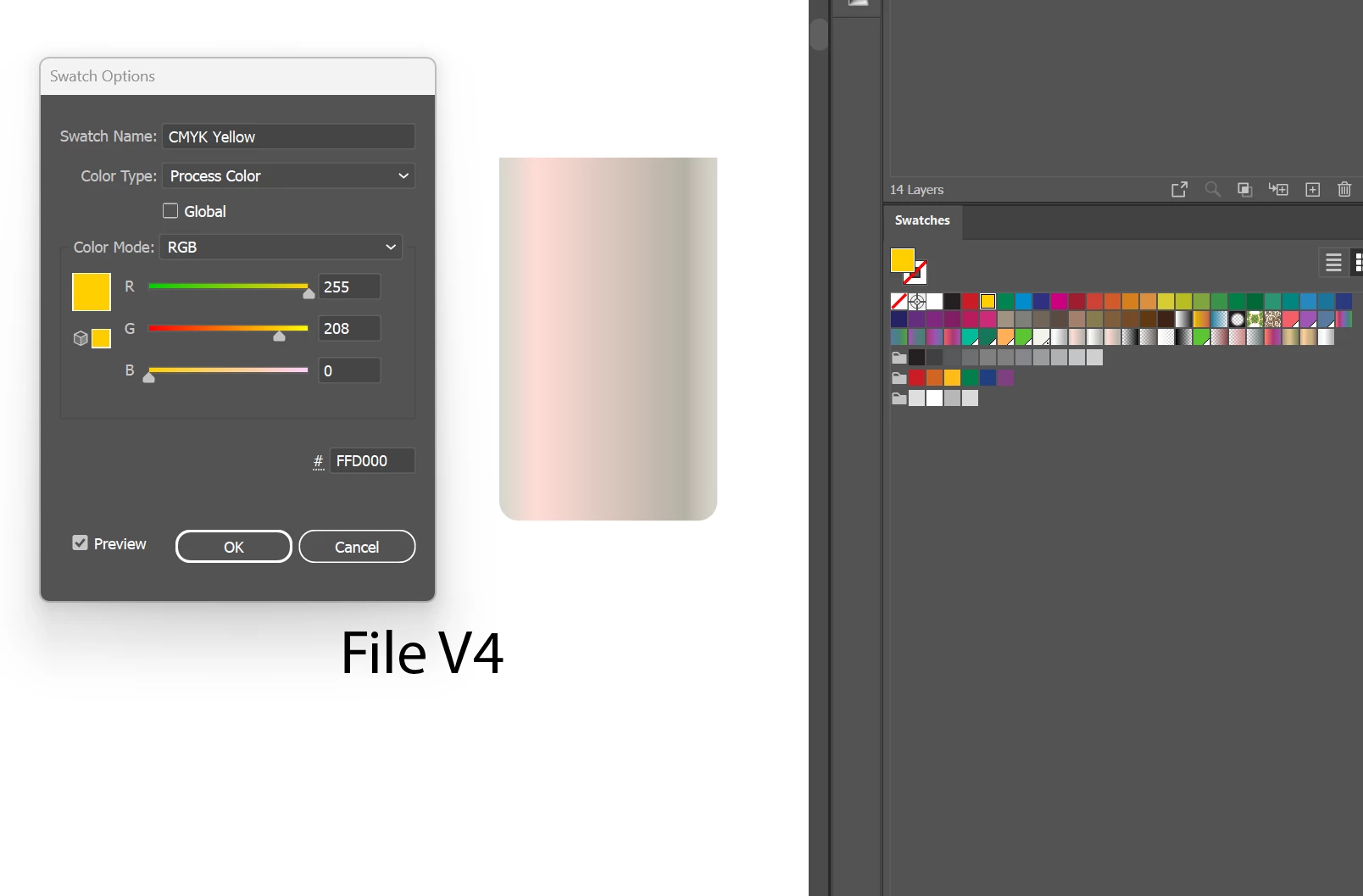
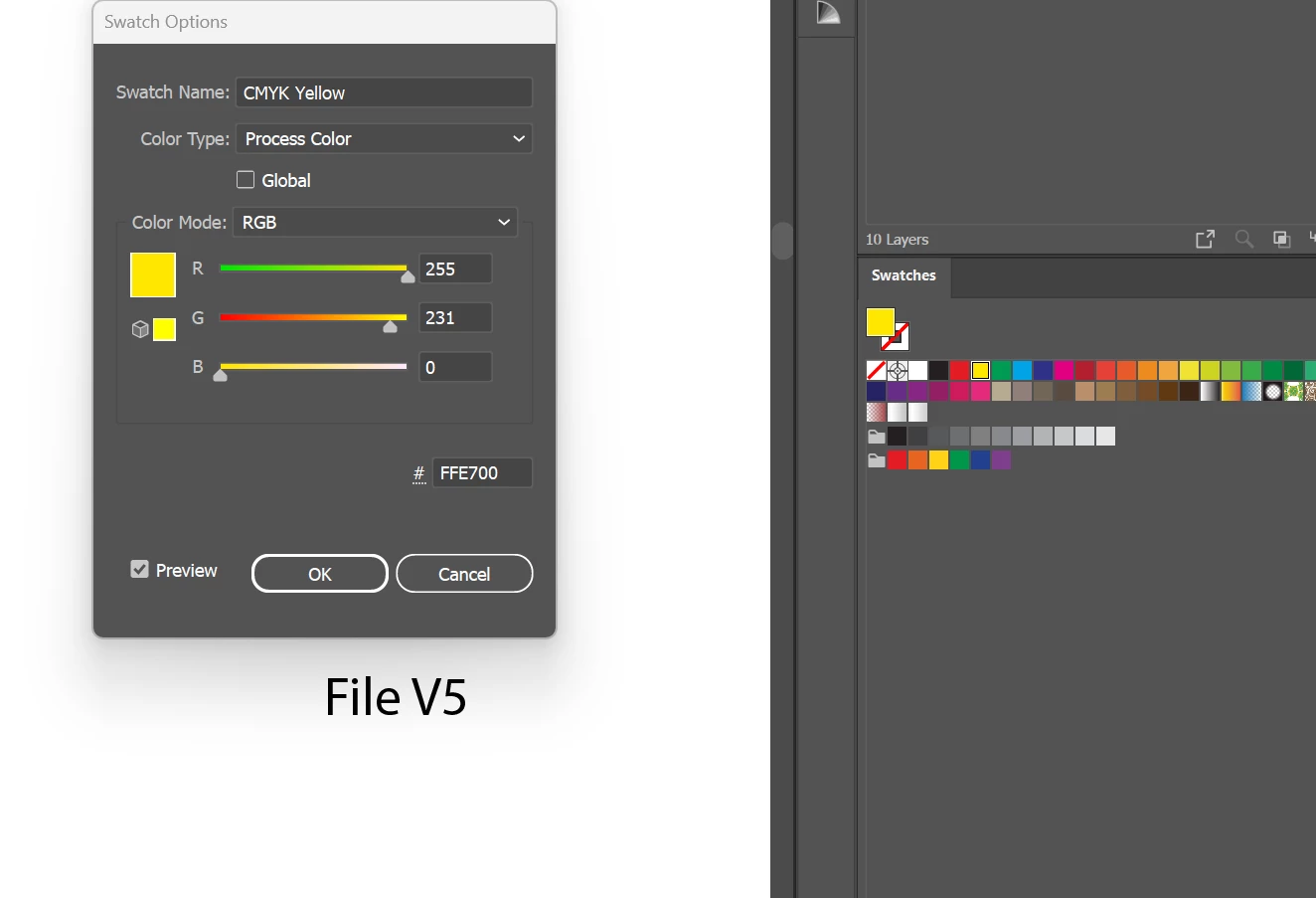
Screenshots from versions of the same file. All are open simultaneously so this seems to be file specific.
V3 is the original. (Yellow = #FFF200)
V4 is where the issue was first noticed (Yellow = #FFD000)
V5 is a new file this morning, trying to restore the work and now the colours have shifted again. (Now Yellow = #FFE700)
The V3 yellow matches the yellow when you open a new file: I'm working on an A3 sheet but set the template to RGB.
The file has not changed to CYMK.
Colour mode still shows RGB
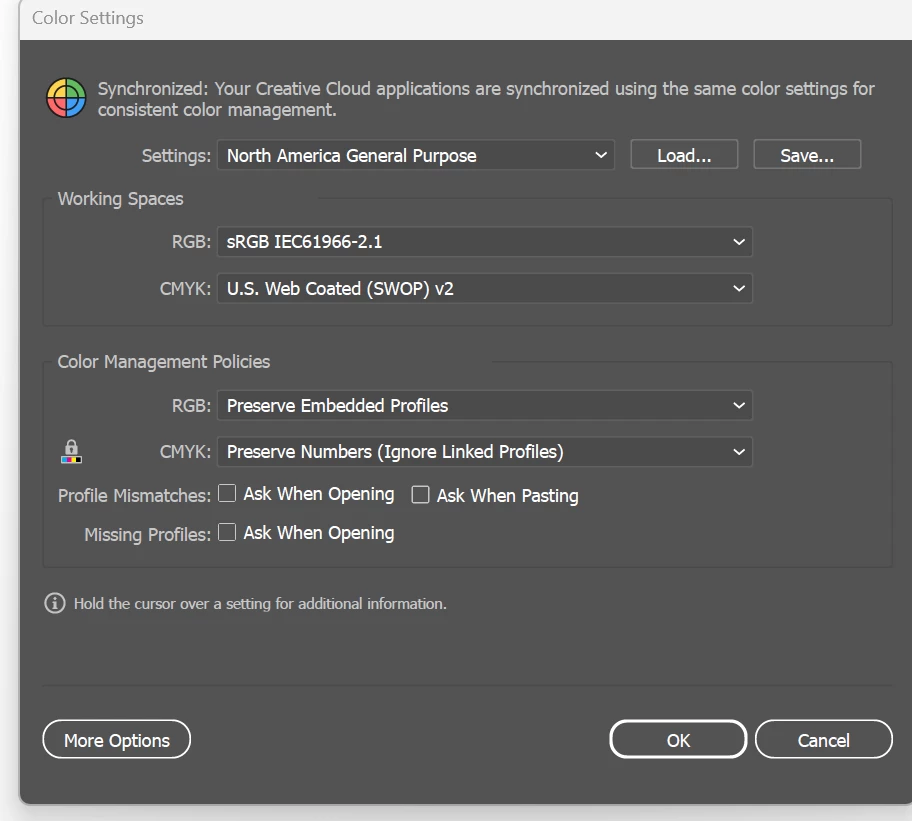
Colour Settings are the same across all files.
No proofing has been activated.
Anyone else had this issue? Anyone know how to restore these?


 AdChoices