

rachelg93090451
December 18, 2025
Question

Illustrator stuck saving fie

  • December 18, 2025
  • 1 reply
  • 95 views

When saving a file, the save bar is stuck and will not finish. Lost work over and over again because I am force quitting the app. 
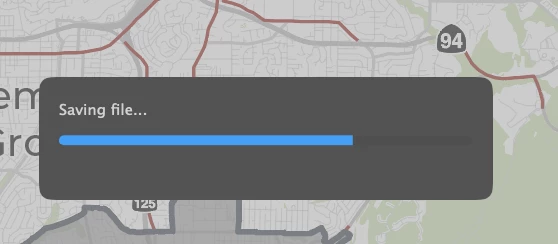
Screenshot 2025-12-18 at 7.54.31 AM.png

1 reply

Abhishek Rao
Community Manager
Community Manager
December 22, 2025

Hi @rachelg93090451,


Thanks for reaching out, and sorry that you're running into this issue. If you're still seeing the save bar get stuck, could you please confirm your OS version and the exact Illustrator version you're using, and let me know whether this happens with all files or only specific ones?

In the meantime, you can try disabling Save in Background from Preferences > File Handling, then restart Illustrator and test again. It would also be good to try saving the file to a local location like the Desktop instead of a cloud-synced folder, external drive, or network location if that applies in your case. You can also try using File > Save As to save the file temporarily as a PDF or EPS and then save it back as an AI file.

If the issue seems file-specific, try copying the artwork into a new document by selecting all artwork, copying it, creating a new file, and then using Paste in Front before saving the new file.

There's also a related community discussion here that you may find helpful: https://adobe.ly/4jcJUAf.


Please share your observations after testing these steps. Looking forward to your update.

Abhishek
