Participating Frequently
January 16, 2018
Answered

Illustrator text squishing/separating in WMF image

  • January 16, 2018
  • 3 replies
  • 1731 views

Some times when I export WMF and import into Word, the image works perfectly. Other times, not so much. What am I doing wrong? I have Googled, I tried this trick, I tried that trick and nothing seems to work for consistency.

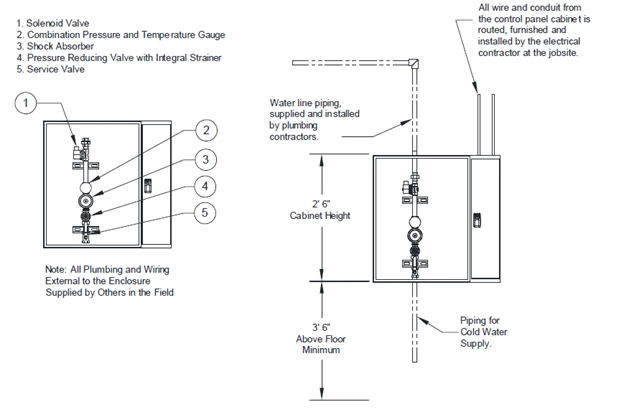
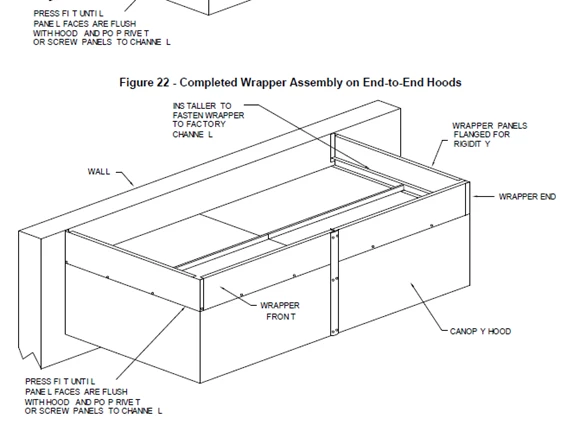
The Cold Water Mist.ai file works perfectly for me. I tried to place the Completed Wrapper.ai file, and it does not work.

Quick run down:

Saving as DXF from AutoCAD, Opening in Illustrator, Exporting as WMF, Importing in Word as WMF. When I resize the completed wrapper WMF image in Word the text will squish together or separate. I do not have this issue with the Cold Water Mist image.

Thanks
    This topic has been closed for replies.
    Correct answer John Mensinger

    Not knowing whether you're in a position to change this workflow, there are 2 options which would likely solve the problem you've encountered:

    1. Export to EMF rather than WMF
    2. In Illustrator, Select All > Copy / in Word, Paste Special > Adobe SVG*

    *Option 2 produces a visibly better result, but I don't have enough experience with this method to be certain it won't pose unforeseen issues further downstream.

    Actually, the best workflow change would be to replace Word with a true page layout application.

    3 replies

    Participant
    August 16, 2023

    I have the correct answer for you. I expierence this regularly... UNTIL I found something that has fixed it for me 100% of the time... In Illustrator, before you export your WMF, make sure your Font size is a WHOLE NUMBER, 6 or 7 or 8... NOT 6.5, or 7.6, or 8.3). Sometimes in AutoCAD even if your font is an even number, Illustrator will slightly scale the graphic. Either scale the entire graphic back up so your font is a whole number again, or just select all the text and make it a whole number. The problem of overlapping text and spaced-out text has never happened after correcting font size.


    Hope this helps future users.

    Mike_Gondek10189183
    Community Expert
    Community Expert
    January 16, 2018

    Appears you are having some issues with live type & the Windows Meta File old file format that has not been updated

    Try exporting .pdf format from autocad and importing that into word.

    If the file looks fine in illustrator,  outline the type, and then save to a format word will accept. PDF is more reliable as I have had strange experience with wmf in the past and even changing your printer settings would make files output incorrectly.

    John Mensinger
    Community Expert
    Community Expert
    January 16, 2018

    Seeing as you didn't mention setting the text in Illustrator, I'll assume it is of AutoCAD origins, and I can say with near certainty, therein lies your problem. I suspect you'll have to start resetting all the text in Illustrator before you can expect to get reliably consistent results.

    Participating Frequently
    January 16, 2018

    Actually I am redoing the text in Illustrator. Sorry for not specifying earlier.

    The process now is:

    I receive the AutoCAD file. I remove about 50% of the information. The other 50% is deemed to be used for end user information (service manuals, marketing literature, etc). Save as DXF. Open in Illustrator. I will add an Illustrator text box and retype what the AutoCAD text states, then delete the imported AutoCAD text. The text used between AutoCAD and Illustrator are the same, Arial. In Illustrator I will make the text size 7pt or 10pt depending on image size/spacing.

    John Mensinger
    Community Expert
    John MensingerCommunity ExpertCorrect answer
    Community Expert
    January 16, 2018

    Not knowing whether you're in a position to change this workflow, there are 2 options which would likely solve the problem you've encountered:

    1. Export to EMF rather than WMF
    2. In Illustrator, Select All > Copy / in Word, Paste Special > Adobe SVG*

    *Option 2 produces a visibly better result, but I don't have enough experience with this method to be certain it won't pose unforeseen issues further downstream.

    Actually, the best workflow change would be to replace Word with a true page layout application.