
Participant
June 6, 2017
Answered

Illustrator to Indesign

  • June 6, 2017
  • 4 replies
  • 1128 views

Hi everyone,

I have a problem that has only lately shown itself - I never had this issue before, with older versions of the Adobe suite.


I have an issue with copying outline illustrations (such as icons) from Illustrator to Indesign.

Now, it's quite complex, because outlines drawn in 'Basic' stroke style appear in the box and are ungroupable - I can only change their stroke weight and colour as a whole group. I am unable to move them around.

When the outline's style is let's say the '5p round' brush, they copy over as filled shapes, rather than outlines. They ARE ungroupable and movable.....

Does anyone have an idea why this is happening?

I have provided a screenshot from InDesign after copying the mentioned two stroke styles.
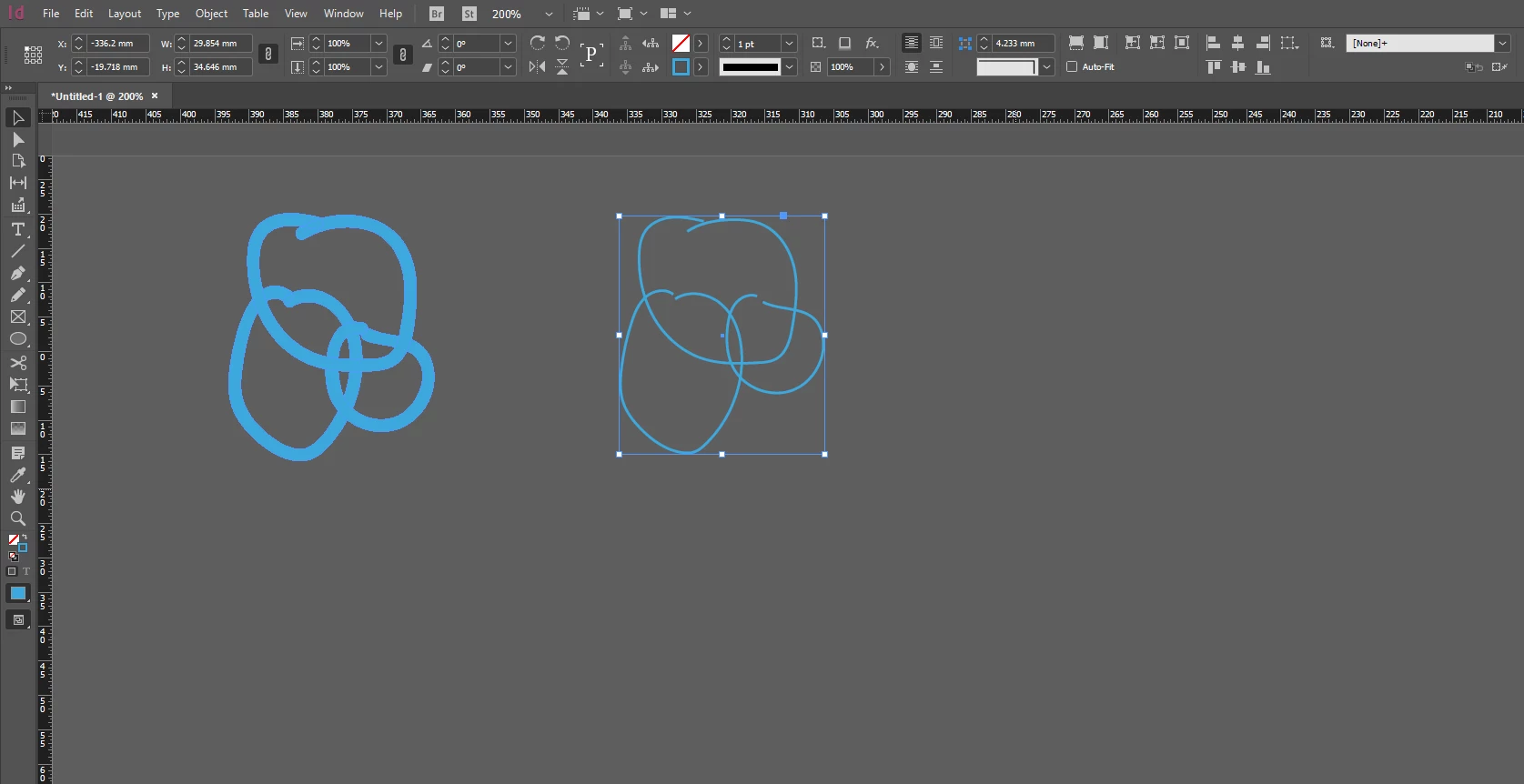
Thanks a lot!

magda

This topic has been closed for replies.
Correct answer Monika Gause

Open the layers panel in InDesign to analyze your objects.

This one is a compound path. You just need to release it: Object > Path > Release compound path

4 replies

Participant
June 7, 2017

Thanks a lot, everyone.

Monika, the object>path>release worked for the basic outline issue, thank you!

I do agree with you all saying that placing an .ai or .eps file would be a much safer option, definitely, but sometimes I just want one illustration that is editable within my InDesign document... making a whole new file for one element seems pointless, then...That is why I was trying to simply copy the illustration over. I might have to rethink the way I work a little.

Thanks a lot for your comments!

Jeff Witchel, ACI
Community Expert
Community Expert
June 6, 2017

I agree with c.pfaffenbichler!

File > Place with Illustrator files is the better choice. As you're finding out, Copy/Paste can lead to all sort of issues.

c.pfaffenbichler
Community Expert
Community Expert
June 6, 2017

Naturally you may have valid reasons for doing so in this case but as a person who has to process Indesign files for prepress purposes it seems like a fairly bad idea to me to paste images but also icons into Indesign files instead of placing the psd/ai/eps/…-files.

Monika Gause
Community Expert
Monika GauseCommunity ExpertCorrect answer
Community Expert
June 6, 2017

Open the layers panel in InDesign to analyze your objects.

This one is a compound path. You just need to release it: Object > Path > Release compound path