


Question
Illustrator to PowerPoint vector pasting not working
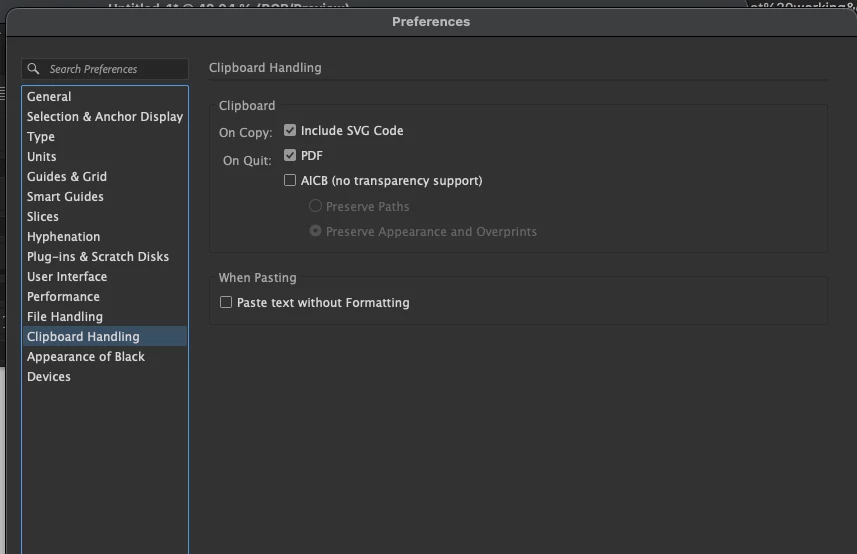
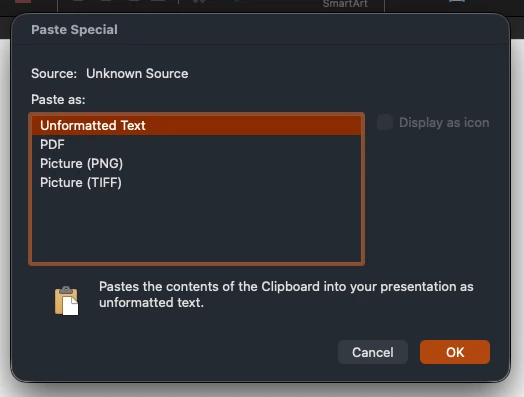
I am on v 30.6 and unable to copy the past a vector from Illustrator into PowerPoint. When I do, it just pastes the svg code. Under paste special, it says source unknown and pasting as an svg isn’t listed as an option. Yes, I have “Include SVG Code” selected under clipboard handling preferences. I have also signed out then back in from CC, restarted apps, etc. and nothing has worked.
I know there was a post about this several months ago, and the OP said an update fixed it for them. It did not for me, or it looks like others. This has HUGE impact on workflow and makes things more difficult. Would love a resolution this problem. Thanks!
 AdChoices