Question
Illustrator Toolbar Gone
After the latest CC update, I cannot seem to locate my toolbar.
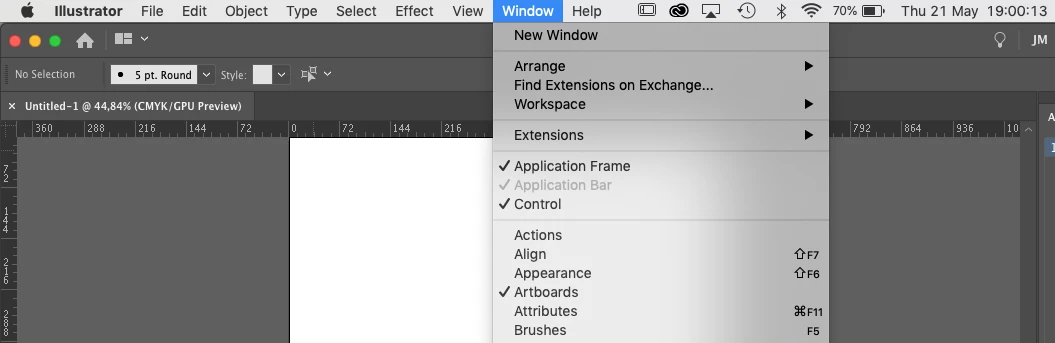
The option in Window > Tools is not there. No idea where to find it.
Have tried to reset the workspace as well, no luck.
Please help.

After the latest CC update, I cannot seem to locate my toolbar.
The option in Window > Tools is not there. No idea where to find it.
Have tried to reset the workspace as well, no luck.
Please help.
Already have an account? Login
No account yet? Create an account
Enter your E-mail address. We'll send you an e-mail with instructions to reset your password.


 AdChoices