
Illustrator tracing broken - how to fix? URGENT!
Hi!
I have a job going where the client needs me to supply them with SVG masks made from 3D file renders. Even if I plug a stupid-high resolution file into illustrator - it just messes up and doesn't see all the detail, which is dumb. The following is the best I could get tweaking the sliders around:
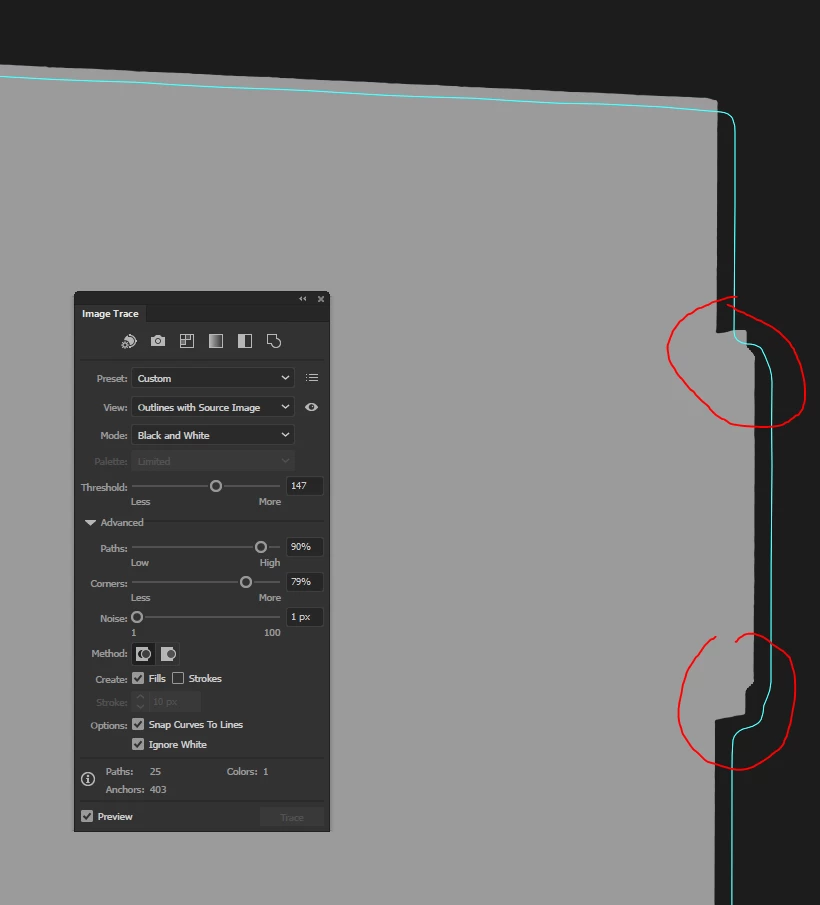
So then I had a thought: What if illustrator is limiting the max resolution of Live trace to save on performance somehow? So what I did now was I took the SAME image and I cropped in on the details I showed in the image above. The details have the same pixel count, just that the overall image is now cropped to reduce the total amount of pixels. Here's what I got with DEFAULT trace settings this time:
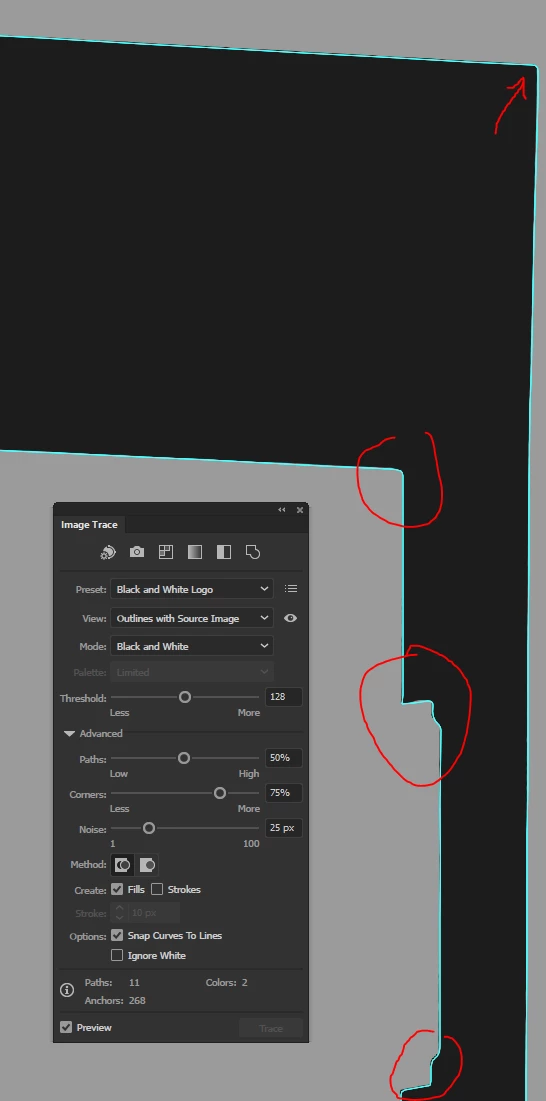
This is now an ACCURATE trace.
So the trace tool is fine, but what's happening is somewhere it limits the max resolution for whatever reason and ends up producing a pile of sh*t when I use it. And, needless to say, I need this to deliver a job.
But I can't use it like this because that would mean me having to split a each B/W mask image into 6-8 tiles, tracing and then somehow merging back into one vector (surely not without mistakes) - completely and utterly unusable workflow!
Is there a way to throw this pixel conservation into the bin and make tracing perform as expected? Maybe a setting somewhere or a script I can inject? My machine has a GTX 1080Ti 11GB GPU, an overclocked i7-5960X 8-core CPU at 4.5GHz and 64GB RAM - I don't really care for or want any performance-saving "features" that mess up a job like this...
Thanks!




 AdChoices