
Participant
January 28, 2025
Answered

Illustrator Transparency and Masks Question

  • January 28, 2025
  • 2 replies
  • 431 views

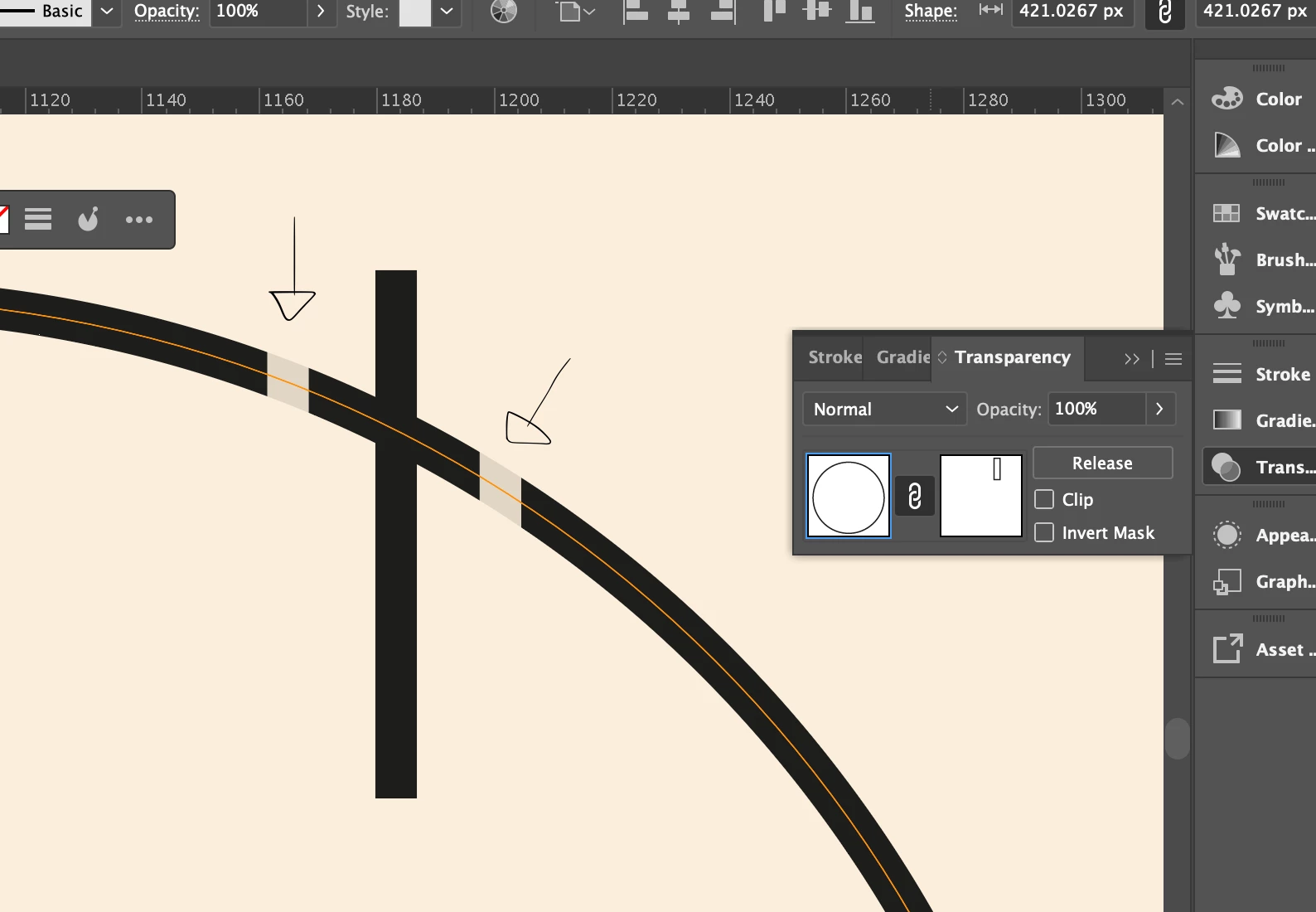
I have a circle with a black stroke and a rectangle with a black stroke that I'm using as a mask.

Using the Transparency tab I've been able to mostly get what I'm looking for with those two slices where they intersect to be cut out, but why is there that slight gray where I want it to be completely zero'd out?

Everything is at Opacity 100%. Is this a bug? Is there something about the Transparency tab that I'm just not understanding? I was hoping to still have the rectangle be movable so I can change the size or location of the part that is masked, otherwise I'd simply using Pathfinder. Any advice?
Correct answer Ton Frederiks

And it looks like the document came from a CMYK preset and was converted during or after creation to CMYK.

From the metada: <illustrator:StartupProfile>Print</illustrator:StartupProfile>

2 replies

Ton Frederiks
Community Expert
Community Expert
January 28, 2025

That should normally work.

Can you share that example? You can attach it here on a post when you save or rename the file as .pdf

RWaggonerAuthor
Participant
January 28, 2025
Logo_Set2.pdf
Ton Frederiks
Community Expert
Community Expert
January 29, 2025

Thanks, as Monika suggested, the RGB values have to be 0.

The swatch has been named black, but it isn't.

Monika Gause
Community Expert
Community Expert
January 28, 2025

Is this an RGB file?

Then you have to make sure that those rectangles are 000


Also: does this get better in CPU preview mode?

RWaggonerAuthor
Participant
January 28, 2025

It is RGB.
The strokes on the rectangle and circle are pure black.
CPU vs GPU unfortunately doesn't change it either.