Participating Frequently
July 1, 2017
Answered

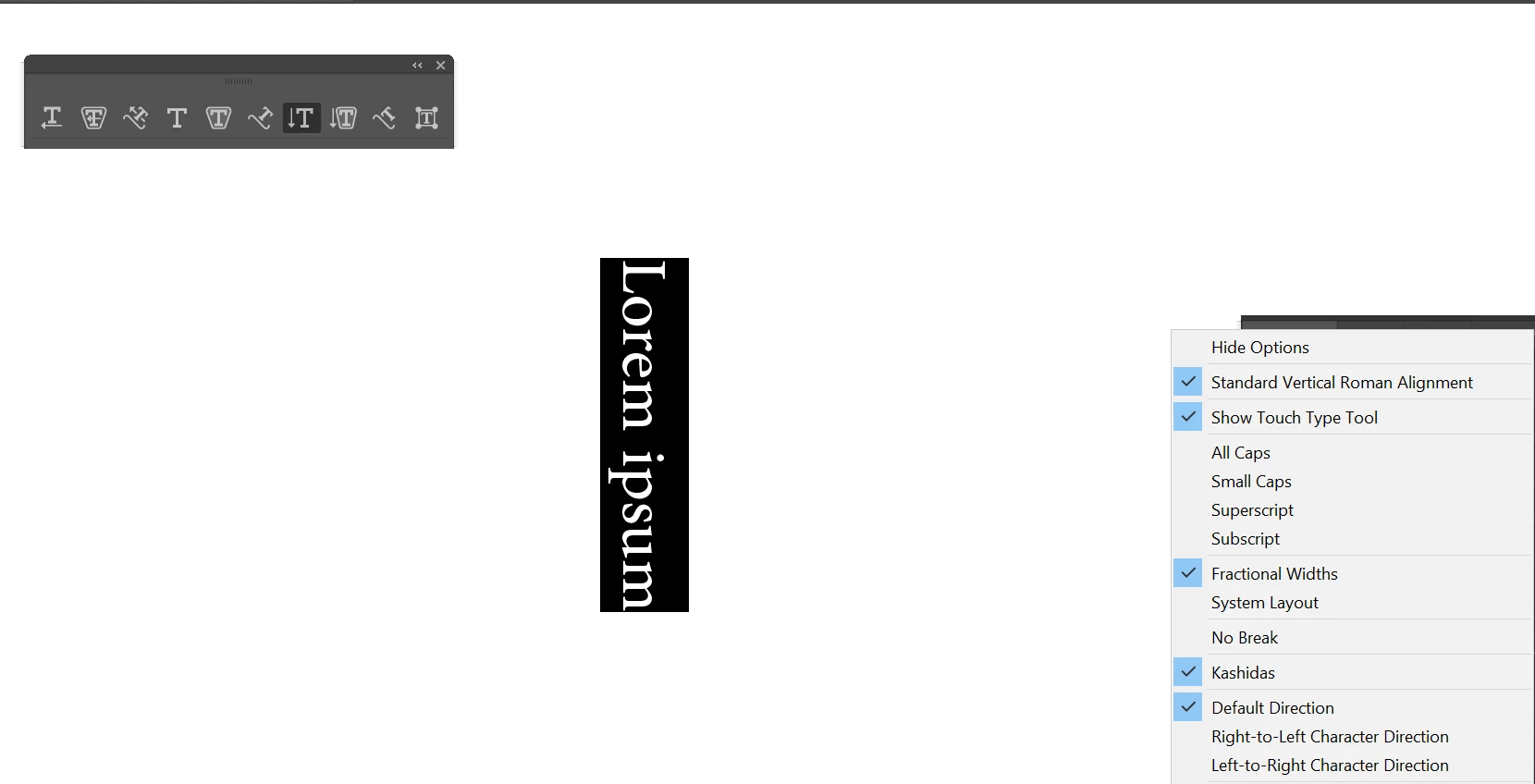
Illustrator: trying to use the vertical type tool I am trying to type vertical text however just it comes out rotated

  • July 1, 2017
  • 3 replies
  • 2837 views

Anyone Help ?

This topic has been closed for replies.
Correct answer Zaid Al Hilali

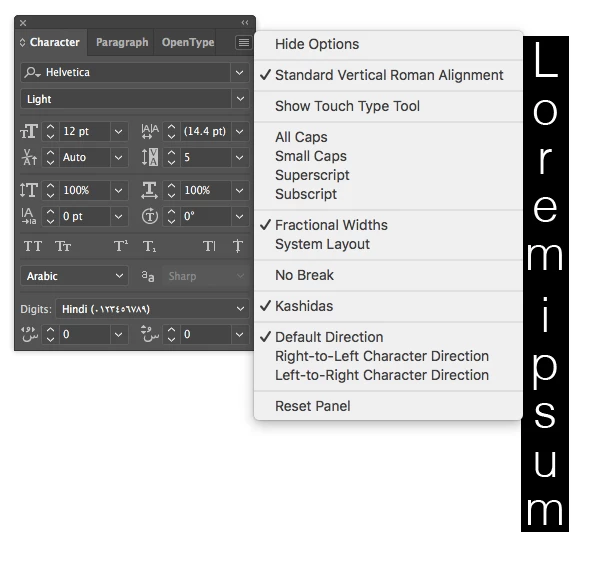
My Illustrator is English with Arabic Support too. I'm able to have vertical text by turning "Standard Vertical Roman Alignment" on from the Character's Panel fly-out menu.

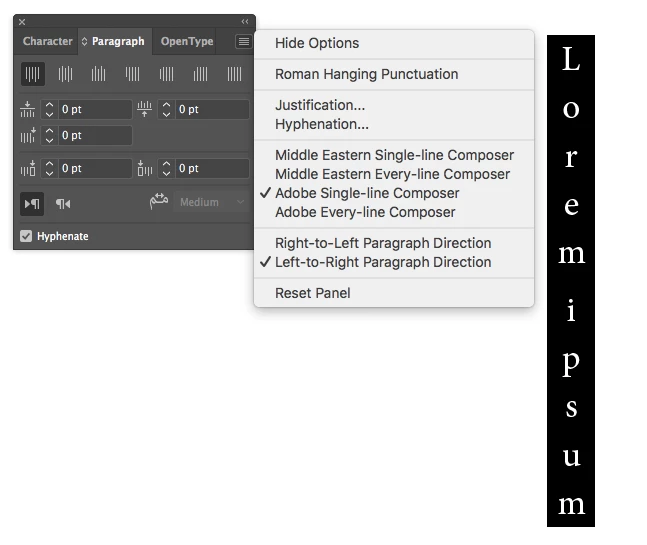
The important thing is to combine above option with a non-Middle Eastern composer in Paragraph's Panel fly-out menu, this way together will let Illustrator know that you're dealing with non-Arabic script.

3 replies

Zaid Al Hilali
Community Expert
Zaid Al HilaliCommunity ExpertCorrect answer
Community Expert
July 2, 2017

My Illustrator is English with Arabic Support too. I'm able to have vertical text by turning "Standard Vertical Roman Alignment" on from the Character's Panel fly-out menu.

The important thing is to combine above option with a non-Middle Eastern composer in Paragraph's Panel fly-out menu, this way together will let Illustrator know that you're dealing with non-Arabic script.

Xenon09Author
Participating Frequently
July 1, 2017

Last version i had just downloaded from adobe creative cloud cc 2017

English supported Arabic

Monika Gause
Community Expert
Community Expert
July 1, 2017

In that case you maybe do not have that option and would need a different language.

Xenon09Author
Participating Frequently
July 1, 2017

different language Like what its already English but just supported to type Arabic

Monika Gause
Community Expert
Community Expert
July 1, 2017

In the Preferences > Type

switch to eastern asian options.

Xenon09Author
Participating Frequently
July 1, 2017

How ?

Monika Gause
Community Expert
Community Expert
July 1, 2017

Which version is this?

WHich language is installed?