



easygoing_Charm5FC8
Inspiring
June 30, 2025
Answered

Illustrator Vertical Text Alignment Issue

  • June 30, 2025
  • 2 replies
  • 518 views

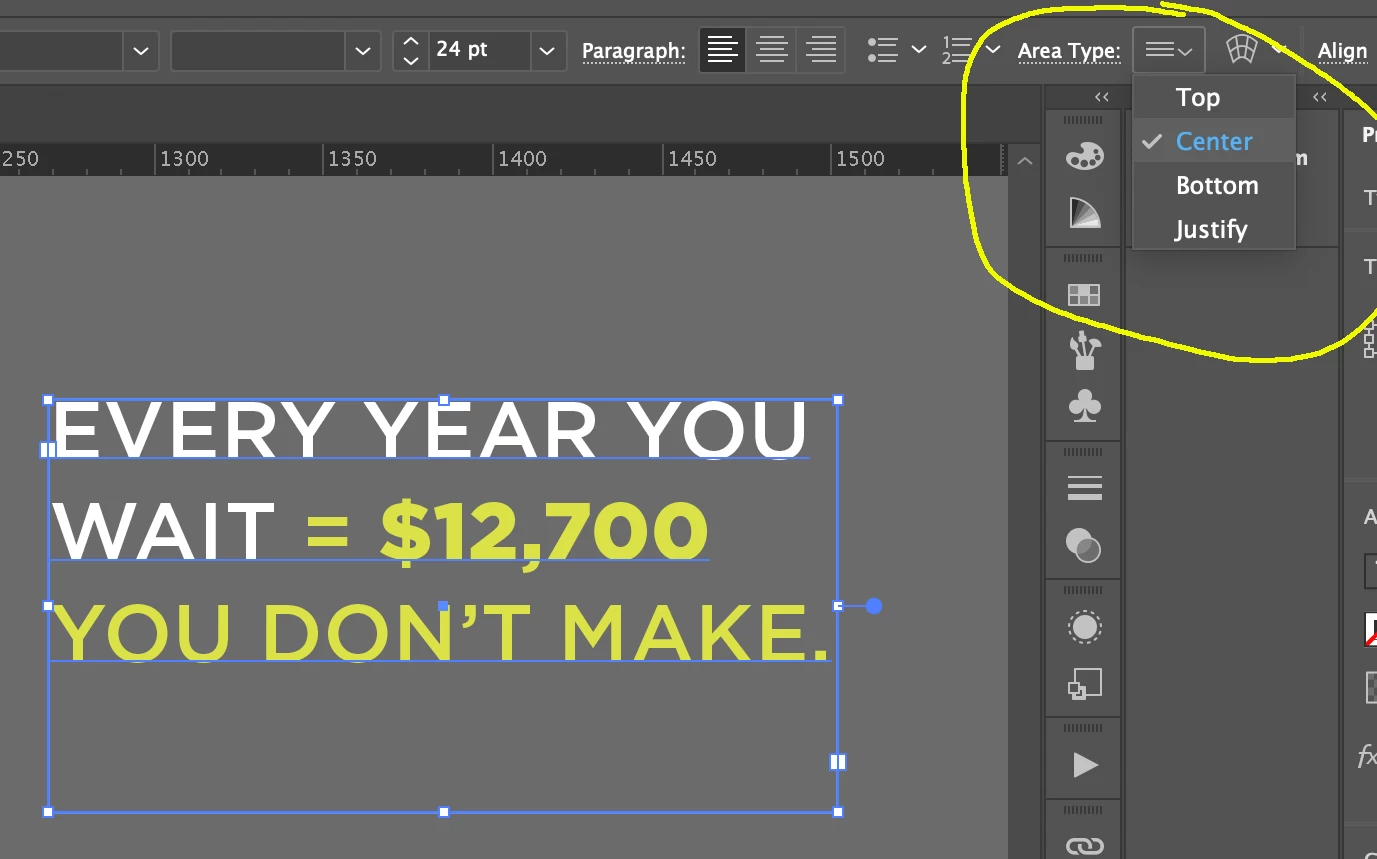
Hello. I have a very simple text frame with 3 short lines of copy. I am trying to use vertical center alignment (Area Type). When I click on center, the text moves to the center of the frame and then immediately goes right back to the top of the frame - even though the alignment says center. I tried creating a new text frame on my pasteboard just to be sure there is no wrapping going on and it still does not work. I also tried updating Illustrator and re-launched. Still the same thing. There are no paragraph returns in the copy and I confirmed there is no "hidden" copy after the period. Does anybody have any suggestions?


Illustrator Version - 29.6.1

Mac OS Sonoma 14.7


Correct answer easygoing_Charm5FC8

I'm not sure what that is or how to do that. The text was copied and pasted from a Word document. I ended up creating a new text box and manually typed the text and that did the trick for me! Thank you for your reply.

2 replies

Community Expert
June 30, 2025

That is strange behavior. Have you tried resetting the Illustrator Preferences file?

easygoing_Charm5FC8
easygoing_Charm5FC8AuthorCorrect answer
Inspiring
June 30, 2025

I'm not sure what that is or how to do that. The text was copied and pasted from a Word document. I ended up creating a new text box and manually typed the text and that did the trick for me! Thank you for your reply.

Community Expert
June 30, 2025

My guess is MS Word used some kind of text formatting data on the clipboard Illustrator didn't understand. It's good a fresh text box in Illustrator behaved properly.


Sometimes Illustrator can be affected by odd issues that can be fixed by resetting Illustrator's Preferences file. This can be done by pressing and holding a keyboard shortcut combination when launching Illustrator. For Windows the combo is Ctrl+Alt+Shift. For Mac OSX the combo is Command+Option+Shift. Resetting the Preferences file is a fairly easy troubleshooting step. It's easier than doing a clean reinstall of Illustrator.

kglad
Community Expert
Community Expert
June 30, 2025

in the future, to find the best place to post your message, use the list here, https://community.adobe.com/

p.s. i don't think the adobe website, and forums in particular, are easy to navigate, so don't spend a lot of time searching that forum list. do your best and we'll move the post (like this one has already been moved) if it helps you get responses.


<"moved from cc desktop bugs">