


Participant
August 7, 2024
Question

Illustrator will not install

  • August 7, 2024
  • 4 replies
  • 2851 views

I have just bought a brand new MICROSOFT 13" Surface Pro OLED, Copilot+ PC - Snapdragon X Elite, 1 TB SSD


I am trying to download illustrator, however, it will not install. 


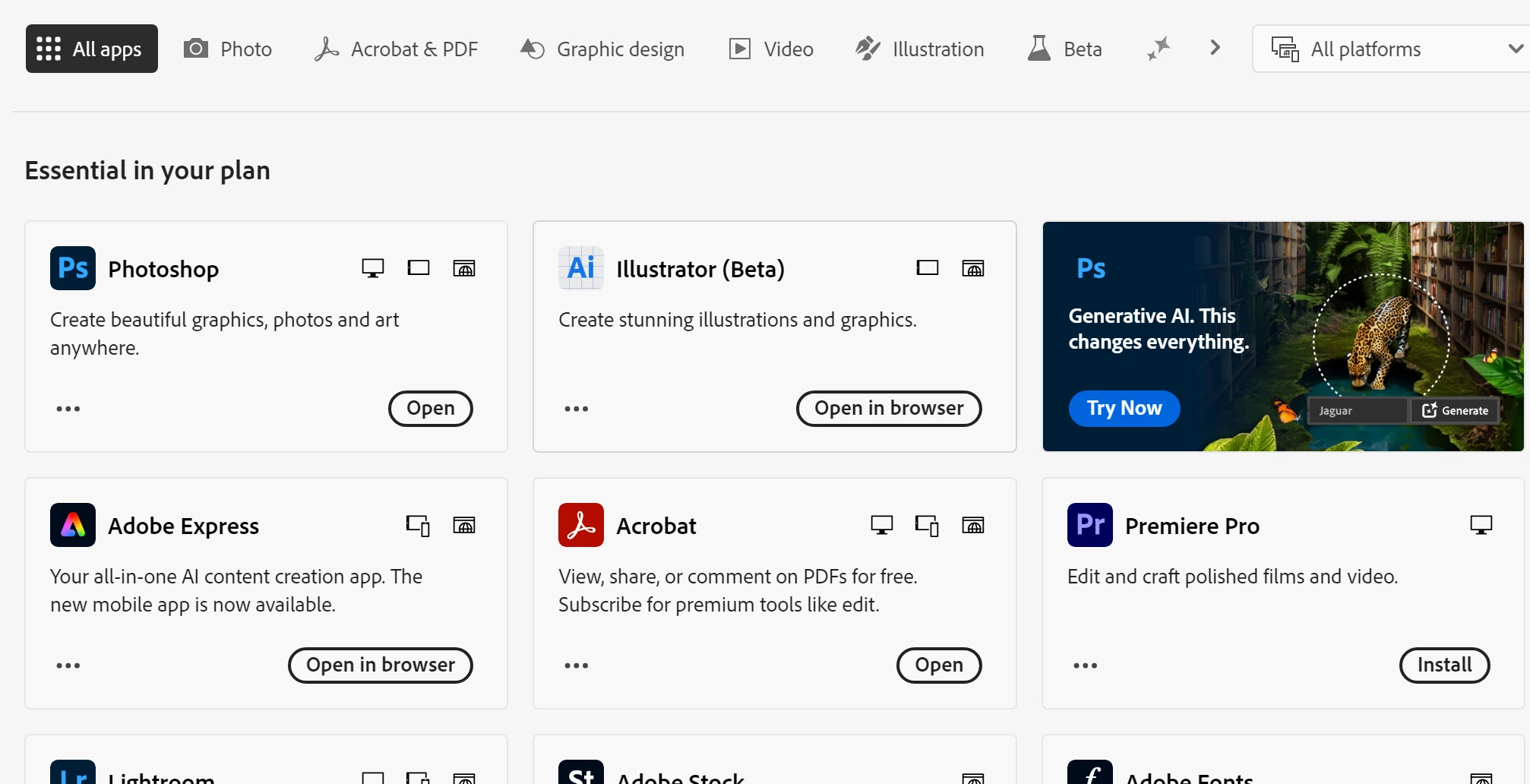
On my creative cloud, it only shows the online beta version (which is not what I want). When I use the browser to download the app, it downloads the set up file. 


After double clicking on the set up file (+ trying run as administrator), it just opens my creative cloud again but doesn't install. 


I've had a surface pro in the past (one of the earlier models) and it worked absolutely fine. 


Help!
 

4 replies

shmem2202
Participant
February 3, 2026

I am having the same issue. There is not even a desktop version that shows up. When I download the installer for the app from different pages, it takes me to this page in creative cloud. How do I download the app?


Participant
October 18, 2024

problem still there. I can't use Illustrator on Microsoft Copilot+.
No where to download the beta.

Anubhav M
Community Manager
Community Manager
October 25, 2024

Hello @WutthiphongPoo,

I am sorry to hear about your experience. Would you mind sharing your Adobe ID and Locale (en-US / it-IT) via DM so I can check it with the team?

Looking forward to hearing from you.


Thanks,

Anubhav

Participant
December 9, 2024

I am currently experiencing the same issues with my microsoft copilot+, where I can only use beta illustrator and there is no option to use after effects. I would like to DM you as well if you dont mind.

Participant
September 15, 2024

same problem here surface pro 11 ( italian market ) + (sad customer experience )

while buying top machine, we expect top service.


ciao

Anubhav M
Community Manager
Community Manager
September 16, 2024

Hello @enrico267606545qgw,

I am sorry to hear about your experience. Would you mind sharing your Adobe ID and Locale (en-US / it-IT) via DM so I can check it with the team?

Looking forward to hearing from you.


Thanks,

Anubhav

Participant
September 19, 2024

I am expierencing the same problem who can I contact for this issue

Monika Gause
Community Expert
Community Expert
August 7, 2024

@Anubhav M can you please help with a Copilot compatible version?

Anubhav M
Community Manager
Community Manager
August 8, 2024

Hello @laurac78173897,

Sorry to hear about your experience. Would you mind trying the following steps to check if they help:
- Download and install the Creative Cloud Desktop app (https://adobe.ly/3SH8Y6i)

- Navigate to the Apps pane, select Beta apps and Install Illustrator (beta) 

If the problem persists, kindly share a screen recording of your workflow and the problem (https://adobe.ly/4deCg4u), so we can investigate this further.

Looking forward to hearing from you.


Thanks,

Anubhav

Participant
August 27, 2024

Hello Anubhav, 

Im having the same problem with downloading the desktop application for the illustrator beta. I too have a MICROSOFT 13" Surface Pro OLED, Copilot+ PC - Snapdragon X Elite, 1 TB SSD. 


Please advise.